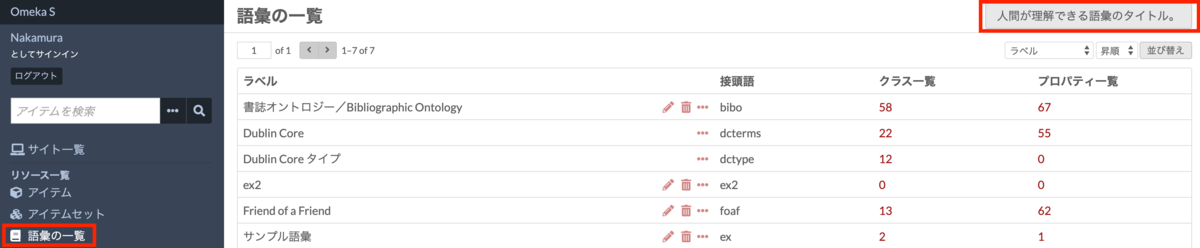
[Omeka S Tips] How to Add Existing Standard Vocabularies

Overview Omeka S uses RDF (Resource Description Framework) to describe information about resources (items, item sets, media, etc.). Therefore, it is necessary to import vocabularies, which are collections of RDF classes and properties. This article explains how to import existing vocabularies. The official manual is available at: omeka.org Specifically, we will use the following as examples: the National Diet Library Dublin Core Metadata Description (DC-NDL) provided by the National Diet Library, Schema.org, and the Japan Search Utilization Schema. ...
July 24, 2021 · 4 min · Nakamura

[App Introduction] Introducing IIIF pocket

This article introduces “IIIF Pocket,” an application developed as part of the Cultural Japan project. pocket.cultural.jp The documentation for this application is available in the following Google Document: docs.google.com We hope this is helpful for managing and utilizing IIIF resources.

July 24, 2021 · 1 min · Nakamura

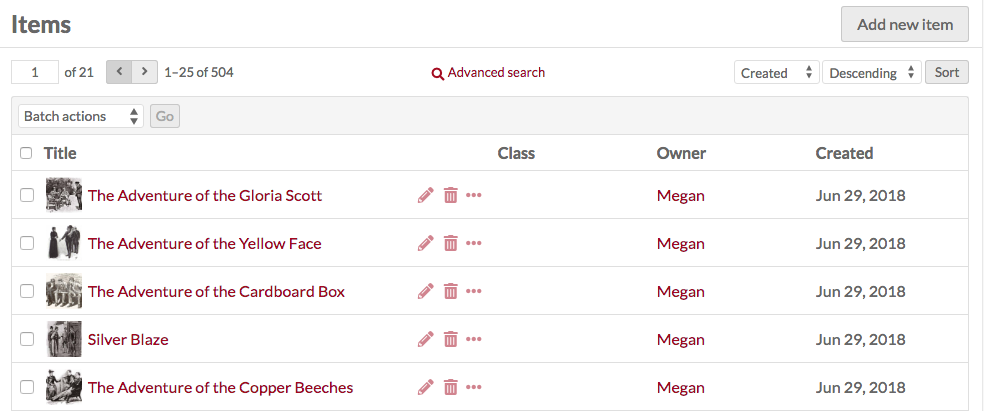
[Omeka S Manual Translation] Resources > Items

This is a Japanese translation of the Omeka S manual. It covers the “Resources” > “Items” page. omeka.org Items Items are the building blocks of the Omeka system. In Omeka S, you can make items available from the system administrator or add items to your own site. Items are listed in the Items tab (single box icon) in the left navigation of the admin dashboard. ...

July 24, 2021 · 2 min · Nakamura

[Omeka S Tips] How to Set Language Attributes for Metadata

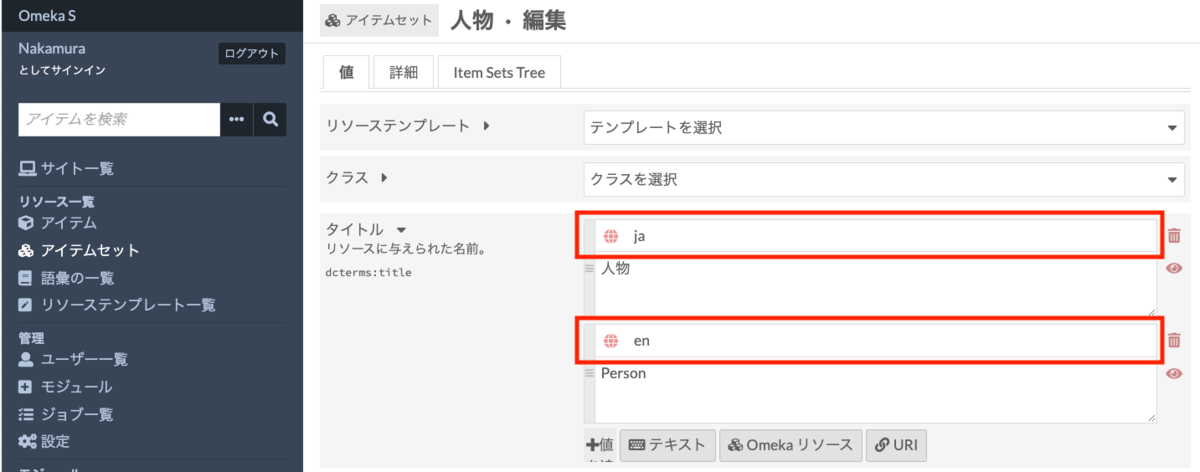
This article introduces how to set language attributes for metadata. The official manual describes this in the following section: omeka.org On the metadata editing screen shown below, clicking the globe icon reveals an input form. By entering values such as “ja” or “en” here, you can assign language attributes to your metadata. These language attributes are displayed on the public site and can also be verified in the JSON-LD provided through the Omeka S API. ...

July 24, 2021 · 1 min · Nakamura

[Omeka S Module Introduction] Item Sets Tree

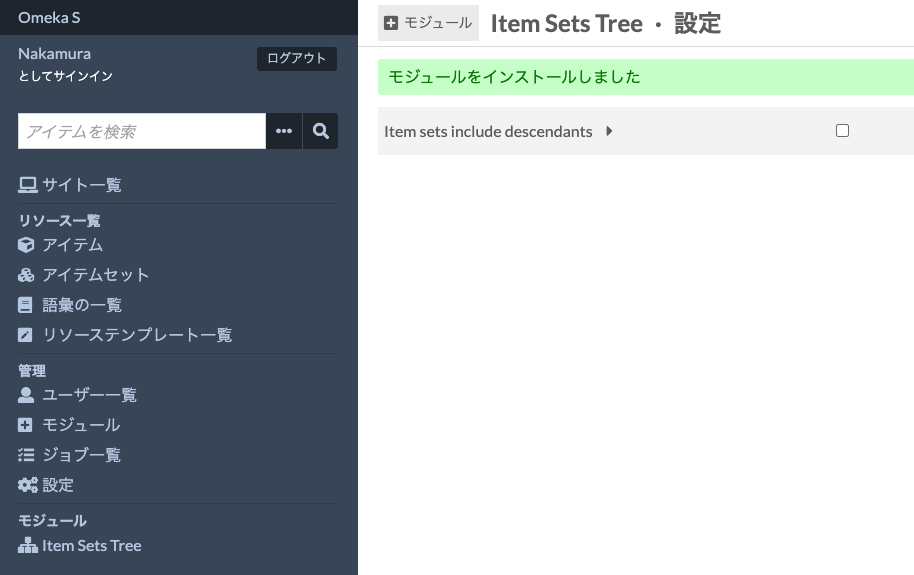
Overview Item Sets Tree is a module that allows you to configure a hierarchical structure for item sets. This article introduces how to use this module. omeka.org Overview Installation Data Feature Introduction Setting parent item sets Viewing the hierarchical structure Displaying descendant items in item set item list screens Display on sites Summary Installation After installing the module, the following settings screen is displayed. This is an option to specify whether to also display items from descendant item sets when viewing items of a given item set. We will examine the difference later. ...

July 23, 2021 · 3 min · Nakamura

[Omeka S Module Introduction] IIIF Server / Image Server / Universal Viewer

The following video explains the IIIF-related Omeka S modules “IIIF Server,” “Image Server,” and “Universal Viewer,” along with their installation procedures. youtu.be We hope this serves as a useful reference for IIIF delivery with Omeka S.

July 23, 2021 · 1 min · Nakamura

Reference Materials for Introducing Omeka S

I have compiled information on how to install Omeka S and how to add modules in the following resources. I hope they serve as useful references when introducing Omeka S. youtube.com

July 23, 2021 · 1 min · Nakamura

Introduction to the IIIF Collection of IIIF Manifests Aggregated by Cultural Japan

You can view the IIIF Collection that aggregates the IIIF manifests gathered by Cultural Japan at the following link: https://www.kanzaki.com/works/2016/pub/image-annotator?u=https://app.cultural.jp/iiif-collection/collection.json Please check the terms of use for each source database when using the individual IIIF manifests. This collection includes IIIF manifests dynamically generated by Cultural Japan. In the collection list above, these can be identified by the label “Dynamically Generated.” The dynamic generation uses AWS Lambda, querying the Japan Search RDF Store and the Cultural Japan RDF Store for each request to generate JSON data. The condition for creating these dynamically generated IIIF manifests is that the items must have high-resolution images (jps:accessInfo/schema:associatedMedia). ...

July 23, 2021 · 1 min · Nakamura

Created a Repository Demonstrating How to Use Mirador 3 with Vue

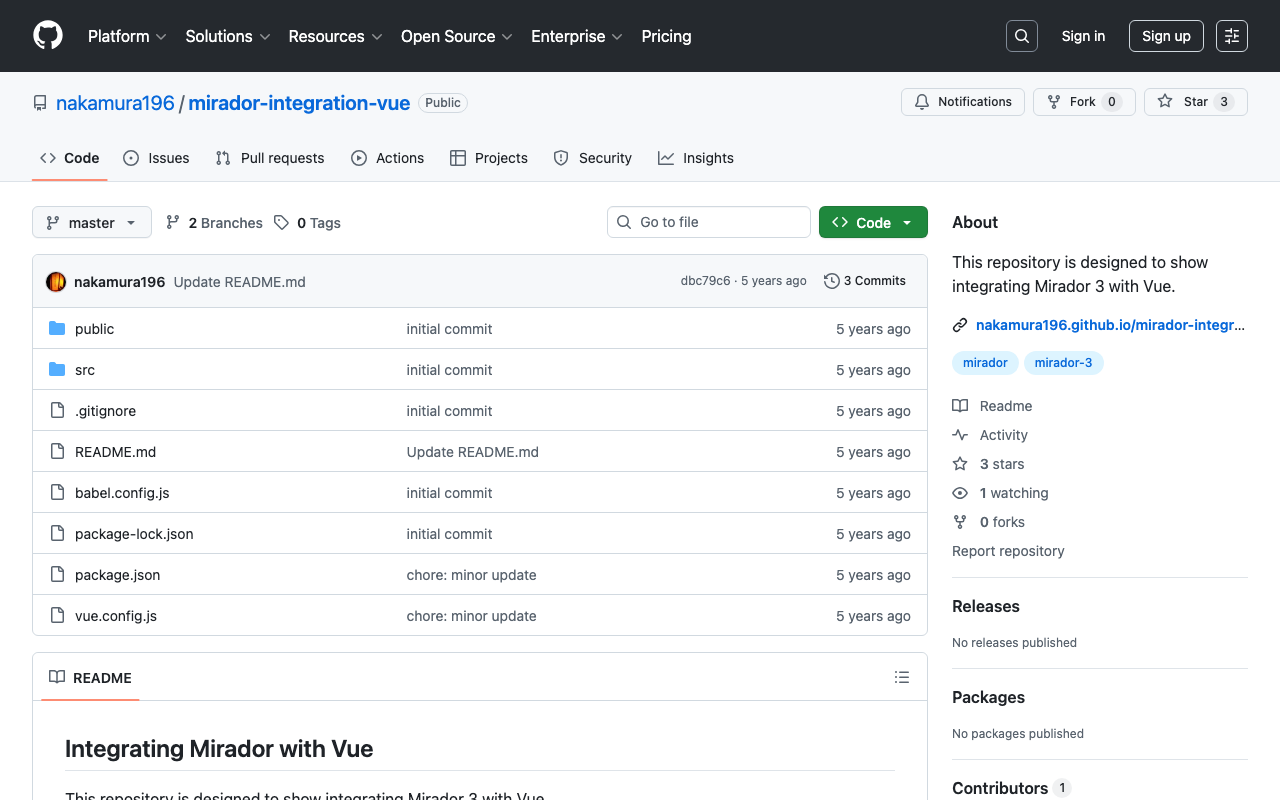
We created a repository demonstrating how to use Mirador 3 with Vue. We hope it serves as a useful reference for application development with Vue. github.com This repository was created with reference to the following: github.com As a simpler alternative, you can also use the UMD (Universal Module Definition) build. If you simply want to use Mirador 3, we recommend the following approach: github.com The site above states (as demonstrated in the repository introduced here): ...

July 22, 2021 · 1 min · Nakamura

[Feature Development] Adding a Setting to Disable Image API in the Omeka S IIIF Server Module

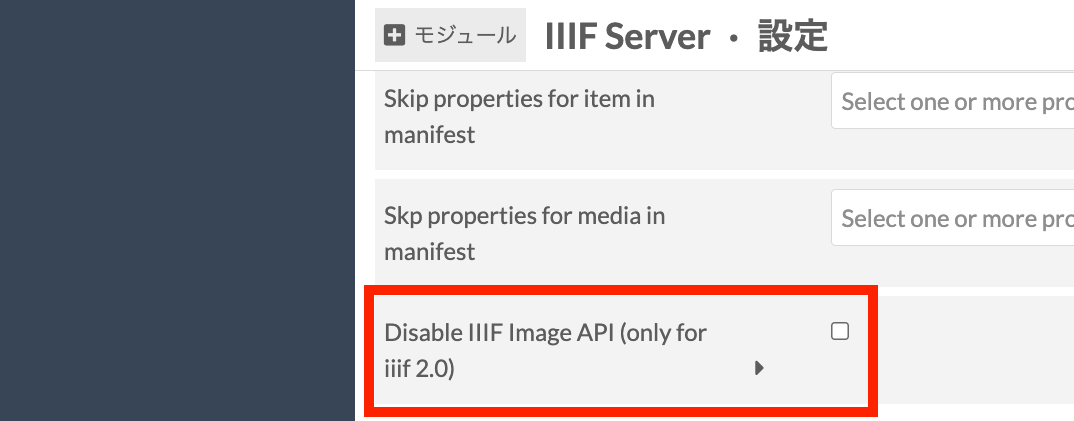
Overview I developed a new feature for the Omeka S IIIF Server module that adds a setting to disable the Image API. This makes it easier to deliver IIIF manifests and other content in environments with limited resources, such as shared hosting servers. I hope this feature contributes to improving the sustainability and usability of digital archive systems. Background The Omeka S IIIF Server module generates IIIF manifest files from metadata registered in Omeka S. It is primarily developed by Daniel-KM, who has developed various Omeka modules. ...

July 22, 2021 · 2 min · Nakamura

IIIF Implementation of "Oki-ezu" (Raised Picture Maps)

Overview I implemented a IIIF representation of “Okoshi-ezu” (raised picture maps). The target materials are the Okoshi-ezu contained in the “Dai Nihon Kaishi Compilation Materials” held at the University of Tokyo Komaba Library. https://utda.github.io/kaishi/ Please watch the following video for an overview. “Okoshi-ezu” IIIF Implementation The Application The following is the Tokyo National Museum’s description of “Okoshi-ezu”: “Okoshi-ezu” are foldable simplified models that reproduce the three-dimensional structure of buildings by pasting wall and ceiling diagrams onto a flat plan drawing. They were particularly used as a drawing technique suited for reproducing tea rooms, which have complex three-dimensional structures within small spaces. (From the Tokyo National Museum - Japanese Art (Honkan) Japanese Natural History Series: Okoshi-ezu) ...

August 14, 2020 · 2 min · Nakamura

IIIF Application Using Transmitted Light Images

Overview I created a “IIIF Application Using Transmitted Light Images.” It focuses on the “Shelley Correspondence” held at the University of Tokyo General Library. utda.github.io The Application This application uses IIIF’s “Choice of Alternative Resources” to provide an environment for comparing original images with transmitted light images. Four comparison methods are provided, using “IMAGE COMPARISON WITH A SLIDER,” “MIRADOR,” “IIIF CURATION VIEWER,” and “IMAGE ANNOTATOR.” IMAGE COMPARISON WITH A SLIDER This uses the image comparison viewer developed by Digirati. You can compare images by moving the slider in the center of the screen. ...

August 14, 2020 · 3 min · Nakamura