Created Version 2 of the NDLOCR App Using Google Colab

Announcements Notebook URL https://colab.research.google.com/github/nakamura196/ndl_ocr/blob/main/ndl_ocr_v2.ipynb 2022-07-06 A demo video showing how to use it has been created. https://youtu.be/46p7ZZSul0o Additionally, a ruby (furigana) text conversion feature has been added. Overview I created an NDLOCR app using Google Colab and introduced it in the following article. This time, I created Version 2, an improved version of the above notebook. You can access the notebook from the following link. https://colab.research.google.com/github/nakamura196/ndl_ocr/blob/main/ndl_ocr_v2.ipynb Features Support for multiple input formats has been added. The following options are available: ...

May 2, 2022 · 2 min · Nakamura

Fixing the GitHub Repository Demonstrating Mirador 3 Usage with Nuxt 2

I have been demonstrating an example of using Mirador 3 with Nuxt 2 in the following GitHub repository. https://github.com/nakamura196/nuxt-mirador However, I found that the above repository had an issue in the production environment. Specifically, Mirador’s display would break after page navigation. An issue was submitted: https://github.com/nakamura196/nuxt-mirador/issues/1 A pull request fixing the bug was also submitted for this issue. https://github.com/nakamura196/nuxt-mirador/pull/2 Specifically, as shown below, it was necessary to unmount in beforeDestroy. ...

May 1, 2022 · 1 min · Nakamura

Updating the NDLOCR App Using Google Colab: Adding Single Input Dir Mode

Overview I recently created the following article and notebook. At the time of writing the above article, only the following input format was supported. Image file mode (specified with -s f) (Use this when providing a single image file as input) However, through verification in the following article, it became clear that applying the above option to multiple images incurs significant overhead. Therefore, I modified the notebook to also support the following input format. ...

April 29, 2022 · 2 min · Nakamura

Execution Time for NDLOCR Using Google Colab

I recently wrote the following article: This time, I conducted a brief investigation on the execution time of NDLOCR using Google Colab, and here are the results. Configuration The GPU used was: Fri Apr 29 06:26:29 2022 +-----------------------------------------------------------------------------+ | NVIDIA-SMI 460.32.03 Driver Version: 460.32.03 CUDA Version: 11.2 | |-------------------------------+----------------------+----------------------+ | GPU Name Persistence-M| Bus-Id Disp.A | Volatile Uncorr. ECC | | Fan Temp Perf Pwr:Usage/Cap| Memory-Usage | GPU-Util Compute M. | | | | MIG M. | |===============================+======================+======================| | 0 Tesla V100-SXM2... Off | 00000000:00:04.0 Off | 0 | | N/A 35C P0 23W / 300W | 0MiB / 16160MiB | 0% Default | | | | N/A | +-------------------------------+----------------------+----------------------+ +-----------------------------------------------------------------------------+ | Processes: | | GPU GI CI PID Type Process name GPU Memory | | ID ID Usage | |=============================================================================| | No running processes found | +-----------------------------------------------------------------------------+ The following image was used. The size was 5000 x 3415 px, 1.1 MB: ...

April 29, 2022 · 4 min · Nakamura

Example of Running SPARQL Queries Against the Japan Search RDF Store Using Google Colab

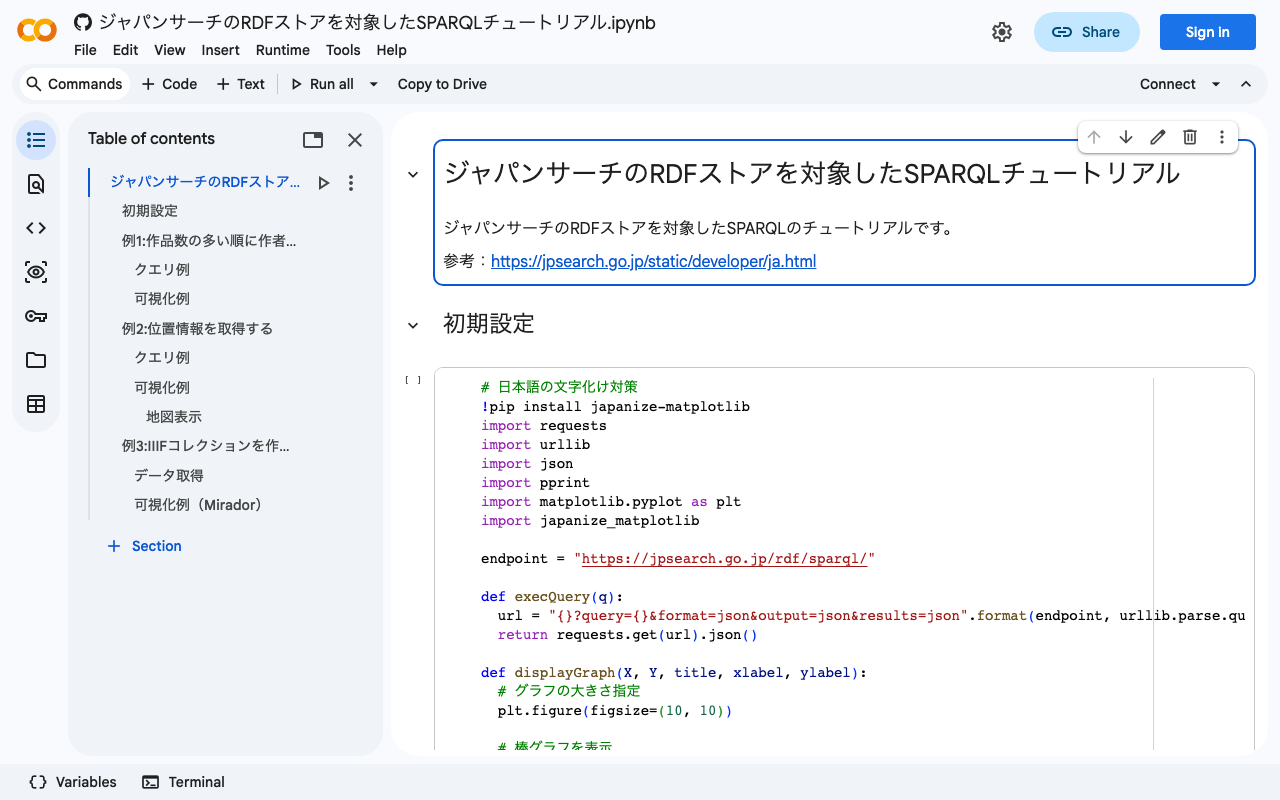
I created a notebook demonstrating examples of running SPARQL queries against the Japan Search RDF store using Google Colab. I hope it serves as a useful reference when using RDF stores with Python. https://colab.research.google.com/github/nakamura196/ndl_ocr/blob/main/ジャパンサーチのRDFストアを対象したSPARQLチュートリアル.ipynb Other reference sites and tutorials include the following. https://www.kanzaki.com/works/ld/jpsearch/ https://lab.ndl.go.jp/data_set/tutorial/

April 29, 2022 · 1 min · Nakamura

Running the NDL Lab Automatic Figure/Table Extraction Program Using Google Colab

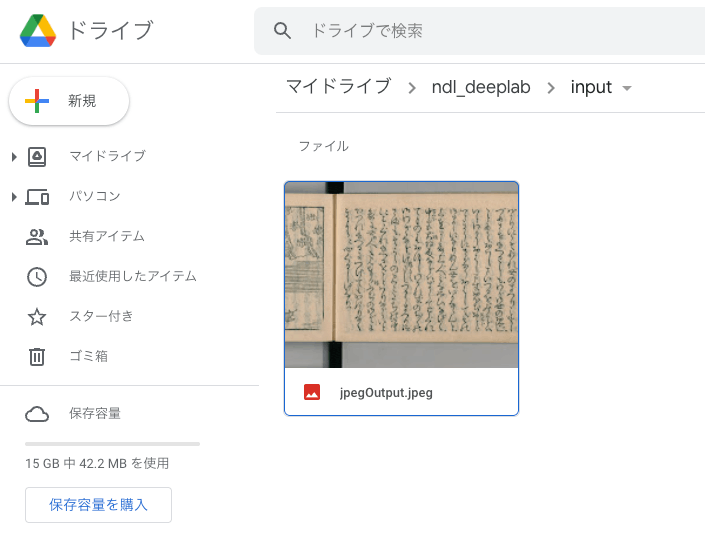
Overview NDL Lab publishes the following automatic figure/table extraction program. https://github.com/ndl-lab/tensorflow-deeplab-v3-plus This time, I summarize how to use Google Colab for the above program, including the procedures for inputting images via Google Drive and saving results. Notebook The Google Colab notebook created this time can be accessed from the following. https://colab.research.google.com/github/nakamura196/ndl_ocr/blob/main/ndl_deeplab.ipynb By preparing a folder of input images on Google Drive, you can execute the automatic figure/table extraction process. For basic operation instructions, please check the explanations within the notebook above. Below, I introduce execution examples. ...

April 29, 2022 · 3 min · Nakamura

Running NDLOCR App with Google Colab (Image Input and Result Saving via Google Drive)

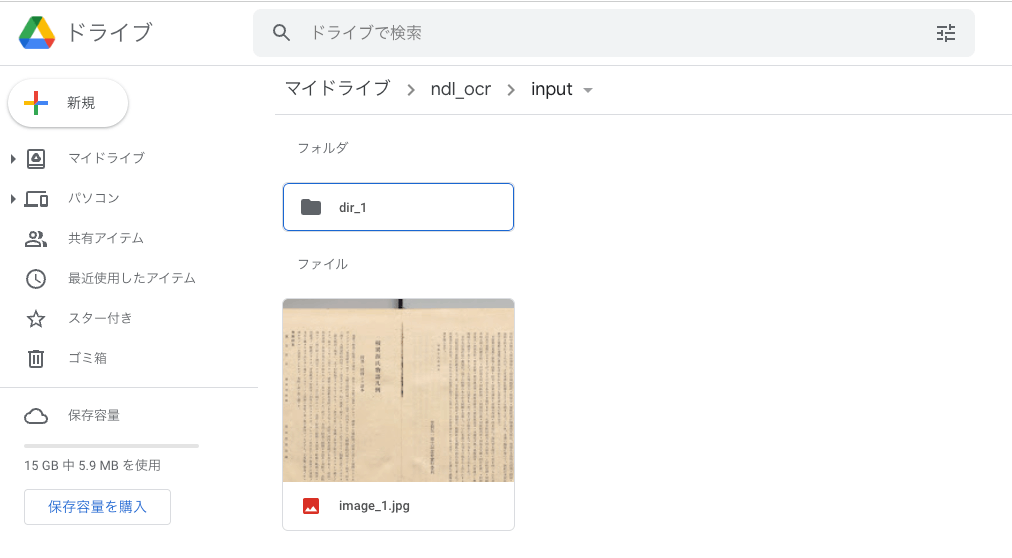
Overview Previously, I shared a method for running the NDLOCR app using Google Cloud Platform’s Compute Engine. However, the above method involves somewhat cumbersome procedures and incurs costs. While it is suitable for production environments, it presented a high barrier for small-scale or experimental use. To address this issue, @blue0620 created a method for running the NDLOCR app using Google Colab. https://twitter.com/blue0620/status/1519294332159012864 By using the above notebook, you can easily (with one click from “Runtime” > “Run all”) and freely run OCR. ...

April 28, 2022 · 3 min · Nakamura

Building an Omeka S Site Using Amazon Lightsail (Including Custom Domain + SSL)

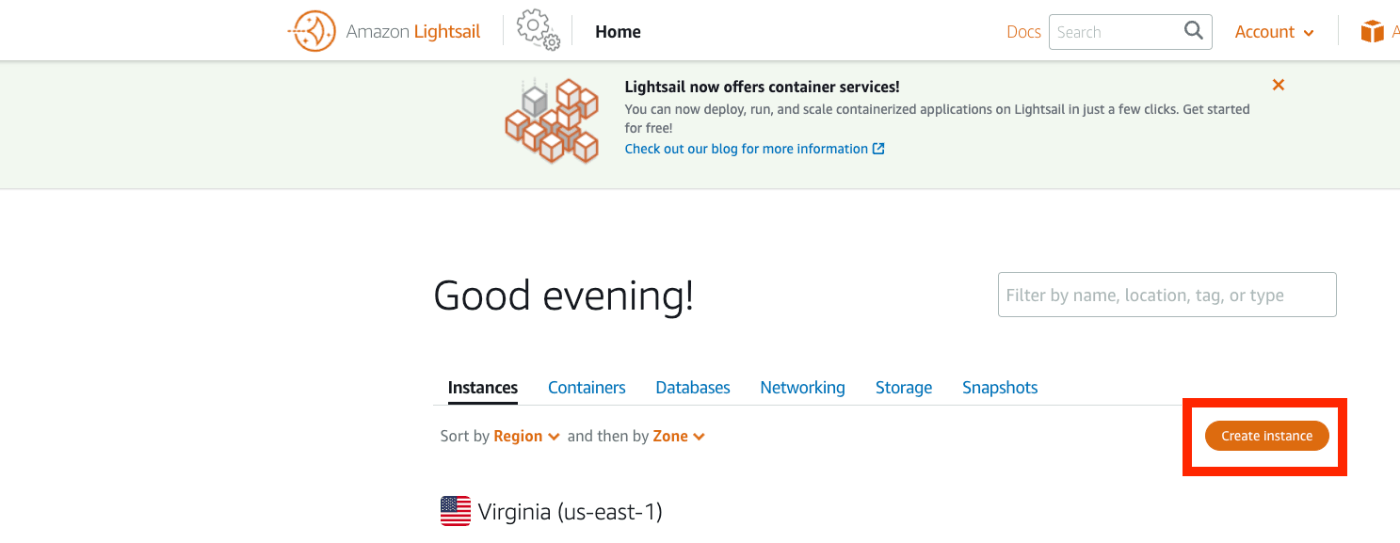
Update History 2022/09/08 Updated the script descriptions to the latest version. Overview Amazon Lightsail is described as follows: Amazon Lightsail is an easy-to-use virtual private server (VPS) that makes it easy to manage cloud resources such as containers at a predictable, low price. This article introduces how to build Omeka S using Amazon Lightsail. It also covers the “custom domain” and “SSL” configuration that are generally required when making a database publicly available. ...

April 26, 2022 · 4 min · Nakamura

Running the NDLOCR Application Using Google Cloud Platform Compute Engine

Overview This is a memo about running the NDLOCR application published by NDL (National Diet Library) using a virtual machine on GCP (Google Cloud Platform). For details about this application, please refer to the following repository. https://github.com/ndl-lab/ndlocr_cli Creating a VM Instance Access Compute Engine on GCP and click the “Create Instance” button at the top of the screen. Under “Machine configuration” > “Machine family”, select “GPU”. Then for “GPU type”, select “NVIDIA T4”, which is the most affordable option. Set “Number of GPUs” to 1. ...

April 26, 2022 · 7 min · Nakamura

Using The New York Public Library API

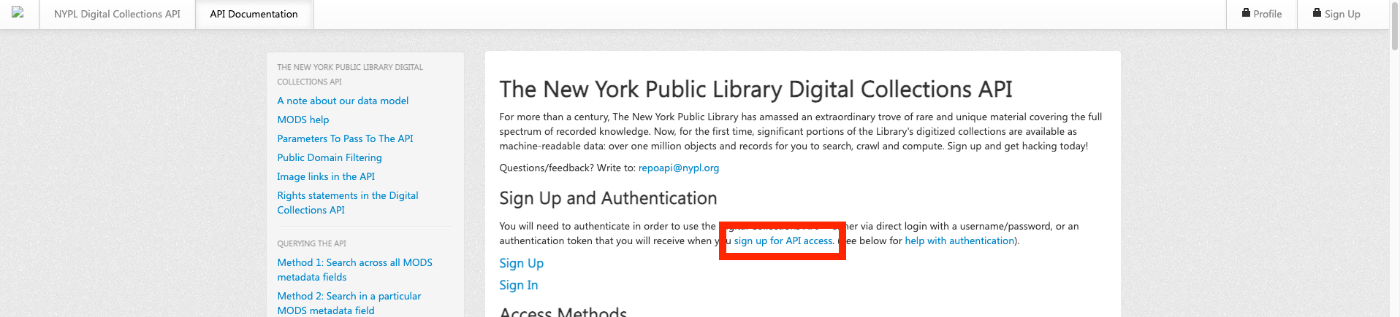
Overview The New York Public Library provides a Digital Collections API. http://api.repo.nypl.org/ This article explains an example of how to use this API. Sign Up First, click the following link to sign up. A form like the following will be displayed, so enter the required information. After entering your information, you will receive an email with the subject Welcome to NYPL API. This email contains the Authentication Token. ...

April 23, 2022 · 1 min · Nakamura

How to Register, Update, and Delete researchmap Achievements Using CSV Files

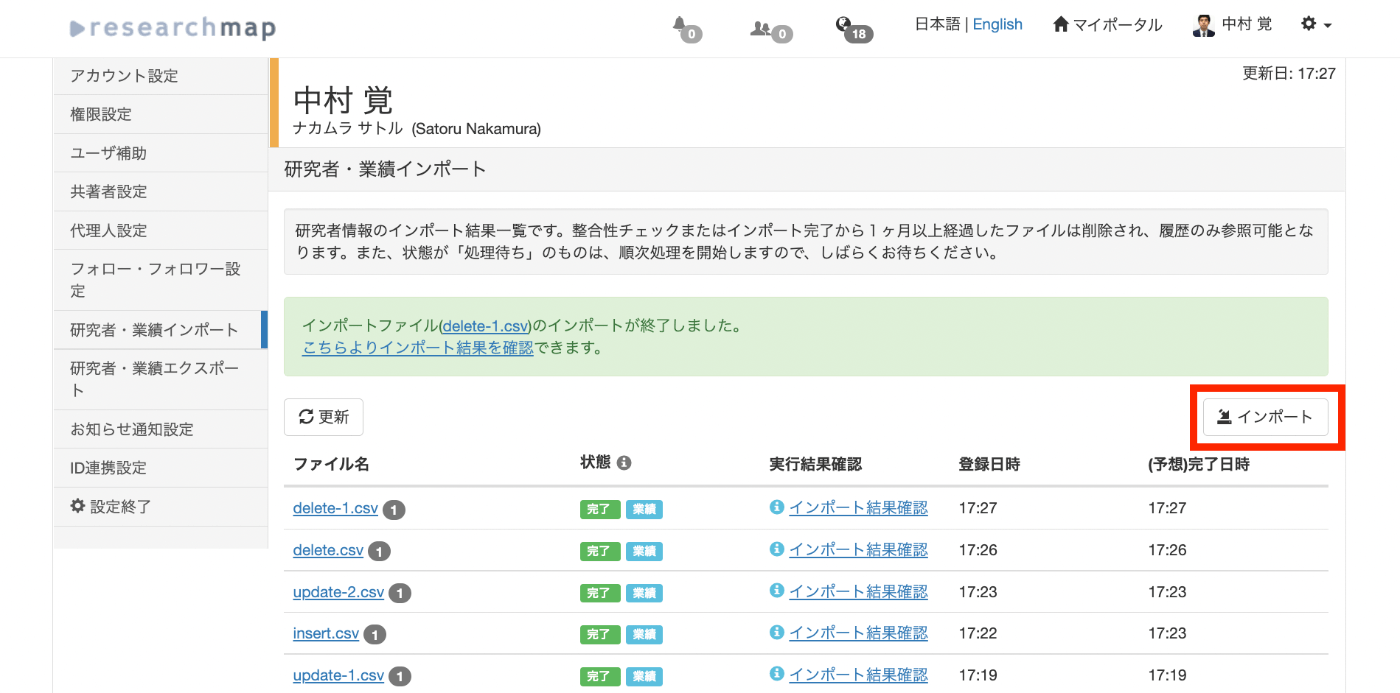
Overview I performed new registration, updating, and deletion of achievements on researchmap using CSV files. This article shares the method and the data used. Sample data used this time https://github.com/ldasjp8/researchmap New Registration First, click the “Import” button. When the import dialog appears, select the CSV file for new registration and press the “Consistency Check” button. An example CSV file for registration is stored below. This is an example of new registration to “published_papers.” ...

April 15, 2022 · 3 min · Nakamura

Added TEI/XML Download Functionality to the "NDL OCR x IIIF" App

I added the ability to download OCR results in TEI/XML format to the app that allows viewing OCR results published in the National Diet Library’s “Next-Generation Digital Library” using an IIIF viewer. https://static.ldas.jp/ndl-ocr-iiif/ Please also refer to the following article about this app. In adding this feature, I updated the UI. The results are divided into “Viewer” and “Data.” For “Viewer,” in addition to the previously provided “Mirador” and “Curation Viewer,” I added “Universal Viewer” and “Image Annotator.” I also added a link to the “Next-Generation Digital Library” and implemented a page called “TEI Viewer” as a simple viewer for TEI/XML files. ...

April 15, 2022 · 1 min · Nakamura

Experiments on Image Sizes Supported by serverless-iiif

Overview In the following article, I explained how to build an IIIF Image Server using an AWS serverless application. This time, I register a relatively large image and verify whether tile image delivery is possible. Target This time, the target is “Mining Claim Maps” (held by the University of Tokyo Komaba Library). https://iiif.dl.itc.u-tokyo.ac.jp/repo/s/ichiko/document/4120a330-2f1c-4e2c-5d48-21aed4d42704 The original image is a TIF file of nearly 300 MB. Creating Pyramidal Tiled TIFF Referencing the following site, I tried both VIPS and ImageMagick. ...

April 14, 2022 · 1 min · Nakamura

Usage Example of Leaflet with Vue 3 (Including Coordinate Range Retrieval)

I created a repository introducing a usage example of Leaflet with Vue 3 (including coordinate range retrieval). The working example is available here: https://static.ldas.jp/vue3-leaflet/ The source code is available here: https://github.com/ldasjp8/vue3-leaflet As a Vue 3 beginner, there may be errors, but we hope this serves as a useful reference.

April 14, 2022 · 1 min · Nakamura

Created a Sample Repository for Using OpenSeadragon with Vue3

I created a sample repository for using OpenSeadragon with Vue3. Here is a working example. https://static.ldas.jp/vue3-osd/ The source code is available below. https://github.com/ldasjp8/vue3-osd As I am a Vue3 beginner, there may be some errors, but I hope this is helpful.

April 14, 2022 · 1 min · Nakamura

[Omeka S] How to Set Custom Identifiers in the IIIF Server Module

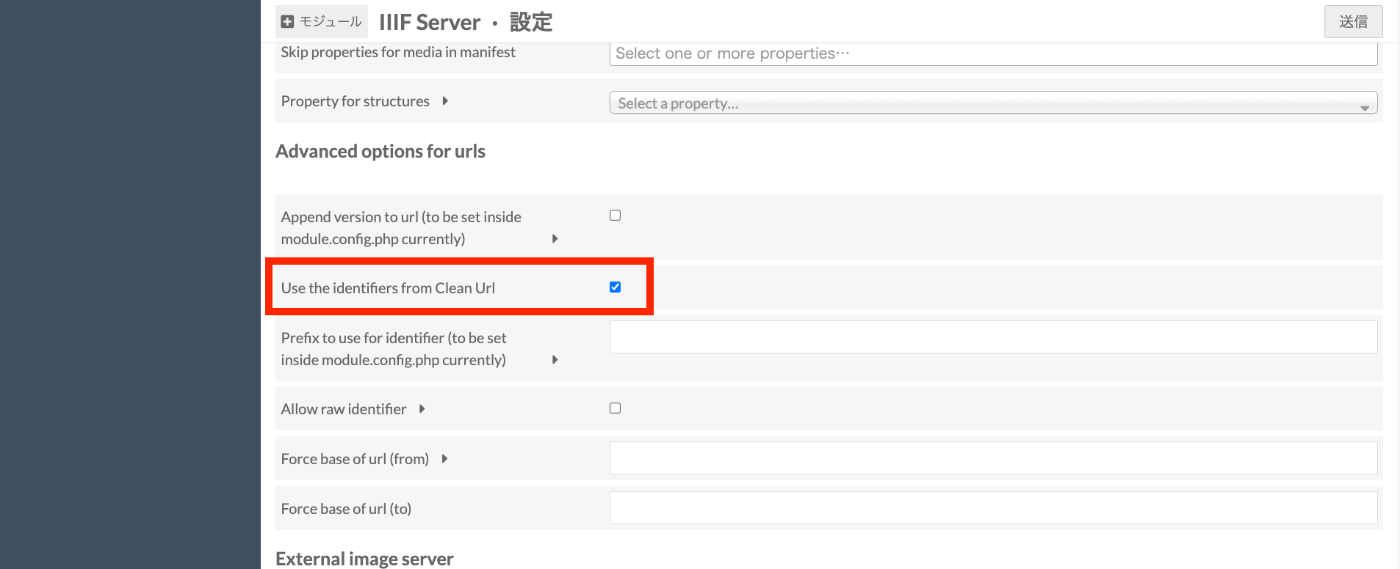
With the default settings of the Omeka S IIIF Server module, you can access IIIF manifest files using URLs like the following. /iiif///manifest Example (version 2): https://shared.ldas.jp/omeka-s/iiif/2/1267/manifest Example (version 3): https://shared.ldas.jp/omeka-s/iiif/3/1267/manifest However, since this uses Omeka’s internal ID, it is recommended to use custom identifiers. The solution is to additionally install the Clean Url module and enable Use the identifiers from Clean Url in the IIIF Server module settings screen shown below. ...

April 11, 2022 · 1 min · Nakamura

[Omeka S] How to Configure Attribution in the IIIF Server Module

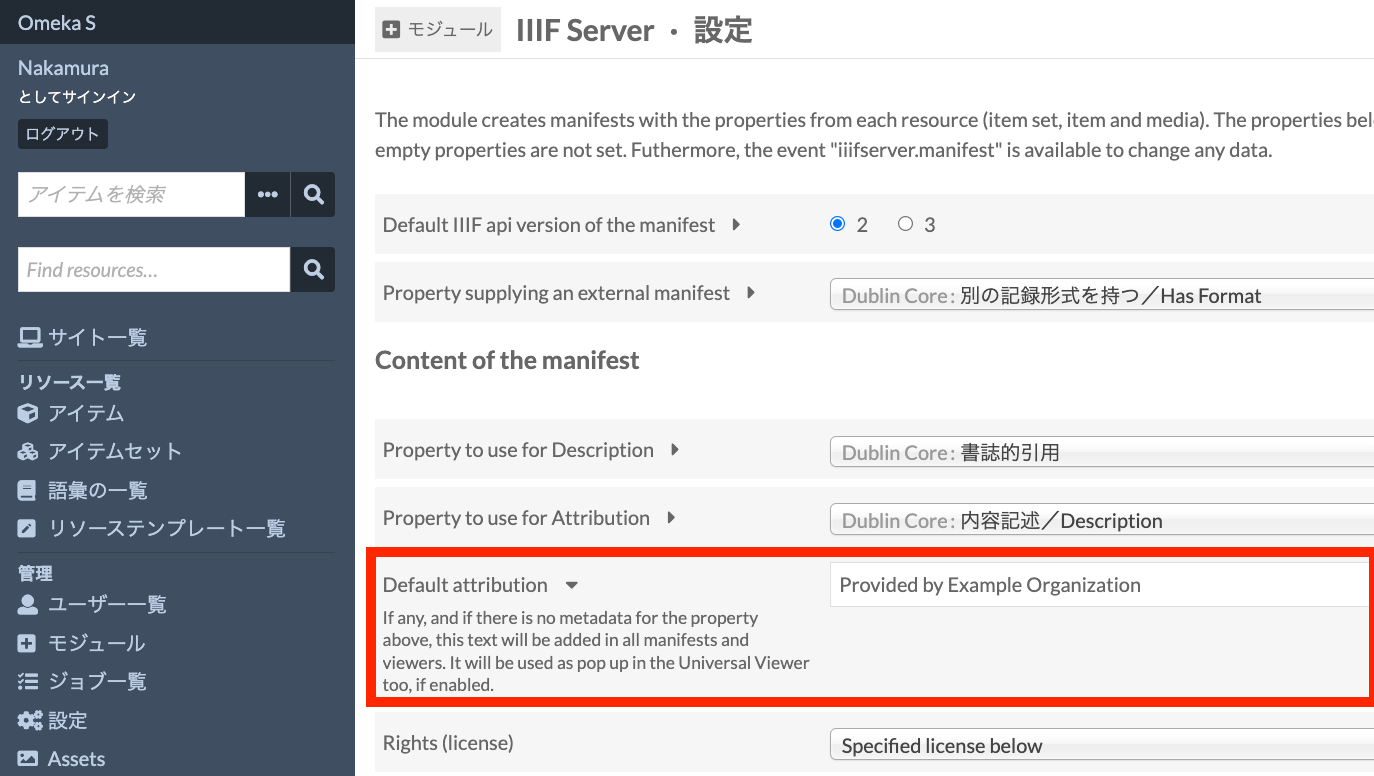
The IIIF Server module for Omeka S allows you to configure various settings. One of these is the attribution setting. As shown below, the value entered in Default attribution will be displayed in the attribution field of IIIF manifest files and similar resources. I recommend changing it to an appropriate value such as your organization’s name. Alternatively, as shown just above the field mentioned above, you can specify a property for entering attribution values, which allows you to change the attribution value for each item individually. ...

April 11, 2022 · 1 min · Nakamura

Created a Sample Repository for Running XSLT in Node.js

I created a sample repository for running XSLT in Node.js. https://github.com/ldasjp8/nodejs-xslt We hope this is helpful when processing TEI/XML files and similar in Node.js.

April 8, 2022 · 1 min · Nakamura

Setting Focus on a Text Field Inside a Dialog When Opening It in Vuetify

The following was helpful. https://stackoverflow.com/questions/59407003/set-focus-text-field-inside-dialog-when-dialog-opened By accessing $refs after a short delay when opening the dialog, it worked successfully. watch: { dialog: function(value) { if (value) { setTimeout(() => { this.$refs.name.focus(); }, 200); } } }

April 7, 2022 · 1 min · Nakamura

How to Enable Hot Reload for the static Directory in Nuxt.js

The explanation was found at the following link. https://develop365.gitlab.io/nuxtjs-2.8.X-doc/ja/api/configuration-watch/ export default { ..., generate: { fallback: true, }, watch: ['static'], } By providing watch in the nuxt.config.js file as shown above, the target directory became a watch target as well.

April 7, 2022 · 1 min · Nakamura