Installing the Mroonga Search Module (Note: This Did Not Work Successfully)

Overview I attempted to install the Mroonga search module introduced in the following article on AWS Lightsail. https://nakamura196.hatenablog.com/entry/2022/03/07/083004 As a result, the installation did not succeed, but I am documenting it here for future reference. Setting Up Omeka S I set up Omeka S as described in the following article. Installing Mroonga I performed the installation following the instructions on the following page. https://mroonga.org/docs/install/debian.html sudo apt update sudo apt install -y -V apt-transport-https sudo apt install -y -V wget wget https://packages.groonga.org/debian/groonga-apt-source-latest-bullseye.deb sudo apt install -y -V ./groonga-apt-source-latest-bullseye.deb sudo apt update sudo apt install -y -V mariadb-server-10.5-mroonga After executing the above, enter mysql (mariadb). ...
November 21, 2022 · 2 min · Nakamura

Trying the ResourceSync Python Library

Overview This is a memo from trying out “py-resourcesync,” a Python library for ResourceSync. https://github.com/resourcesync/py-resourcesync Setup git clone https://github.com/resourcesync/py-resourcesync cd py-resourcesync python setup install Execution resourcelist First, create the output resource_dir directory. An ex_resource_dir folder will be created in the current directory. resource_dir = "ex_resource_dir" !mkdir -p $resource_dir Next, execute the following. You would modify the generator as needed, but here the sample EgGenerator is used. from resourcesync.resourcesync import ResourceSync # from my_generator import MyGenerator from resourcesync.generators.eg_generator import EgGenerator my_generator = EgGenerator() metadata_dir = "ex_metadata_dir" # Change as appropriate. rs = ResourceSync(strategy=0, resource_dir=resource_dir, metadata_dir=metadata_dir) rs.generator = my_generator rs.execute() As a result, .well_known, capabilitylist.xml, and resourcelist_0000.xml are created in ex_resource_dir/ex_metadata_dir. ...

November 21, 2022 · 2 min · Nakamura

[Omeka S Module Development] Adding Features to Sitemaps

In the following article, I introduced the “Sitemaps” module, which adds dynamic sitemap XML files for each site in Omeka S. I made a simple feature addition to the above module. Specifically, I added options to choose whether to include pages and itemsets in the sitemap XML. The forked repository is below. https://github.com/nakamura196/omeka-s-module-Sitemaps The changes can be reviewed at the following URL. https://github.com/nakamura196/omeka-s-module-Sitemaps/commit/03325f79e4e5b83c4ff7867fd37ed210fdf8eab2 I hope this serves as a useful reference for module modifications. ...

November 20, 2022 · 1 min · Nakamura

[Omeka S Module Introduction] Sitemaps

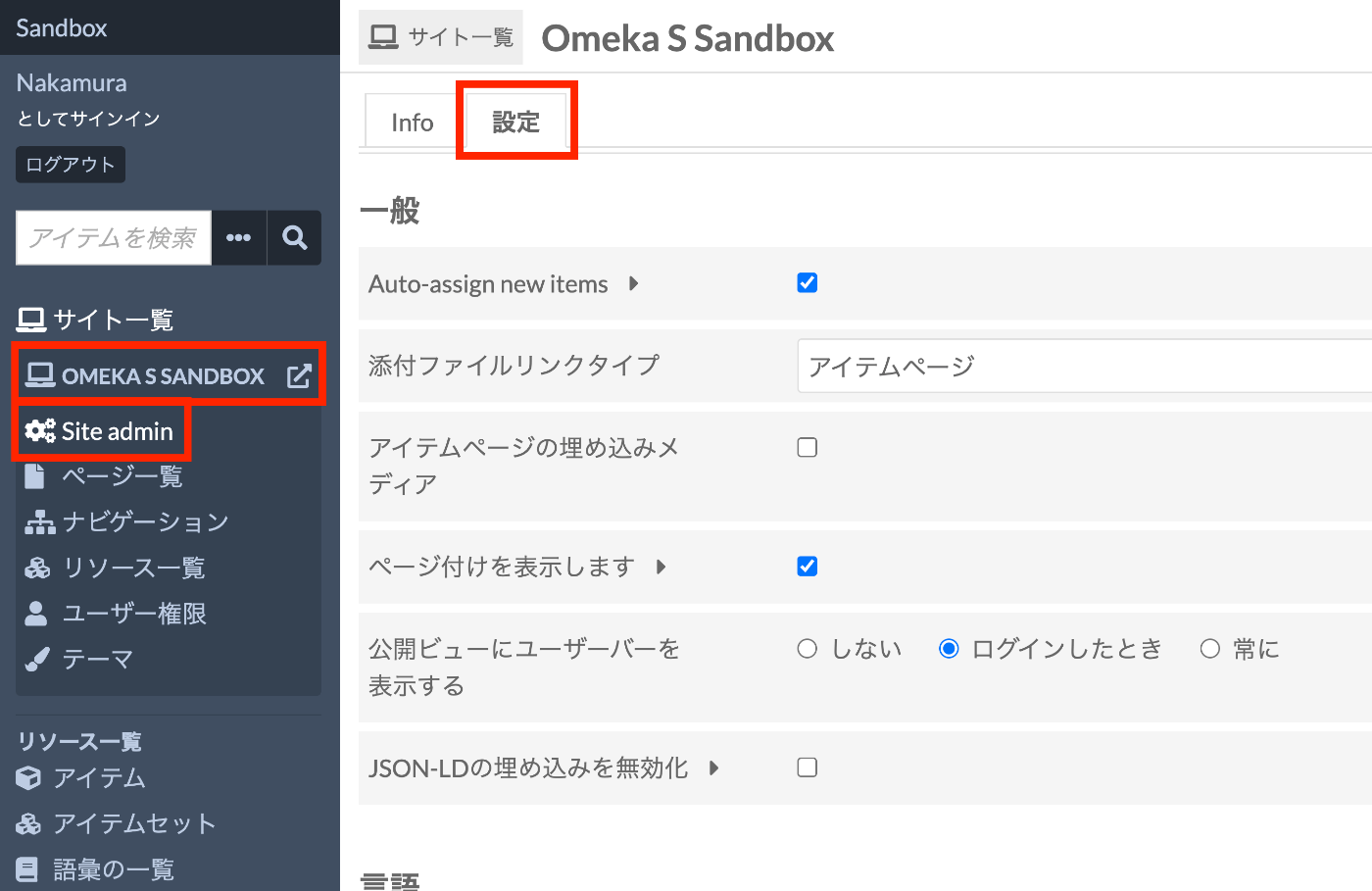
Overview This module adds dynamic sitemap XML files for each site in Omeka S. https://omeka.org/s/modules/Sitemaps/ Installation It can be installed using the standard Omeka S method. Configuration First, select the site where you want to add a sitemap. Then navigate to Site Admin > Settings as shown below. At the bottom of the settings screen, there is an option to enable dynamic sitemap generation as shown below. When enabled, a sitemap is generated as shown below. ...

November 20, 2022 · 1 min · Nakamura

Trying the IIIF Auth API

Overview The following repository is provided as an environment for trying the IIIF Auth API. https://github.com/digirati-co-uk/iiif-auth-server In this article, we will use the above repository to try the IIIF Auth API. Starting Up Preparation git clone https://github.com/digirati-co-uk/iiif-auth-server cd iiif-auth-server python -m venv venv source venv/bin/activate pip install --upgrade pip pip install -r requirements.txt If version conflicts occur during pip install -r requirements.txt, try removing the version information and running again, as shown below: ...

November 18, 2022 · 4 min · Nakamura

Omeka S Module Introduction: Data Type RDF

Overview Data Type RDF is a module that adds data types (html, xml, boolean) to Omeka S. Its usage is similar to Numeric Data Types: https://nakamura196.hatenablog.com/entry/2021/08/01/070701 Below is an introduction to how to use it. Usage Installation Install it the same way as other Omeka modules. Editing Resource Templates Create a resource template. Next, select the Data Type RDF values for the data type of a specific property. Here, we add all three types provided by this module. ...

November 14, 2022 · 1 min · Nakamura

Introduction to "FairCopy": A TEI Text Creation Support Tool

Overview A research colleague introduced me to “FairCopy,” a TEI text creation support tool. This tool allows you to create TEI texts through a GUI, and I found it very useful. It is a paid tool, but you can try it for free for 2 weeks, so I am sharing my findings here. Installation By submitting your information through the Sign Up page below, a trial code and the application download link will be displayed. ...

November 11, 2022 · 4 min · Nakamura

Registering ICA RiC-O Vocabulary in Omeka S

Overview I registered the ICA RiC-O vocabulary in Omeka S, so this is a memo of the process. https://www.ica.org/standards/RiC/RiC-O_v0-2.html Method On the Omeka S vocabulary registration screen, enter the information as follows. As a result, 106 classes and 485 properties were registered. Below is an example of the property list screen, where you can also check the comments for each property. Summary I hope this serves as a useful reference for utilizing ICA RiC-O and Omeka S. ...

November 10, 2022 · 1 min · Nakamura

How to Use the Text Markup Tool "CATMA"

Overview This article introduces how to use “CATMA,” one of the text markup tools. https://catma.de/ Annotation results can be exported in TEI format, making it possible to create highly interoperable data that can be utilized in other systems. Additionally, though still experimental, a JSON API is also provided. By using this, one could annotate with CATMA and then use the results in other systems via the API. The above includes some untested content and somewhat advanced approaches, but this article will serve as notes on the basic usage of CATMA. ...

November 10, 2022 · 3 min · Nakamura

Trying the MediaWiki TEI Extension (Result: Did Not Work)

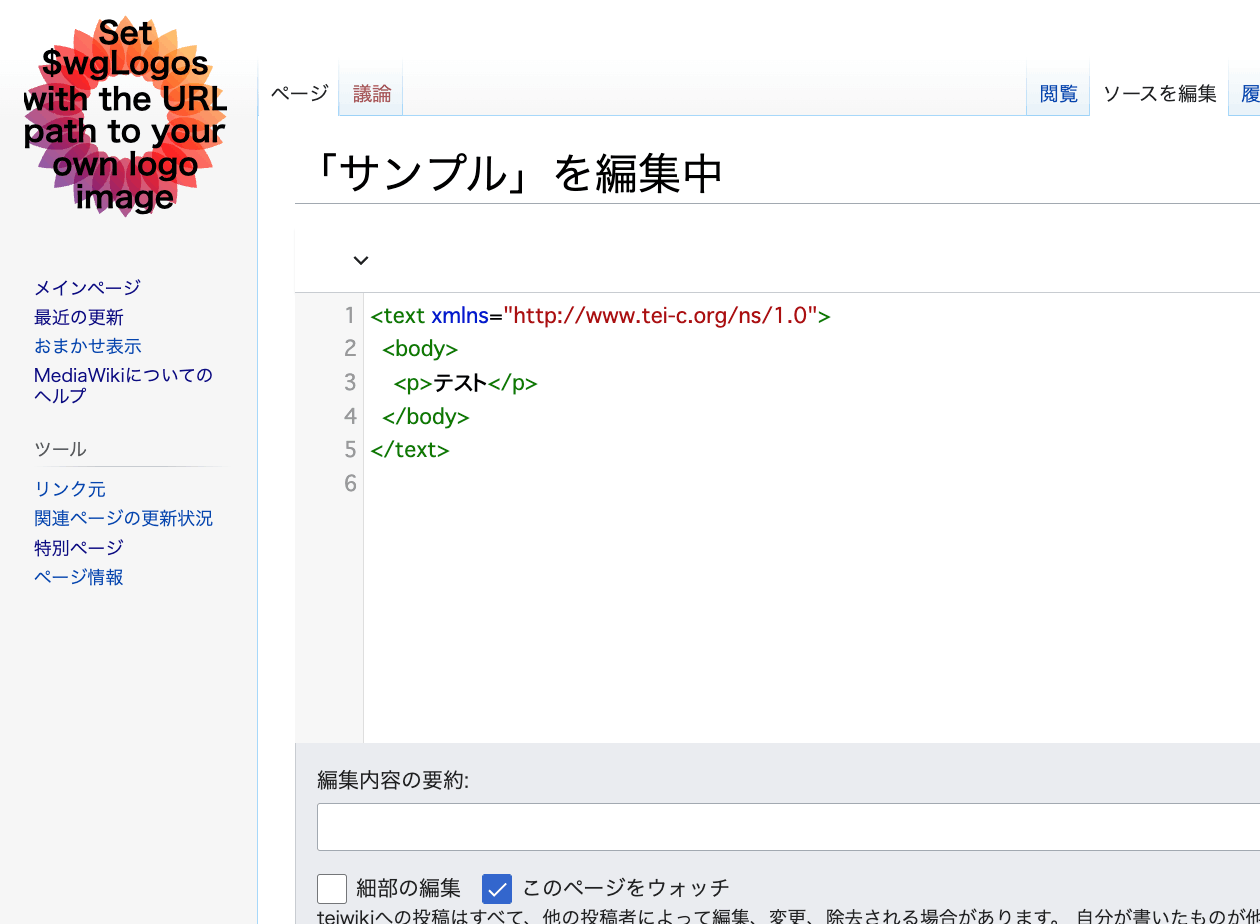
Overview An extension has been developed that enables TEI editing in MediaWiki. https://www.mediawiki.org/wiki/Extension:TEI An example of the editing screen is shown below. Scripto, a transcription support module for Omeka S, enables transcription of image data registered in Omeka S by linking Omeka S with MediaWiki. https://omeka.org/s/modules/Scripto/ I tried combining this environment with the TEI extension mentioned above to see if TEI-compliant transcription could be achieved. However, as a result, I was unable to get the TEI extension to work properly this time. ...

November 10, 2022 · 3 min · Nakamura

A Python Package for Interacting with the Omeka S REST API

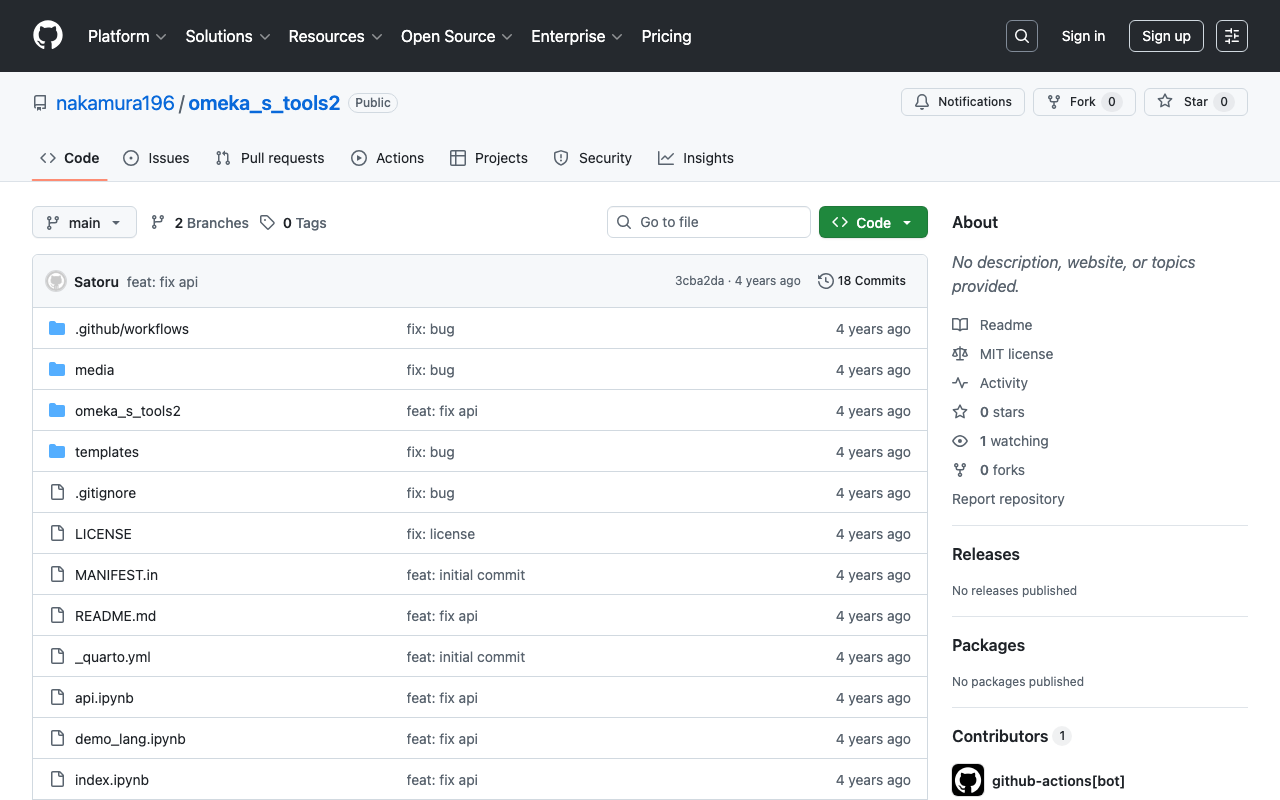
Overview A package has been developed that allows you to operate the Omeka S REST API from Python. https://github.com/wragge/omeka_s_tools Furthermore, based on the above repository, I have created a repository with several additional features. https://github.com/nakamura196/omeka_s_tools2 In this article, I will introduce this repository. Usage Please refer to the following page. https://nakamura196.github.io/omeka_s_tools2/ This repository was developed using nbdev, which allows package development and documentation to proceed in parallel, and I found it to be a very convenient system. ...

November 7, 2022 · 2 min · Nakamura

[Omeka S Module Introduction] Custom Vocab

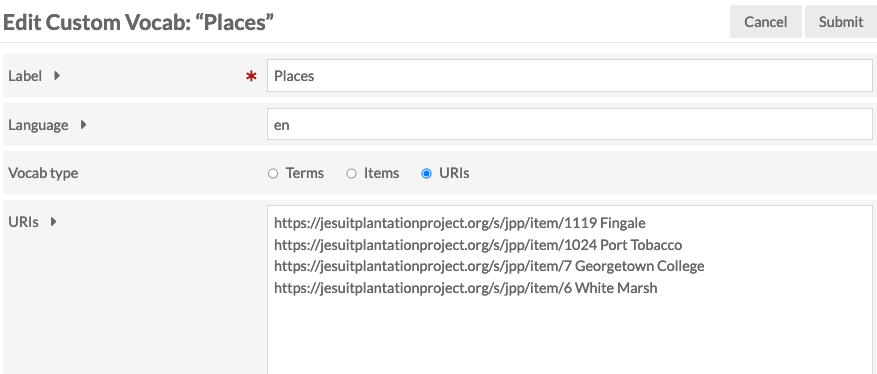
Overview I introduce Custom Vocab, one of the Omeka S modules. https://omeka.org/s/modules/CustomVocab Below is my translation of the description from the official site. The Custom Vocab module allows you to create controlled vocabularies and add them to specific properties in resource templates. When using that template for items, properties are loaded as dropdown menus limited to the controlled vocabulary options, instead of text input boxes. For example, you can create an institution-specific list of locations corresponding to various collections on campus, or a controlled list of people or places related to holdings. This can reduce typos and name variations, and provide metadata references for more fields. ...

November 6, 2022 · 3 min · Nakamura

Retrieving Birth and Death Years of Historical Figures from Wikidata

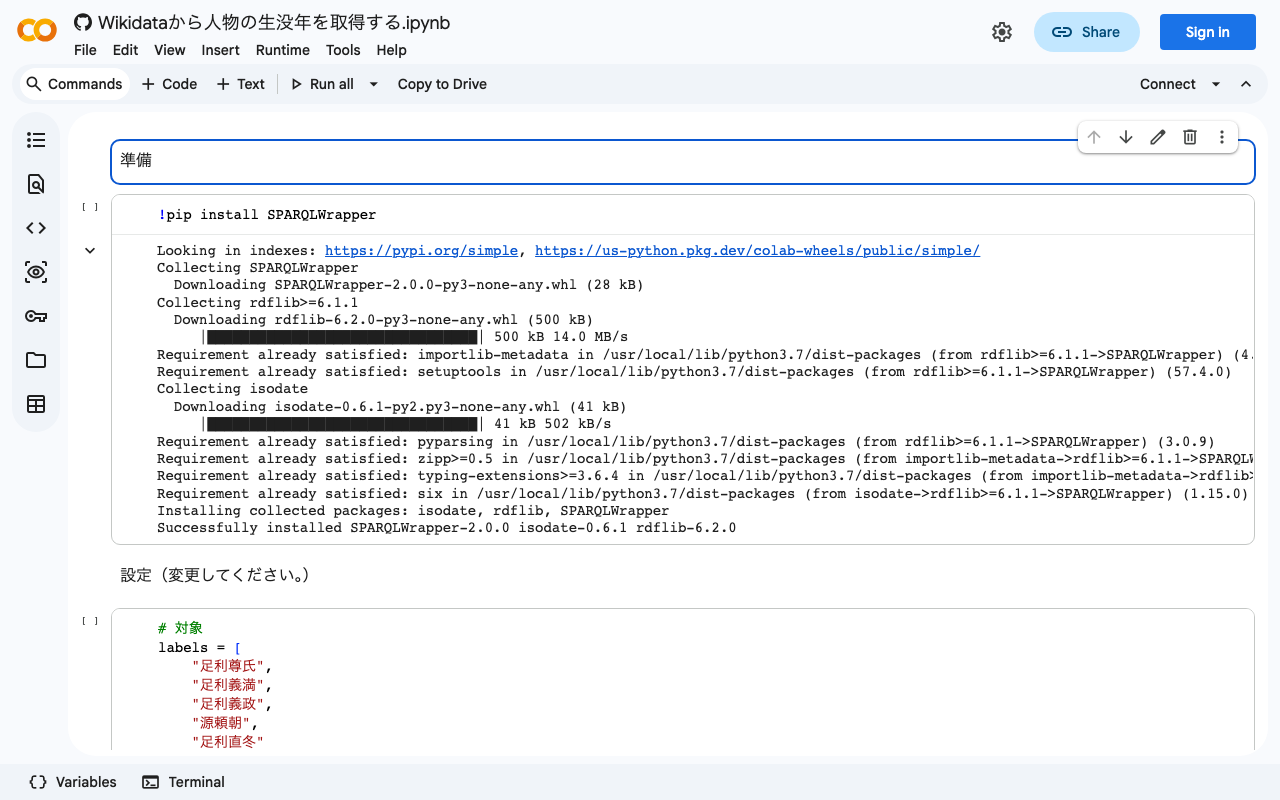
I created a notebook for retrieving birth and death years of historical figures from Wikidata. I hope this serves as a helpful reference. https://colab.research.google.com/github/nakamura196/ndl_ocr/blob/main/Wikidataから人物の生没年を取得する.ipynb

October 27, 2022 · 1 min · Nakamura

[TEI x JavaScript] Removing Unintended Whitespace in Nuxt 3

Problem When loading TEI/XML files and visualizing them with JavaScript (Vue.js, etc.), there were cases where unintended whitespace was inserted. Specifically, when writing HTML like the following: <template> <div> お問い合わせは <a href="#">こちらから</a> お願いします </div> </template> It would render with unintended spaces: “お問い合わせは こちらから お願いします” as shown below. A solution for this issue was published in the following repository: https://github.com/aokiken/vue-remove-whitespace However, I was unable to get it working in Nuxt 3 in my environment, so I used the source code as a reference and adapted it for Nuxt 3. ...

October 25, 2022 · 2 min · Nakamura

Dealing with AttributeError in ultralytics/yolov5

When using ultralytics/yolov5, the following error occurred. AttributeError: 'Detections' object has no attribute 'imgs' As mentioned in the following issue, this appears to be caused by an API change. https://github.com/robmarkcole/yolov5-flask/issues/23 As one example, the error was resolved by rewriting the program as follows. results = model(im) # inference # new def getImage(results): output_dir = "static" if os.path.exists(output_dir): shutil.rmtree(output_dir) results.save(save_dir=f"{output_dir}/") return Image.open(f"{output_dir}/image0.jpg") # old def oldGetImage(results): results.render() return Image.fromarray(results.imgs[0]) renderedImg = getImage(results) I hope this is helpful for those experiencing the same issue. ...

October 18, 2022 · 1 min · Nakamura

An Example of Manipulating JSON Files with Nuxt 3's server/api

This is an example of how to manipulate (import and use) JSON files with Nuxt 3’s server/api. The following article was used as a reference. https://github.com/nuxt/framework/discussions/775#discussioncomment-1470136 While there is much room for improvement in areas such as type definitions, the following approach was confirmed to work. // async/await を使用しています。 export default defineEventHandler(async (event) => { const items_: any = await import('~/assets/index.json') // .defaultをつける点に注意 const items_total: any[] = items_.default // 以下の参考リンクを参照してください。 const query = getQuery(event) const page: number = Number(query.page) || 1; const size: number = Number(query.size) || 20; const items: any[] = items_total.slice((page - 1) * size, page * size); return { "hits": { "total": { "value": items_total.length, }, "hits": items } } }); With the above, by using a query like /api/items?page=2&size=40, it was possible to return a portion of the imported JSON file (~/assets/index.json). Paths other than assets seem to work as well, but this has not been thoroughly verified. ...

October 16, 2022 · 1 min · Nakamura

Script for Initial Setup of Omeka Classic on Amazon Lightsail

I created a script for the initial setup of Omeka Classic on Amazon Lightsail. This is the “Omeka Classic version” of the following article. I hope this serves as a helpful reference when using Omeka Classic with Amazon Lightsail. # Variables OMEKA_PATH=/home/bitnami/htdocs/omeka ## Do not include hyphens DBNAME=omeka VERSION=3.0.3 ############# set -e mkdir -p $OMEKA_PATH # Download Omeka wget https://github.com/omeka/Omeka/releases/download/v$VERSION/omeka-$VERSION.zip unzip -q omeka-$VERSION.zip mv omeka-$VERSION/* $OMEKA_PATH # Move .htaccess mv omeka-$VERSION/.htaccess $OMEKA_PATH # Remove unnecessary folders rm -rf omeka-$VERSION rm omeka-$VERSION.zip # Remove existing index.html (if it exists) if [ -e $OMEKA_PATH/index.html ]; then rm $OMEKA_PATH/index.html fi # Create database cat <<EOF > sql.cnf [client] user = root password = $(cat /home/bitnami/bitnami_application_password) host = localhost EOF mysql --defaults-extra-file=sql.cnf -e "create database $DBNAME"; # Omeka S configuration cat <<EOF > $OMEKA_PATH/db.ini [database] host = localhost username = root password = $(cat bitnami_application_password) dbname = $DBNAME prefix = "omeka_" charset = "utf8" EOF sudo chown -R daemon:daemon $OMEKA_PATH/files sudo apt install imagemagick -y

October 13, 2022 · 1 min · Nakamura

An Example of Deploying Nuxt 3 to Netlify and AWS

Overview This is a personal note on an example of deploying Nuxt 3 to Netlify and AWS. Below are the deployment examples. Netlify app.vue https://nuxt3-nakamura196.netlify.app/ server/api/hello.ts https://nuxt3-nakamura196.netlify.app/api/hello AWS (Serverless) app.vue https://nuxt3.aws.ldas.jp/ server/api/hello.ts https://nuxt3.aws.ldas.jp/api/hello The source code is at the following URL. https://github.com/nakamura196/nuxt3 I will explain each of them below. Netlify By referring to the following article, I was able to deploy including BFF (Backend for Frontend). https://blog.cloud-acct.com/posts/nuxt3-netlify-deploy/ AWS (Serverless) The following article was helpful for the method using Lambda Functions URL. ...

October 11, 2022 · 2 min · Nakamura

Double-Sided Ruby Annotations Using python-docx

This is a memo on how to achieve double-sided ruby (furigana) in Word using python-docx. You can try it from the following notebook. https://colab.research.google.com/github/nakamura196/ndl_ocr/blob/main/python_docxを用いた両側ルビ.ipynb An output example is shown below. An input example is shown below. <body> <p> 私は <ruby> <rb> <ruby> <rb>打</rb> <rt place="right">ダ</rt> </ruby> <ruby> <rb>球</rb> <rt place="right">キウ</rt> </ruby> 場 </rb> <rt place="left">ビリヤード</rt> </ruby> に行きました。 </p> <p> <ruby> <rb>入学試験</rb> <rt place="above">にゅうがくしけん</rt> </ruby> があります。 </p> </body> The program is still incomplete, but I hope it serves as a helpful reference. ...

October 4, 2022 · 1 min · Nakamura

An Example Method for Converting TEI/XML Files to Vertical-Writing PDF

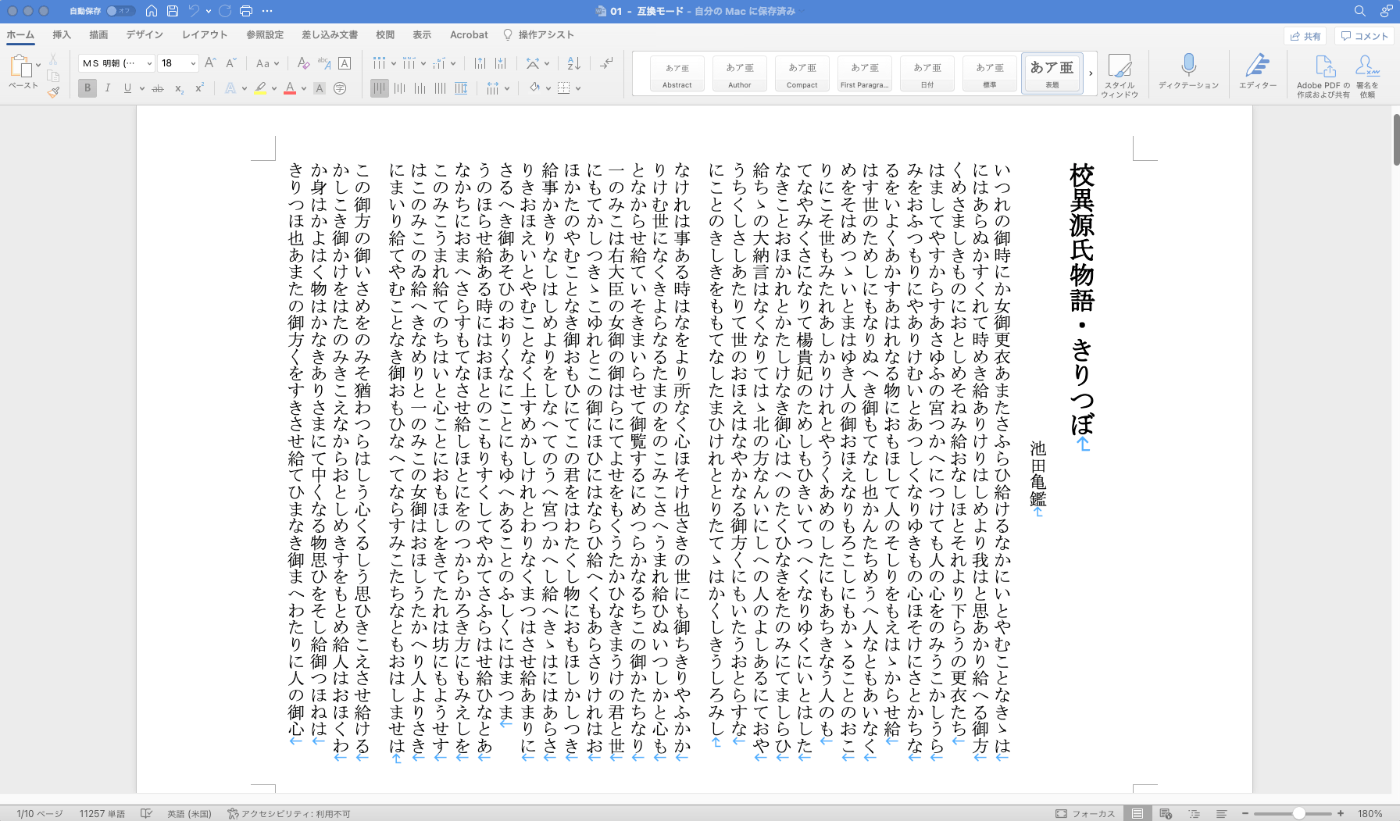
Overview This is a memo documenting one example method for converting TEI/XML files to vertical-writing (tategaki) PDF. You can try the program targeting “Koui Genji Monogatari” (Collated Tale of Genji) in the following notebook. https://colab.research.google.com/github/nakamura196/ndl_ocr/blob/main/TEI_XMLファイルを縦書きPDFに変換する.ipynb Conversion Workflow This time, I used Quarto. https://quarto.org/ Please refer to the following for installation instructions. https://quarto.org/docs/get-started/ TEI/XML -> qmd First, convert the contents of the TEI/XML file to a qmd file. Below is a sample conversion script. ...

October 3, 2022 · 2 min · Nakamura