Introducing an IIIF Viewer in Nuxt3 with SSR

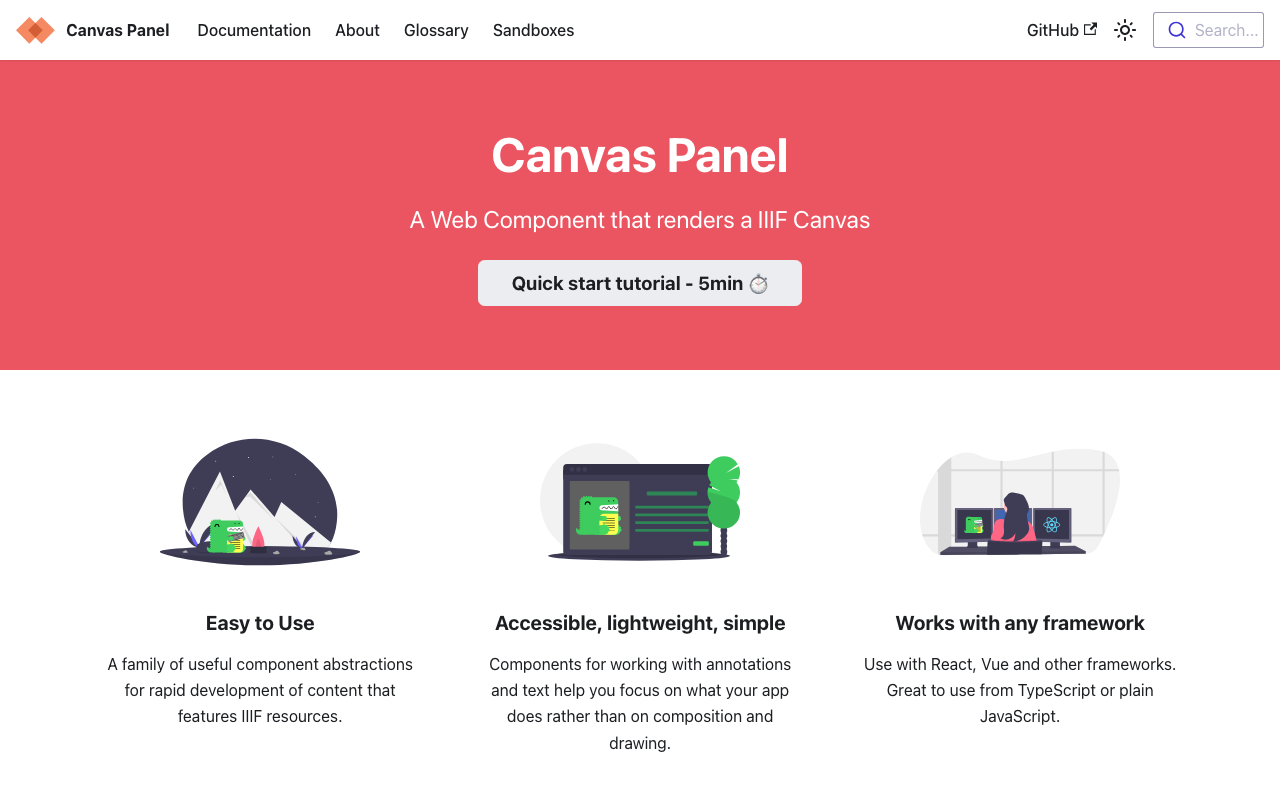
Overview This is a memo on how to introduce an IIIF viewer in Nuxt3 with SSR. Canvas Panel This section covers the introduction of the following viewer. https://iiif-canvas-panel.netlify.app/ Installation npm i @digirati/canvas-panel-web-components Page Please refer to the following. https://github.com/nakamura196/nuxt3-iiif-viewer/blob/main/pages/canvas-panel/index.vue Display Example https://nakamura196.github.io/nuxt3-iiif-viewer/canvas-panel Tify This section covers the introduction of the following viewer. https://github.com/tify-iiif-viewer/tify Installation npm i tify Page Please refer to the following. https://github.com/nakamura196/nuxt3-iiif-viewer/blob/main/pages/tify/index.vue In the case of SSR, a document is not defined. error occurred, so I added the following file to the plugins. ...
December 26, 2022 · 1 min · Nakamura

Script for Initial Setup of Omeka S on Amazon Lightsail (Adding the Easy Admin Module)

I created an updated version of the “Script for Initial Setup of Omeka S on Amazon Lightsail” introduced in the following article. This version adds “Easy Admin,” which makes it easy to add themes and modules, and also fixes permissions for related directories. I hope you find this helpful. # 変数 OMEKA_PATH=/home/bitnami/htdocs/omeka-s ## ハイフンは含めない DBNAME=omeka_s VERSION=3.2.3 ############# set -e mkdir $OMEKA_PATH # Omekaのダウンロード wget https://github.com/omeka/omeka-s/releases/download/v$VERSION/omeka-s-$VERSION.zip unzip -q omeka-s-$VERSION.zip mv omeka-s/* $OMEKA_PATH # .htaccessの移動 mv omeka-s/.htaccess $OMEKA_PATH # 不要なフォルダの削除 rm -rf omeka-s rm omeka-s-$VERSION.zip # 元からあったindex.htmlを削除(もし存在すれば) if [ -e $OMEKA_PATH/index.html ]; then rm $OMEKA_PATH/index.html fi # データベースの作成 cat <<EOF > sql.cnf [client] user = root password = $(cat /home/bitnami/bitnami_application_password) host = localhost EOF mysql --defaults-extra-file=sql.cnf -e "create database $DBNAME"; # Omeka Sの設定 cat <<EOF > $OMEKA_PATH/config/database.ini user = root password = $(cat bitnami_application_password) dbname = $DBNAME host = localhost EOF sudo chown -R daemon:daemon $OMEKA_PATH/files sudo apt install imagemagick -y # Module cd $OMEKA_PATH/modules ## easy admin wget https://github.com/Daniel-KM/Omeka-S-module-EasyAdmin/releases/download/3.3.7/EasyAdmin-3.3.7.zip unzip EasyAdmin-3.3.7.zip rm EasyAdmin-3.3.7.zip sudo chown -R daemon:daemon $OMEKA_PATH/files sudo chown -R daemon:daemon $OMEKA_PATH/modules sudo chown -R daemon:daemon $OMEKA_PATH/themes

December 24, 2022 · 1 min · Nakamura

Omeka S Module Development: FixCjkSearch - Fixing Full-Text Search Issues with Japanese in Omeka S

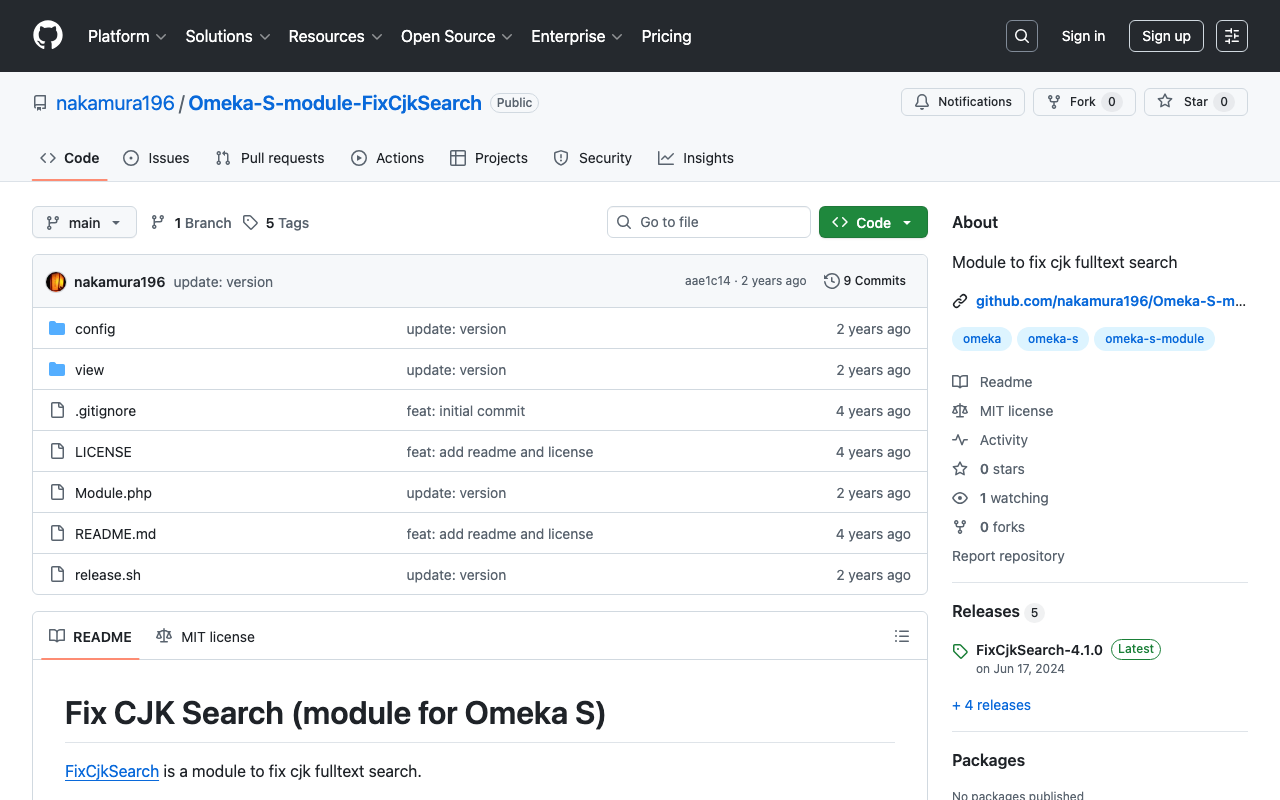
Full-text search in Japanese does not work properly with Omeka S’s standard functionality. The following article explains the details of the issue: https://nakamura196.hatenablog.com/entry/2022/03/07/083004 In the article above, I presented several workarounds, and I have now created a module that encompasses those solutions: https://github.com/nakamura196/Omeka-S-module-FixCjkSearch While this is not a fundamental fix, I hope it proves useful when working with Japanese materials in Omeka S.

December 23, 2022 · 1 min · Nakamura

Deploying Nuxt 3 on Amazon Lightsail: Using pm2

Introduction When deploying applications developed with Nuxt 3 and similar frameworks, I often use GitHub Pages, Netlify, AWS Amplify, and Serverless Framework + Lambda. However, this time I had the opportunity to deploy using a VPS, so this is a memo. References Specifically, I use Amazon Lightsail and pm2. Creating an Amazon Lightsail Instance Select the Node.js blueprint. Also, since port 3000 is used, open the firewall for it. ...

December 22, 2022 · 2 min · Nakamura

[Omeka S Module Introduction] Folksonomy: Social Tagging

Overview Folksonomy is a module for implementing social tagging in Omeka S. https://omeka.org/s/modules/Folksonomy/ This article explains how to use this module. Installation It can be installed using the standard method, same as other common modules. Configuration After installation, the following settings screen is displayed. In particular, by enabling “Allow public to tag,” visitors can perform tagging. Additionally, by enabling “Require approbation for public tags,” an administrator approval workflow can be introduced. ...

December 20, 2022 · 1 min · Nakamura

Trying Out Gatsby CETEIcean

Overview I tried out Gatsby CETEIcean, created by Raffaele Viglianti. https://github.com/raffazizzi/gatsby-ceteicean-workshop Prototype Site The following is the prototype site. I have added several customizations, including MUI, vertical text display, and links to RDF data. https://nakamura196.github.io/gatsby-ceteicean-workshop/ The TEI/XML files from the “Koui Genji Monogatari Text DB” are used as the data source. https://kouigenjimonogatari.github.io/ Source Code The source code including the customizations can be found at the following link. https://github.com/nakamura196/gatsby-ceteicean-workshop Summary Using Gatsby CETEIcean, it seems possible to efficiently develop publishing environments for TEI/XML files. ...

December 20, 2022 · 1 min · Nakamura

Trying Out TEI Boilerplate

Overview TEI Boilerplate is described as follows: A lightweight solution for publishing TEI (Text Encoding Initiative) P5 content directly in modern browsers. With TEI Boilerplate, you can serve TEI XML files directly to the web without server-side processing or conversion to HTML. The TEI Boilerplate Demo demonstrates many TEI features rendered by TEI Boilerplate. TEI Boilerplate is not a replacement for the many excellent XSLT solutions for publishing and displaying TEI/XML on the web. It is intended to be a simple, lightweight alternative to more complex XSLT solutions. ...

December 17, 2022 · 2 min · Nakamura

Omeka S 4.0.0 Release Candidate Has Been Published

Overview The Omeka S 4.0.0 release candidate has been published. https://forum.omeka.org/t/omeka-s-4-0-0-release-candidate/16272 I tried it out on Amazon Lightsail. You can try it at the following URL. http://35.172.220.59/omeka-s/ Installation You can perform the initial setup with the following script. # 変数 OMEKA_PATH=/home/bitnami/htdocs/omeka-s ## ハイフンは含めない DBNAME=omeka_s VERSION=4.0.0-rc ############# set -e mkdir $OMEKA_PATH # Omekaのダウンロード wget https://github.com/omeka/omeka-s/releases/download/v$VERSION/omeka-s-$VERSION.zip unzip -q omeka-s-$VERSION.zip mv omeka-s/* $OMEKA_PATH # .htaccessの移動 mv omeka-s/.htaccess $OMEKA_PATH # 不要なフォルダの削除 rm -rf omeka-s rm omeka-s-$VERSION.zip # 元からあったindex.htmlを削除(もし存在すれば) if [ -e $OMEKA_PATH/index.html ]; then rm $OMEKA_PATH/index.html fi # データベースの作成 cat <<EOF > sql.cnf [client] user = root password = $(cat /home/bitnami/bitnami_application_password) host = localhost EOF mysql --defaults-extra-file=sql.cnf -e "create database $DBNAME"; # Omeka Sの設定 cat <<EOF > $OMEKA_PATH/config/database.ini user = root password = $(cat bitnami_application_password) dbname = $DBNAME host = localhost EOF sudo chown -R daemon:daemon $OMEKA_PATH/files sudo apt install imagemagick -y As of December 15, 2022, the following additional steps were required in addition to the above. ...

December 15, 2022 · 2 min · Nakamura

Restricting API Access in Omeka S

Omeka S provides an API as a standard feature, allowing resource retrieval from URLs such as the following: https://dev.omeka.org/omeka-s-sandbox/api/items While this is a convenient feature, there may be cases where you do not want to expose the API. In such cases, you can restrict access by adding the following lines to the .htaccess file located directly under the directory where Omeka S is set up. RewriteCond %{REQUEST_URI} ^.*/api RewriteRule ^(.*)$ – [F,L] Specifically, it would look like this: ...

December 12, 2022 · 1 min · Nakamura

TODO Memo for EC2 Server Setup

This is a TODO memo for setting up a server on EC2. Assign an Elastic IP Add a User with sudo Privileges sudo su useradd nakamura passwd nakamura usermod -G wheel nakamura Set Up Public Key cd /home/nakamura mkdir .ssh touch .ssh/authorized_keys chmod 700 .ssh chmod 600 .ssh/authorized_keys vi .ssh/authorized_keys chown -R nakamura:nakamura .ssh

December 5, 2022 · 1 min · Nakamura

Investigating Customization Methods for Snorql for Japan Search

Overview This article presents the results of investigating how to customize “Snorql for Japan Search,” which is used by Japan Search. This document will be updated as needed. Please note that it may contain errors. Menu Changing the Page Title snorql_def.js _poweredByLabel: "Cultural Japan", // "Japan Search", Changing the Query Endpoint snorql_def.js _endpoint: "https://ld.cultural.jp/sparql/", //"https://jpsearch.go.jp/rdf/sparql/", Changing the poweredByLink URL snorql_def.js _poweredByLink: "https://cultural.jp/", // "https://jpsearch.go.jp/", Editing Other Footer Sections ...

November 29, 2022 · 5 min · Nakamura

Using the Japan Search SPARQL Endpoint with Yasgui

Overview Yasgui (Yet Another Sparql GUI) provides various advanced features for creating, sharing, and visualizing SPARQL queries and their results. https://github.com/TriplyDB/Yasgui This time, I attempt various visualizations using the Japan Search SPARQL endpoint with Yasgui. Results Table Display I visualize the number of items per dataset. First, here is a standard table display. Result Filtering and sorting of results is also possible. Chart Using the “Chart” tab, I attempt a chart display of the same results. ...

November 28, 2022 · 1 min · Nakamura

[Omeka S Module Introduction] Mapping Module

Overview This is an introduction to the “Mapping” module for integrating maps with Omeka S. https://omeka.org/s/modules/Mapping/ Installation This module can be installed using the standard method for Omeka S. Adding Location Information On the item editing screen, add location information from the “Mapping” tab. Map-based search and display are available on the public site.

November 25, 2022 · 1 min · Nakamura

[Omeka S Module Introduction] Timeline Module

Overview This is an introduction to the “Timeline” module for creating timelines in Omeka S. https://omeka.org/s/modules/Timeline/ Installation You can install this module using the standard method for Omeka S. Below is an example of the installation method. cd omeka-s/modules wget https://github.com/Daniel-KM/Omeka-s-module-Timeline/releases/download/3.4.16.3/Timeline-3.4.16.3.zip unzip Timeline-3.4.16.3.zip Usage To use this module, you need to create a page on your site. In the following example, a page named “Timeline” has been created. Then, select Timeline from “Add new block” on the right side of the screen. By default, mapping to the timeline is performed targeting values stored in dcterms:date. ...

November 24, 2022 · 1 min · Nakamura

[Omeka S Module Introduction] IIIF Search Module

Overview IIIF Search is a module for Omeka S that adds the IIIF Content Search API for full-text search. This article introduces the usage of the following module, which includes modifications for handling Japanese text. https://github.com/nakamura196/Omeka-S-module-IiifSearch Installation Clone the source code from GitHub. Replace omeka-s as appropriate for your environment. cd omeka-s/modules git clone https://github.com/nakamura196/Omeka-S-module-IiifSearch.git IiifSearch Note that when installing from GitHub, you need to rename the folder to the target module name as shown above. ...

November 24, 2022 · 2 min · Nakamura

[Omeka S Module Modification] IIIF Search Module

Overview IIIF Search is a module for Omeka S that adds a IIIF Search API for full-text search. https://github.com/symac/Omeka-S-module-IiifSearch This time, I modified the above module. A pull request has been submitted, but the modified module is available in the following repository. https://github.com/nakamura196/Omeka-S-module-IiifSearch Specifically, the minimum query string length was set to 1 character, but I made it configurable through a settings form. The default was set to 3 characters, which prevented searching with a single kanji character, so this modification was made. ...

November 24, 2022 · 2 min · Nakamura

Running Tesseract on Google Colab (with Japanese Support)

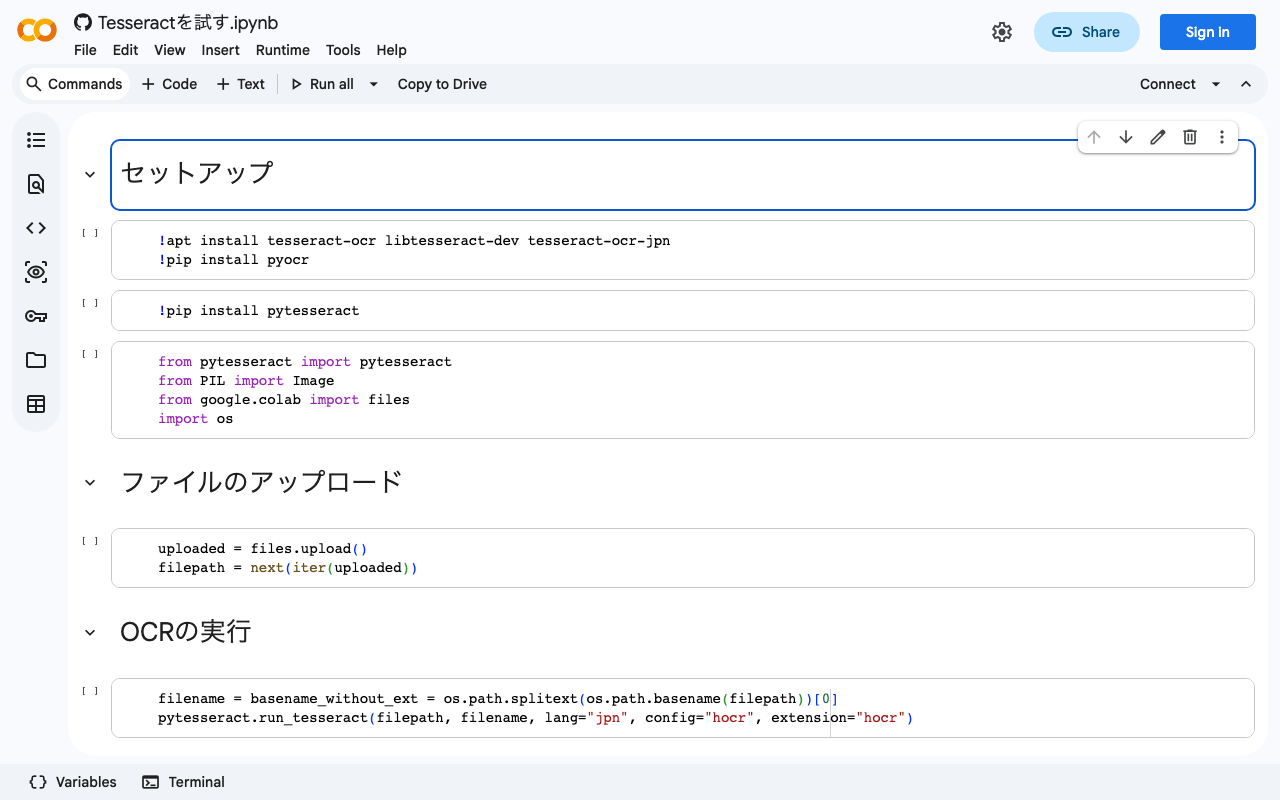
I created a notebook for running Tesseract on Google Colab. It also supports Japanese. We hope this serves as a useful reference. https://colab.research.google.com/github/nakamura196/ndl_ocr/blob/main/Tesseractを試す.ipynb At the end, I also introduce a flow for converting hocr files to alto format XML files. Specifically, the following tool is used: https://digi.bib.uni-mannheim.de/ocr-fileformat/ We hope this serves as a useful reference.

November 24, 2022 · 1 min · Nakamura

[Omeka S Module Introduction] "Extract Ocr" - A Module for Performing OCR on PDF Files

Overview This article introduces “Extract Ocr,” an Omeka S module that performs OCR on PDF files. Installation Refer to the following page. https://omeka.org/s/modules/ExtractOcr/ This module requires a command-line tool called pdftohtml. In the instructions below, replace omeka-s as appropriate for your environment. In an environment using AWS Lightsail, it could be installed with the following command: sudo apt install poppler-utils Additionally, you need to edit omeka-s/config/local.config.php. Change the base_uri portion according to your environment. Example: https://omekas.aws.ldas.jp/sandbox/files ...

November 24, 2022 · 2 min · Nakamura

Workaround for HuggingFace Trainer() Not Starting When Using Vertex AI Workbench

I encountered an issue where HuggingFace’s Trainer() would not start when using Google Cloud’s Vertex AI Workbench. A similar bug was reported on the following page: https://stackoverflow.com/questions/73415068/huggingface-trainer-does-nothing-only-on-vertex-ai-workbench-works-on-colab Initially, I had selected the “PyTorch” environment as shown below, and this is where the bug occurred: As described in the article above, switching to the “Python” environment resolved the issue: Note that when using this environment, you first need to run the following: ...

November 21, 2022 · 1 min · Nakamura

Installing the Mroonga Search Module (Note: This Did Not Work Successfully)

Overview I attempted to install the Mroonga search module introduced in the following article on AWS Lightsail. https://nakamura196.hatenablog.com/entry/2022/03/07/083004 As a result, the installation did not succeed, but I am documenting it here for future reference. Setting Up Omeka S I set up Omeka S as described in the following article. Installing Mroonga I performed the installation following the instructions on the following page. https://mroonga.org/docs/install/debian.html sudo apt update sudo apt install -y -V apt-transport-https sudo apt install -y -V wget wget https://packages.groonga.org/debian/groonga-apt-source-latest-bullseye.deb sudo apt install -y -V ./groonga-apt-source-latest-bullseye.deb sudo apt update sudo apt install -y -V mariadb-server-10.5-mroonga After executing the above, enter mysql (mariadb). ...

November 21, 2022 · 2 min · Nakamura