Setting Up Archivematica on Amazon EC2

Overview Archivematica is open-source software for long-term preservation of digital data. https://www.archivematica.org/en/ I had the opportunity to set up Archivematica on Amazon EC2, so this is a memo. Installation The installation instructions are described on the following page. https://www.archivematica.org/en/docs/archivematica-1.13/admin-manual/installation-setup/installation/installation/ There are several options, but this time I tried “CentOS 7 64-bit, Installing Archivematica on CentOS/Red Hat.” https://www.archivematica.org/en/docs/archivematica-1.13/admin-manual/installation-setup/installation/install-centos/#install-pkg-centos EC2 Instance Since CentOS 7 was specified, I selected the following Amazon Machine Image (AMI). ...

February 8, 2023 · 4 min · Nakamura

Hosting Nuxt 3 SSR on Vercel (+ Enabling CORS)

I had the opportunity to host Nuxt 3 SSR on Vercel, so this is a note for reference. For the build settings, I needed to set the Output Directory to .output/server as follows. For enabling CORS, the following article was helpful. https://vercel.com/guides/how-to-enable-cors Specifically, I was able to handle this by placing the following file at the root of the project. { "headers": [ { "source": "/api/(.*)", "headers": [ { "key": "Access-Control-Allow-Credentials", "value": "true" }, { "key": "Access-Control-Allow-Origin", "value": "*" }, { "key": "Access-Control-Allow-Methods", "value": "GET,OPTIONS,PATCH,DELETE,POST,PUT" }, { "key": "Access-Control-Allow-Headers", "value": "X-CSRF-Token, X-Requested-With, Accept, Accept-Version, Content-Length, Content-MD5, Content-Type, Date, X-Api-Version" } ] } ] } There may be incorrect descriptions, but I hope this is helpful. ...

February 3, 2023 · 1 min · Nakamura

Creating IIIF Manifest Files Using a Headless CMS

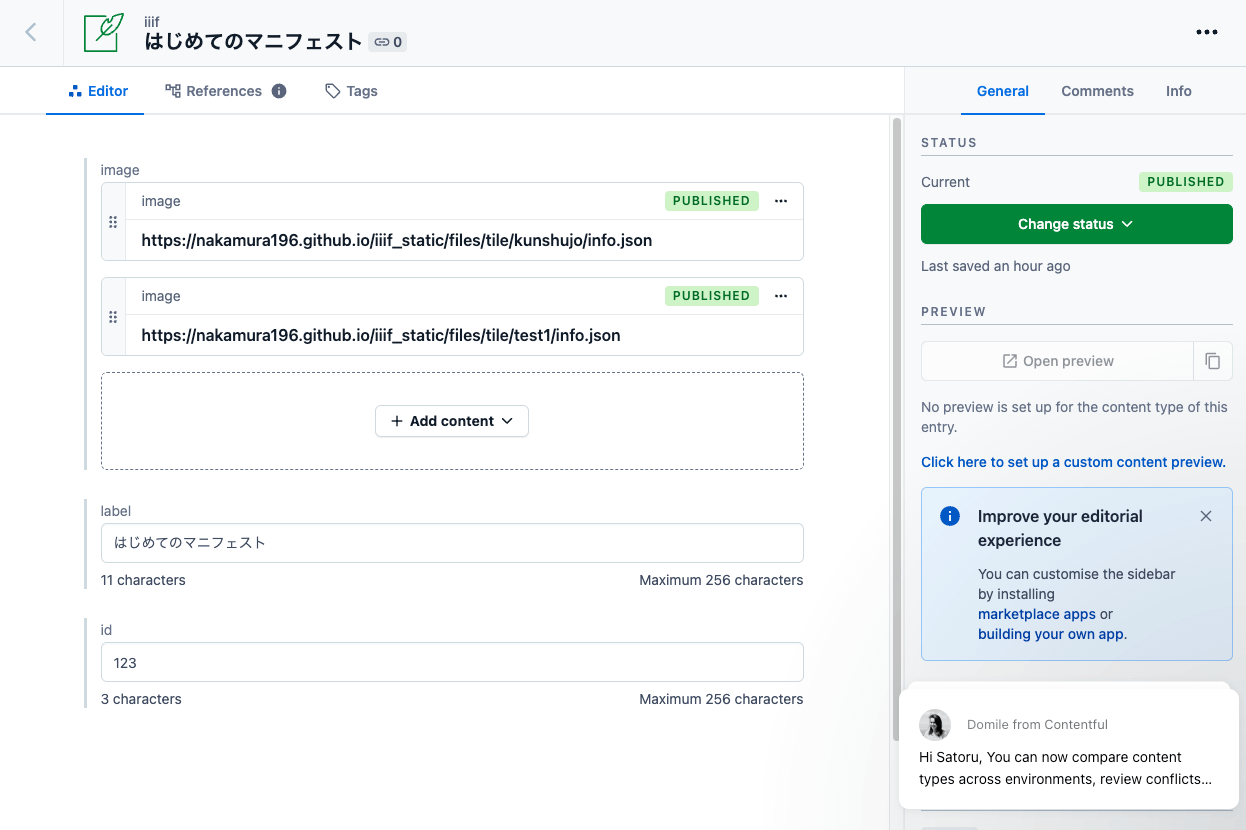
Overview As a learning exercise for Headless CMS, I attempted to generate IIIF manifests from information registered in a CMS. Here are the results. (That said, the server-side processing details are not visible from the app below.) https://iiif-headless-cms.vercel.app/ This article serves as a memorandum of the above effort. Contentful https://www.contentful.com/ I created a Content model called iiif as shown below. For associating image data (url, width, height), both the “JSON object” and “Reference” fields seemed usable, but I chose “Reference” here and created a separate Content model called image to manage image data information. ...

February 3, 2023 · 2 min · Nakamura

Program for Batch Image Registration to Omeka S

Overview When batch importing metadata (items in Omeka terminology) and images (media in Omeka terminology) into Omeka S, the Bulk Import module is commonly used. https://github.com/Daniel-KM/Omeka-S-module-BulkImport However, it is also possible to register via the REST API provided by Omeka S. This article introduces a program I created for batch image registration using this API. Reason for Development The latest version of the Bulk Import module allows you to choose whether to stop or continue when an error occurs, but older versions of the module do not have this option. As a result, when batch registering images, there were cases where images were missing each time image retrieval failed. ...

February 3, 2023 · 2 min · Nakamura

Using Babylon.js with Nuxt3 and Vuetify Together

I had the opportunity to use Babylon.js combined with Nuxt3 and Vuetify, so this is a memo of my experience. The site I built can be viewed at the following URL. https://nakamura196.github.io/nuxt3-babylonjs/ The source code is available below. https://github.com/nakamura196/nuxt3-babylonjs I hope this is helpful when developing an app with this combination.

February 2, 2023 · 1 min · Nakamura

Publishing Images Using IIIF Image API Level 0

Overview IIIF Image API level 0 delivers images using pre-generated static tile images. This enables image publishing using only static file hosting services such as GitHub Pages or Amazon S3. However, it has the drawback of not being able to extract arbitrary regions of images. This article introduces an example of publishing images using IIIF Image API level 0. Tool You can try it with the following notebook. https://colab.research.google.com/github/nakamura196/ndl_ocr/blob/main/IIIF_Image_API_静的ファイル作成ツール.ipynb This notebook is based on the following script. ...

January 30, 2023 · 1 min · Nakamura

Created a Program to Calculate Edit Distance for TEI/XML Files Containing app Elements

Overview I created a program to calculate edit distance for TEI/XML files containing app elements. You can use it from the following Google Colab notebook: https://colab.research.google.com/github/nakamura196/ndl_ocr/blob/main/編集距離を算出するプログラム.ipynb Upload an XML file and the program will calculate the similarity between witnesses. Example Let’s upload the following XML file: https://tei-eaj.github.io/koui/data/nakamura.xml The result is an Excel file like the following, which provides an overview of the similarity between witnesses. index name1 name2 distance ratio 0 中村式五十音 中村式五十音又様 10 0.85 1 中村式五十音 中村式五十音欠損本 7 0.8947368421052632 2 中村式五十音又様 中村式五十音欠損本 8 0.868421052631579 The following library is used for calculating similarity: ...

January 26, 2023 · 1 min · Nakamura

How to Use IIIF Presentation Validator in a Local Environment

Overview IIIF Presentation Validator is, as the name suggests, a tool for validating IIIF Presentation API manifests. https://presentation-validator.iiif.io/ The following article explains how to use it. This time, I needed to validate manifests in a local environment while creating IIIF Presentation API v3 compliant manifest files, as introduced in the following article. So I installed this tool locally, and here are my notes. Installation Method Instructions are available at the following link, but running Step one did not work. (There was also this Issue filed.) ...

January 25, 2023 · 2 min · Nakamura

NDL Classical Text OCR Using Google Colab

Overview I created an NDL “Classical Text” OCR application using Google Colab. You can try it at the following URL. https://colab.research.google.com/github/nakamura196/ndl_ocr/blob/main/NDL古典籍OCRの実行例.ipynb The description of NDL Classical Text OCR is as follows. https://github.com/ndl-lab/ndlkotenocr_cli The notebook was created with reference to @blue0620’s notebook. Thank you! https://twitter.com/blue0620/status/1617888733323485184 In the notebook I created, I added support for additional input formats and a feature to save to Google Drive. How to Use The usage is almost the same as the NDLOCR application. Please refer to the following video. ...

January 25, 2023 · 1 min · Nakamura

[Omeka S Module Introduction] BulkExport: Bulk Data Export

Overview BulkExport is a module for performing bulk data export in Omeka S. https://github.com/Daniel-KM/Omeka-S-module-BulkExport This article explains how to use this module. Installation Like other common modules, it can be installed using the standard method. Download the latest zip file from the following URL. https://github.com/Daniel-KM/Omeka-S-module-BulkExport/releases During installation, the Log module needs to be installed in advance, as shown below. Usage Click “BulkExport” in the left side of the admin screen, then click the export icon. ...

January 22, 2023 · 1 min · Nakamura

Collaborative Editing of TEI/XML Files Using Visual Studio Live Share (Not Limited to XML)

Overview Visual Studio Live Share is a VSCode extension that enables real-time collaborative development. https://visualstudio.microsoft.com/ja/services/live-share/ This time, we will try real-time collaborative editing of TEI/XML files using this extension. Demo Video A video of the collaborative editing was recorded. https://youtu.be/DzyuJAtzl90 The right side of the screen shows a user (nakamura196) using VSCode in a local environment, while the left side shows a user (Guest User) invited via Visual Studio Live Share editing using the online VSCode (vscode.dev). ...

January 19, 2023 · 3 min · Nakamura

Validating XML Files Using the JPCOAR Schema

Overview JPCOAR Schema publishes XML Schema Definitions in the following repository. Thank you for creating the schema and making the data available. https://github.com/JPCOAR/schema This article is a memo of trying XML file validation using the above schema. (Since this is my first time doing this kind of validation, it may contain inaccurate terminology or information. I apologize.) A Google Colab notebook is also prepared. https://colab.research.google.com/github/nakamura196/ndl_ocr/blob/main/JPCOARスキーマを用いたxmlファイルのバリデーション.ipynb Preparation Clone the repository ...

January 19, 2023 · 2 min · Nakamura

Trying the jingtrang Library for RELAX NG Schema: Creating RNG Files

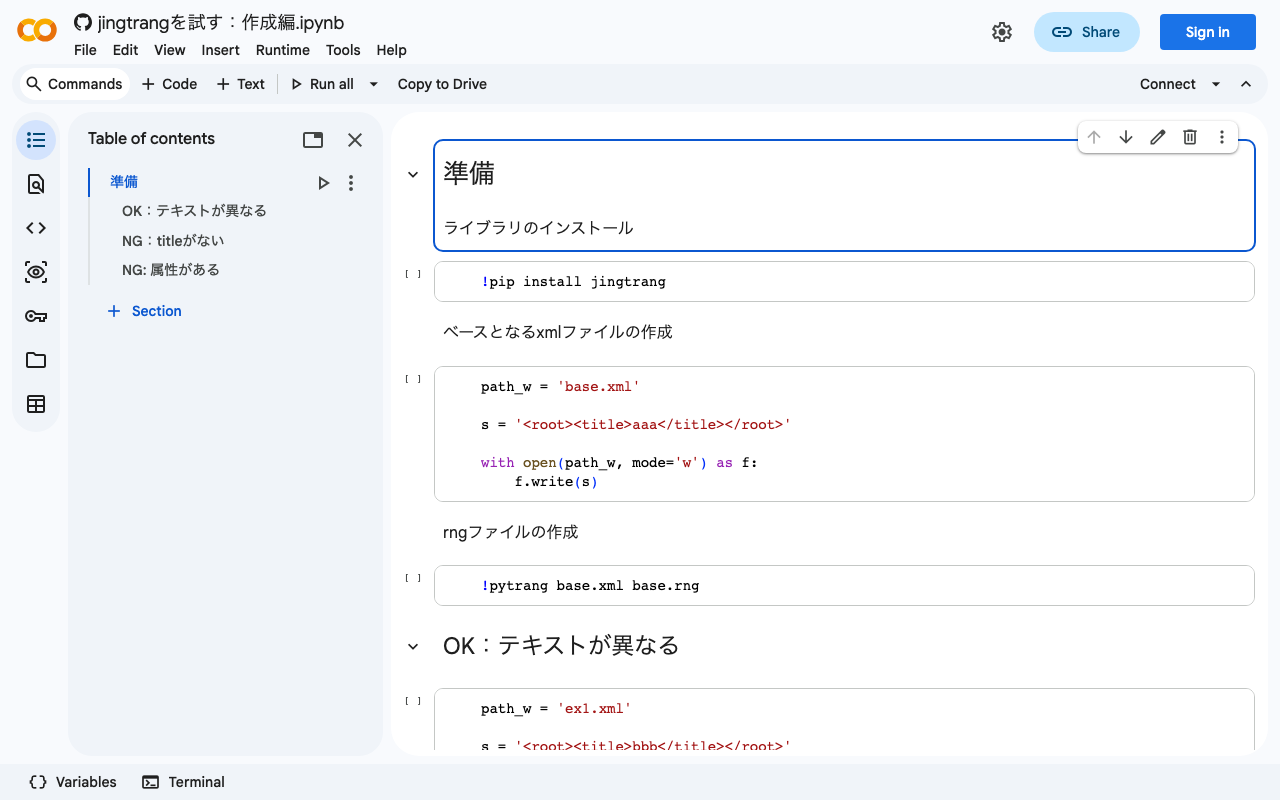
Overview In the following article, I performed XML file validation using jingtrang and RNG files. Since this jingtrang library can create RNG files from XML files, I decided to try it out. I also prepared a Google Colab notebook. https://colab.research.google.com/github/nakamura196/ndl_ocr/blob/main/jingtrangを試す:作成編.ipynb Creating an RNG File As the source file for creating the RNG file, I prepared the following: <root><title>aaa</title></root> For the above file, execute the following: pytrang base.xml base.rng As a result, the following file was created: ...

January 18, 2023 · 1 min · Nakamura

Trying the jingtrang Library for RELAX NG Schema: Validation

Overview I had an opportunity to create an XML file conforming to a specific schema, and needed to verify that the XML file matched the schema. To meet this requirement, I tried the jingtrang library for working with RELAX NG schemas, so here are my notes: https://pypi.org/project/jingtrang/ I also prepared a Google Colab notebook: https://colab.research.google.com/github/nakamura196/ndl_ocr/blob/main/jingtrangを試す.ipynb Trying Validation # ライブラリのインストール pip install jingtrang # rngファイルのダウンロード(tei_allを使用) wget https://raw.githubusercontent.com/nakamura196/test2021/main/tei_all.rng # validation対象のXMLファイルの用意(校異源氏物語テキストのダウンロード) wget https://kouigenjimonogatari.github.io/tei/01.xml Passing Example Running the following produced no output: ...

January 18, 2023 · 1 min · Nakamura

Converting Word to TEI/XML

Overview I had an opportunity to convert Word files to TEI/XML files. Upon investigation, in addition to official TEI tools such as TEIGarage Conversion, I found a conversion example in TEI Publisher: https://teipublisher.com/exist/apps/tei-publisher/test/test.docx.xml The above example appeared to convert Word style information into TEI tags, so I tried this approach. For this project, I used the python-docx library with the goal of using it independently of TEI Publisher. Word File I created a prototype Word file like the one below. All styles are provisional, but I created styles such as “tei:persName” and “tei:warichu” and changed their visual styling such as color. The mechanism works by applying styles to perform simple structuring. ...

January 17, 2023 · 2 min · Nakamura

Trying to Register an Image on OpenSea

Overview I tried registering an image on OpenSea, so this is a memo of my experience. The page for the created item is below. https://opensea.io/assets/ethereum/0x495f947276749ce646f68ac8c248420045cb7b5e/10640296615676167047199551942164304992363478966543389627838835760480269631489 Uploading to OpenSea Uploading images to OpenSea was quite easy. On the other hand, the prior steps of creating MetaMask and OpenSea accounts took some time. There are many articles about these procedures, so please refer to those. Transferring from bitFlyer to MetaMask I sent 0.005 ETH held in bitFlyer to MetaMask. The transfer fee cost 0.005 ETH ($7.72, 990.48 yen). (Expensive… lol) ...

January 16, 2023 · 2 min · Nakamura

Trying to Add Images and a IIIF Manifest to IPFS

Overview Referencing the following tweet, I tried adding images and a IIIF manifest to IPFS. https://twitter.com/edsilv/status/1400221815369355267 For adding to IPFS, I used Fleek, which is also mentioned in the above tweet. https://fleek.co/ The following site was helpful for learning how to use Fleek. https://i-407.com/blog/m10/ Source Code The source code is below. https://github.com/nakamura196/fleek_test Steps Uploading Images First, I uploaded the following image to the above repository. https://github.com/nakamura196/fleek_test/blob/main/kunshujo_400.jpg Following the reference site, I connected this repository to Fleek. As a result, it became accessible at the following URL. ...

January 16, 2023 · 2 min · Nakamura

Creating a Customized RNG File Using Roma: Restricting Available TEI Tags

Overview In this article, I will attempt to customize TEI ODD (One Document Does-it-all) using a web application called Roma. https://romabeta.tei-c.org/ For more about TEI ODD, please refer to the official site below. I must admit that I do not fully understand it myself due to limited study. https://wiki.tei-c.org/index.php/ODD However, one use case is that in TEI-based projects, you can restrict the tags used (specifically, those that receive assistance and validation). ...

January 12, 2023 · 2 min · Nakamura

An Example Workflow for Creating TEI/XML from Excel

Overview I created an example workflow for generating TEI/XML from data prepared in Excel. The following TEI/XML file is output. It supports page breaks using the pb tag, line IDs using the lb tag, multiple representations using choice/orig/reg tags, annotations using the note tag, and linking with IIIF images. <?xml version="1.0" encoding="utf-8"?> <TEI xmlns="http://www.tei-c.org/ns/1.0"> <teiHeader> <fileDesc> <titleStmt> <title/> </titleStmt> <publicationStmt> <ab/> </publicationStmt> <sourceDesc> <ab/> </sourceDesc> </fileDesc> </teiHeader> <text> <body> <pb corresp="#page_22"/> <ab> <lb xml:id="page_22-b-1"/> <seg> いつれの御時にか女御更衣あまたさふらひ <choice> <orig> 給ける <note corresp="#page_22-b-1-20" type="校異"> 給けるーたまふ河 </note> </orig> <reg> たまふ </reg> </choice> なかにいとやむことなきゝは </seg> </ab> </body> </text> <facsimile source="https://dl.ndl.go.jp/api/iiif/3437686/manifest.json"> <surface source="https://dl.ndl.go.jp/api/iiif/3437686/canvas/22" xml:id="page_22"> <label> [22] </label> <zone lrx="1126" lry="1319" ulx="1044" uly="895" xml:id="page_22-b-1-20"/> </surface> <surface source="https://dl.ndl.go.jp/api/iiif/3437686/canvas/23" xml:id="page_23"> <label> [23] </label> </surface> </facsimile> </TEI> An example of visualizing the above TEI/XML data is shown below. The image, text (original), text (regularization), and annotations are displayed on the same screen. ...

January 10, 2023 · 3 min · Nakamura

Created a Custom OpenSeaDragon Viewer for Use in TEI Viewers

Overview I created a Custom OpenSeaDragon Viewer intended for use in TEI viewers. Background In developing a viewer that links TEI and IIIF as shown below, a viewer with the following capabilities was needed. https://www.hi.u-tokyo.ac.jp/collection/digitalgallery/wakozukan/tei/ Ability to load IIIF manifest files. Ability to track page navigation within the viewer component from outside the component. Ability to highlight partial regions of images. Since I could not find an existing IIIF-compatible viewer that met all of the above requirements, I attempted to develop a custom viewer. I also tried publishing it as an npm package. ...

December 26, 2022 · 2 min · Nakamura