Zooming to Meet Viewport Constraints in Mirador 3

Overview To zoom to a specific area in Mirador 3, you can use the method described below. https://github.com/ProjectMirador/mirador/wiki/M3---Mirador-3-Frequently-Asked-Questions#q-how-do-i-change-the-view-of-an-image-to-zoom-to-a-certain-area Specifically, it looks like this. // Box to zoom to const boxToZoom = { x: 1420, y: 1831, width: 800, height: 1195 }; const zoomCenter = { x: boxToZoom.x + boxToZoom.width / 2, y: boxToZoom.y + boxToZoom.height / 2 }; var action = Mirador.actions.updateViewport(windowId, { x: zoomCenter.x, y: zoomCenter.y, zoom: 1 / boxToZoom.width }); miradorInstance.store.dispatch(action); Internally, it appears that OpenSeadragon’s panTo and zoomTo are used. The issue here is that zoomTo ignores constraints when zooming, as described in the following article. ...

July 11, 2023 · 2 min · Nakamura

Using zoomTo in OpenSeadragon to Satisfy Viewport Constraints

After using the zoomTo method in OpenSeadragon, you can call viewport.applyConstraints() to ensure the viewport is adjusted to satisfy the configured constraints. This is useful when zoom or pan operations exceed the viewport constraints. Here is an example: // `viewer` is an OpenSeadragon instance const zoomLevel = 2.0; viewer.viewport.zoomTo(zoomLevel); viewer.viewport.applyConstraints(); In the code above, we first set the viewport zoom level to a specified value. Then, by calling the applyConstraints method, the viewport is adjusted to satisfy its constraints. In other words, if the specified zoom level exceeds the configured constraints, the zoom level will be adjusted to fit within those constraints. ...

July 10, 2023 · 1 min · Nakamura

Difference Between `fitBounds` and `fitBoundsWithConstraints` in OpenSeadragon (OSD)

(The following is a response from ChatGPT. I hope it serves as a helpful reference.) The difference between fitBounds and fitBoundsWithConstraints in OpenSeadragon (OSD) lies in whether or not constraints are applied. OSD is a JavaScript library with advanced zoom and panning capabilities, used for handling deeply zoomable images and content. Among its methods, fitBounds and fitBoundsWithConstraints are used to fit the viewport (display area) to specific bounds. fitBounds(rectangle, immediately): Fits the viewport to the specified rectangle. If the immediately parameter is true, the viewport fits instantly without animation. If false, the viewport fits with animation. ...

July 10, 2023 · 1 min · Nakamura

Highlighting LaTeX in Monaco Editor

Overview I had the opportunity to highlight LaTeX in Monaco Editor, so here are my notes. This is a follow-up to the following article that targeted Ace Editor. I hope this serves as a useful reference. Screenshot Demo Site https://nakamura196.github.io/ace_latex/monaco/ Repository https://github.com/nakamura196/ace_latex/ Source Code <!DOCTYPE html> <html lang="en"> <head> <meta charset="UTF-8" /> <meta name="viewport" content="width=device-width, initial-scale=1.0" /> <title>Monaco Editor Demo</title> <link href="https://cdn.jsdelivr.net/npm/monaco-editor@0.40.0/min/vs/editor/editor.main.min.css" rel="stylesheet" /> </head> <body> <h2>Monaco Editor LaTeX</h2> <div id="container" style="width: 100%; height: 600px; border: 1px solid lightgray" ></div> <script src="https://cdn.jsdelivr.net/npm/monaco-editor@0.40.0/min/vs/loader.min.js"></script> <script> require.config({ paths: { vs: "https://cdn.jsdelivr.net/npm/monaco-editor@0.40.0/min/vs", }, }); require(["vs/editor/editor.main"], function () { // Register a new language monaco.languages.register({ id: "latex" }); // Register a tokens provider for the language monaco.languages.setMonarchTokensProvider("latex", { tokenizer: { root: [ [/(\\[a-zA-Z]+)/, "command"], // LaTeX commands [/(\\[\w\u3000-\u9FFF]+)/, "note"], // LaTeX commands [/(\{)/, "brace"], [/(\})/, "brace"], [/(\[)/, "bracket"], [/(\])/, "bracket"], [/(document|dvips)/, "keyword"], // LaTeX keywords [/(%.*)/, "comment"], // Comments ], }, }); // Define a new theme that contains only rules that match this language monaco.editor.defineTheme("myTheme", { base: "vs", inherit: true, rules: [ { token: "command", foreground: "#F44336" }, // LaTeX commands in red { token: "note", foreground: "#2196F3" }, // Notes in blue { token: "brace", foreground: "FF00FF" }, // Braces in magenta { token: "bracket", foreground: "00FFFF" }, // Brackets in cyan { token: "keyword", foreground: "#4CAF50" }, // Keywords in green { token: "comment", foreground: "#9E9E9E" }, // Comments in gray ], colors: {}, }); monaco.editor.create(document.getElementById("container"), { value: getCode(), language: "latex", theme: "myTheme", wordWrap: true, }); }); function getCode() { return `\\documentclass{tbook} \\usepackage{hiragino,cid} \\usepackage[dvips]{graphics} \\usepackage{font} % \\見開き \\begin{document} テキスト \\書名{(サンプル)}テキスト 長いテキスト長いテキスト長いテキスト長いテキスト長いテキスト長いテキスト長いテキスト長いテキスト長いテキスト長いテキスト長いテキスト長いテキスト長いテキスト長いテキスト長いテキスト\\右注{(あああ)}長いテキスト長いテキスト \\右注{(サンプル)}テキスト \\end{document}`; } </script> </body> </html> The following page was helpful for configuring custom languages. ...

July 10, 2023 · 2 min · Nakamura

Highlighting TeX with Ace.js

Overview I had an opportunity to highlight TeX with Ace.js, so here are my notes. I referenced the following article. https://banatech.net/blog/view/11 I hope this serves as a helpful reference. Screen Example Demo Site https://nakamura196.github.io/ace_latex/ Repository https://github.com/nakamura196/ace_latex Source Code <html lang="en"> <head> <title>ACE in Action</title> </head> <body> <div id="editor" style="width: 100%; height: 400px; border: 1px solid gray;"></div> <script src="https://cdnjs.cloudflare.com/ajax/libs/ace/1.23.2/ace.js" integrity="sha512-oVyp48/610D5Jo577cvp2vX+Fc0kYaI6s2tZRqBRzjZh7+y/vOEHTzUefbXk/B8P0B76bOK3tL1zeF/QcXlyiA==" crossorigin="anonymous" referrerpolicy="no-referrer" ></script> <script> const text = `\\usepackage{hiragino,ryumin,cid} \\usepackage[dvips]{graphics} \\usepackage{multicol} \\begin{document} テキスト \\右注{(サンプル)}テキスト \\end{document}`; const editor = ace.edit("editor"); // editor.setTheme("ace/theme/monokai"); editor.setFontSize(14); editor.getSession().setMode("ace/mode/latex"); editor.getSession().setUseWrapMode(true); editor.getSession().setTabSize(4); editor.$blockScrolling = Infinity; editor.setOptions({ enableBasicAutocompletion: true, enableSnippets: true, }); editor.setValue(text, 1); </script> </body> </html>

July 9, 2023 · 1 min · Nakamura

Building a Django CI/CD Environment from GitHub to EC2 Using GitHub Actions (2023 Edition)

Overview I had the opportunity to build a Django CI/CD environment from GitHub to EC2 using GitHub Actions, and here are my notes. The following article was used as a reference. https://qiita.com/fffukken/items/27b0bfa712940914d3f6 I made some updates to the GitHub Actions configuration compared to the above article. GitHub Actions Configuration name: Test and Deploy on: push: branches: [ develop, main ] pull_request: branches: [ develop ] jobs: build: runs-on: ubuntu-latest strategy: max-parallel: 4 matrix: python-version: [3.9, "3.10"] steps: - uses: actions/checkout@v3 - name: Set up Python ${{ matrix.python-version }} uses: actions/setup-python@v4 with: python-version: ${{ matrix.python-version }} - name: Install Dependencies run: | python -m pip install --upgrade pip pip install -r requirements.txt - name: Run Tests run: | python manage.py makemigrations python manage.py migrate python manage.py test - name: deploy run: | echo "$SECRET_KEY" > secret_key chmod 600 secret_key ssh -oStrictHostKeyChecking=no ${EC2_USER}@${EC2_HOST} -i secret_key "source <仮想環境名>/bin/activate \ && cd ~/<プロジェクト名>\ && git pull origin main \ && python manage.py makemigrations \ && python manage.py migrate \ && deactivate \ && sudo systemctl restart gunicorn" env: SECRET_KEY: ${{ secrets.SECRET_KEY }} EC2_USER: ${{ secrets.EC2_USER }} EC2_HOST: ${{ secrets.EC2_HOST }} The changes made were updating the versions of actions/checkout and actions/setup-python. I also changed the pip install section to pip install -r requirements.txt. ...

July 9, 2023 · 2 min · Nakamura

django-simple-history: Recording Model Edit History in Django

Overview This is a personal note from researching how to keep edit history in Django. As shown in the following message, by default, edit history is recorded for changes made through the admin interface, but not for changes made through other interfaces. This object doesn’t have a change history. It probably wasn’t added via this admin site. django-simple-history So I tried using the following package. https://django-simple-history.readthedocs.io/en/latest/ I was able to use it without issues by following the quick start page below. ...

July 3, 2023 · 1 min · Nakamura

Implementing Partial Match Filters in Django Rest Framework (DRF)

To implement partial match filters in Django Rest Framework (DRF), it is common to use the Django filter backend. This uses the django_filters module. If you haven’t installed this module yet, you can install it with the following command: pip install django-filter Here are the general steps to achieve partial match search: Define a filter set. The following is a filter set for performing partial match search on the name field of a model called MyModel in models.py: ...

July 3, 2023 · 1 min · Nakamura

How to Bulk Delete Collections in Omeka Classic

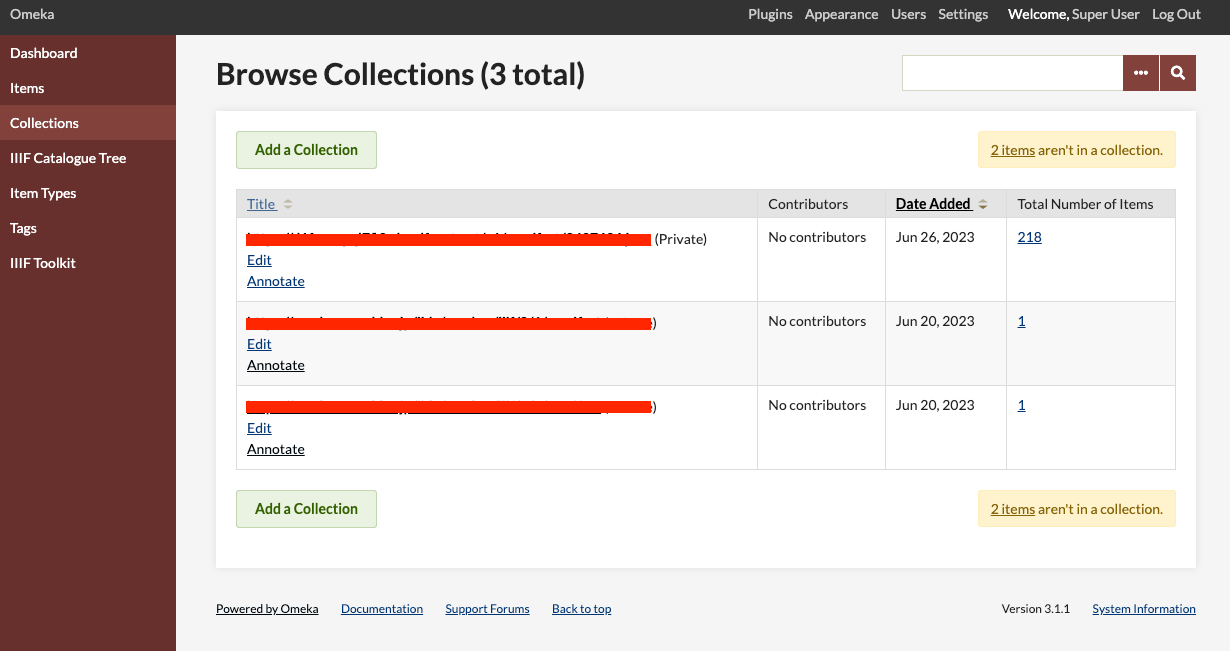
Overview This article introduces one approach for bulk deleting collections in Omeka Classic. In Omeka Classic (Version 3.1.1), there is no GUI for selecting and deleting multiple collections at once. However, this functionality is available for items. Therefore, we will use the API to perform bulk deletion of collections. Obtaining the API Key Follow the instructions below to enable the API and generate an API key: https://omeka.org/classic/docs/Admin/Settings/API_Settings/ Specifically, first access the following page: ...

June 27, 2023 · 1 min · Nakamura

Guide to the IIIF Mirador 2 Annotation Interface

Overview This article explains (part of) how to use the annotation interface in IIIF Mirador 2. Creating Rectangle Annotations https://www.youtube.com/watch?v=jny09nLZvLU Creating Path (Polygon) Annotations To finish an annotation, double-click. https://www.youtube.com/watch?v=4cM-6-rXL9M Editing Existing Annotations https://www.youtube.com/watch?v=HlE36inbgq4 Deleting Existing Annotations https://www.youtube.com/watch?v=STk2vjLc_-k Summary I hope this is helpful when creating annotations using IIIF Mirador 2.

June 21, 2023 · 1 min · Nakamura

Trying Out bagit-python

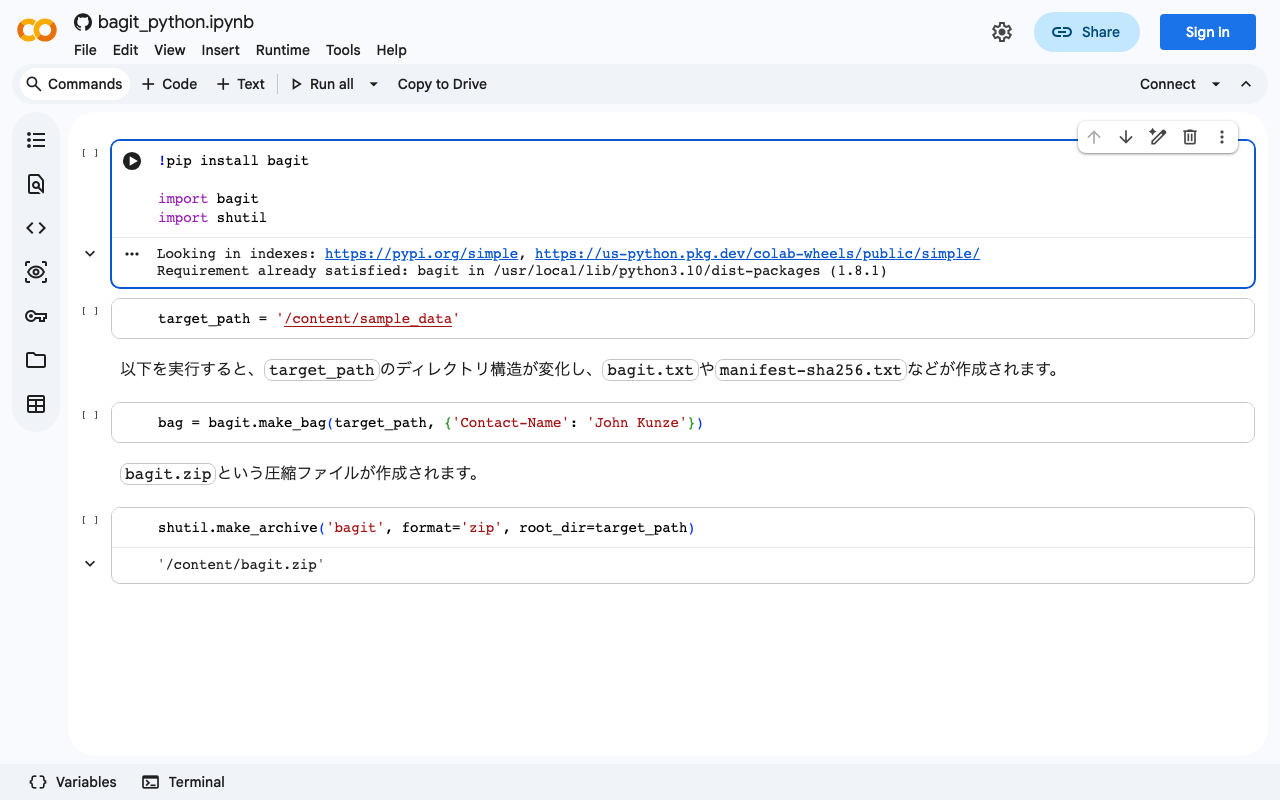
bagit is described as follows: bagit is a Python library and command line utility for working with BagIt style packages. I created a Google Colab notebook for trying out this library. https://colab.research.google.com/github/nakamura196/ndl_ocr/blob/main/bagit_python.ipynb I hope this serves as a useful reference for using bagit.

June 20, 2023 · 1 min · Nakamura

Getting the File Path of an Uploaded File Using Django's ModelForm

I had the opportunity to get the file path of an uploaded file using Django’s ModelForm, so I am making a note of it. Assume the following model. class Document(models.Model): file = models.FileField(upload_to='documents/') With the above, the path could be accessed using the following views. from django.shortcuts import render, redirect from .forms import DocumentForm def upload_file(request): if request.method == 'POST': form = DocumentForm(request.POST, request.FILES) if form.is_valid(): document = form.save() file_url = document.file.url # Correct field name used here full_path = document.file.path # Correct field name used here return redirect('some-view') else: form = DocumentForm() return render(request, 'upload.html', {'form': form}) This may be basic, but I hope you find it helpful. ...

June 20, 2023 · 1 min · Nakamura

Connecting Django with AWS OpenSearch

Overview These are notes on how to connect Django with AWS OpenSearch. The following article was helpful. https://testdriven.io/blog/django-drf-elasticsearch/ However, since the above article targets Elasticsearch, changes corresponding to OpenSearch were needed. Changes Changes for OpenSearch were needed starting from the Elasticsearch Setup section of the article. https://testdriven.io/blog/django-drf-elasticsearch/#elasticsearch-setup Specifically, the following two libraries were required. (env)$ pip install opensearch-py (env)$ pip install django-opensearch-dsl After that, by replacing django_elasticsearch_dsl with django-opensearch-dsl and elasticsearch_dsl with opensearchpy, I was able to proceed as described in the article. ...

June 19, 2023 · 4 min · Nakamura

Bulk Registration with Django REST Framework

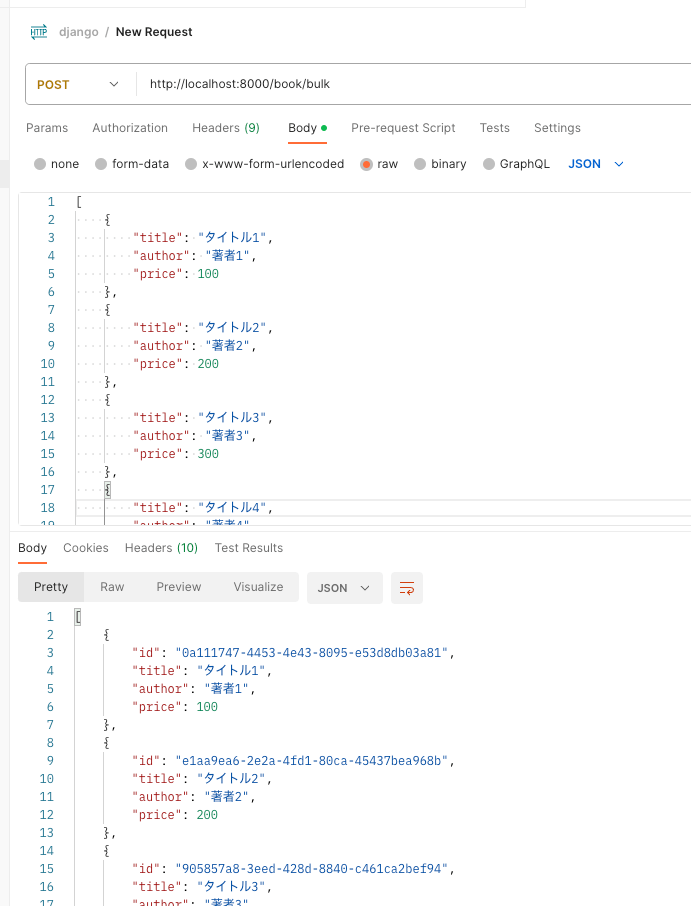
Overview I looked into how to perform bulk registration with Django REST framework, so here are my notes. By following the article below, I was able to create an endpoint for bulk registration. https://qiita.com/Utena-lotus/items/c7bde7f663cfc4aabff1 Postman I sent the following request using Postman. As a result, I was able to perform bulk registration as shown below. Summary I hope this serves as a helpful reference.

June 17, 2023 · 1 min · Nakamura

Using JWT in Django (djangorestframework-simplejwt)

Overview I wanted to use JWT with Django, so I tried djangorestframework-jwt. https://github.com/jpadilla/django-rest-framework-jwt I followed the instructions on the following site. https://dev-yakuza.posstree.com/django/jwt/ However, when I added 'rest_framework_jwt.authentication.JSONWebTokenAuthentication', the following error occurred. ImportError: cannot import name 'smart_text' from 'django.utils.encoding' Upon investigation, I found the following article. https://stackoverflow.com/questions/72102911/could-not-import-rest-framework-jwt-authentication-jsonwebtokenauthentication It suggested using djangorestframework-simplejwt instead. https://github.com/jazzband/djangorestframework-simplejwt Below are my notes on how to use it. djangorestframework-simplejwt I was able to verify its operation by following the page below. ...

June 17, 2023 · 1 min · Nakamura

Using the Archivematica API to Perform Transfer Through AIP Download

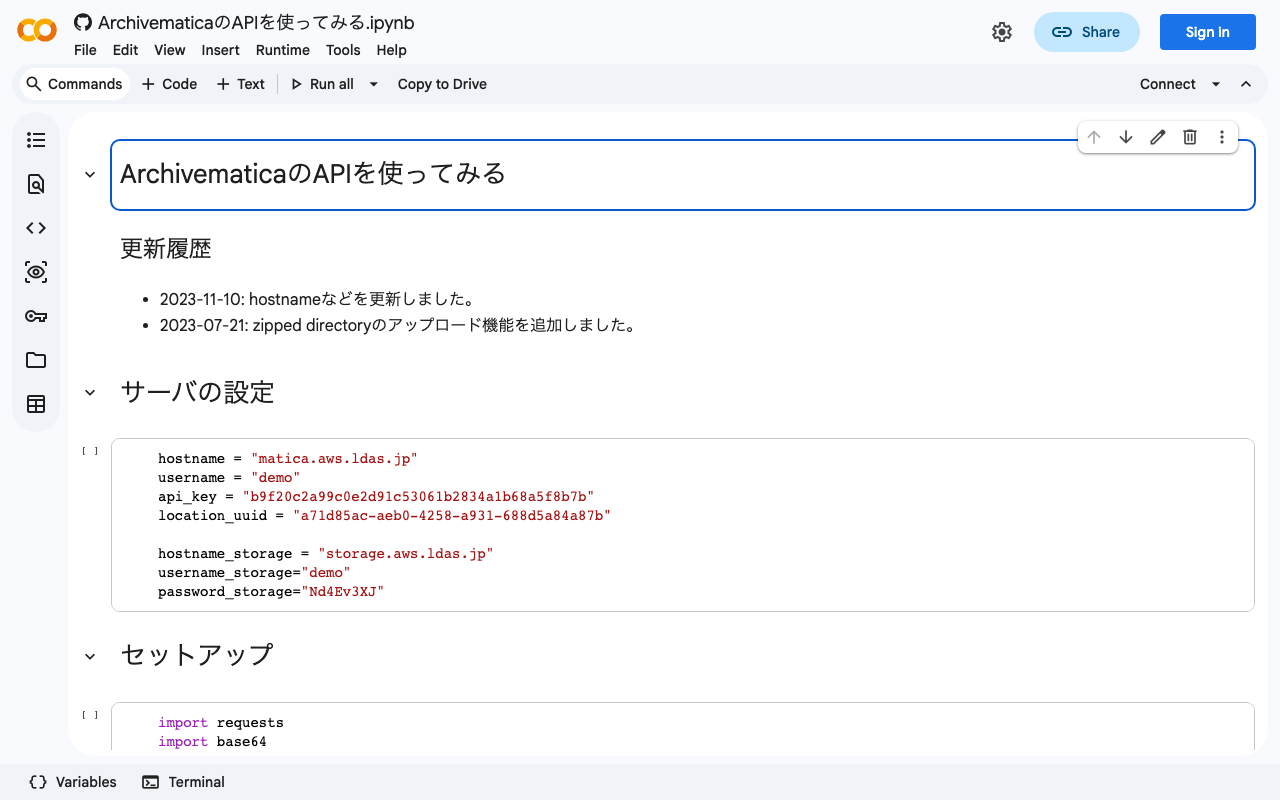
Background I was able to perform the process from Transfer through AIP download using the Archivematica API, so I am documenting it here. Previously, I wrote separate articles about using the Archivematica API and the Storage Service API. This time, I combine the above to perform the process from Transfer through AIP download. Method I documented the method in the following notebook. https://colab.research.google.com/github/nakamura196/ndl_ocr/blob/main/ArchivematicaのAPIを使ってみる.ipynb Summary I hope this serves as a helpful reference for using the Archivematica API. ...

June 16, 2023 · 1 min · Nakamura

Setting Default Sort Order for Items Displayed on Per-Item-Set Pages in Omeka S

Overview This article describes how to set the default sort order for items displayed on per-item-set pages in Omeka S. Specifically, this concerns the initial sort order for screens like the following. By default, it is set to “Date created” in “Descending” order. The method differs between Omeka v4 and v3, so I’ll explain each below. v4 Access the following per-site settings screen. /admin/site/s/#site-settings Then, set the field and ascending/descending order in the “Item browse defaults” section below. ...

June 16, 2023 · 2 min · Nakamura

Sorting and Pagination in Strapi v4 GraphQL

I looked into how to perform sorting and pagination with Strapi v4’s GraphQL. Documentation was found at the following location. https://docs.strapi.io/dev-docs/api/graphql Specifically, pagination and sorting could be performed by writing queries like the following. query { blogPosts(pagination: {page: 1, pageSize: 10}, sort: "createdAt:desc") { meta { pagination { total } } data { id attributes { createdAt } } } } I hope this serves as a helpful reference.

June 16, 2023 · 1 min · Nakamura

Enabling OpenAPI in Drupal

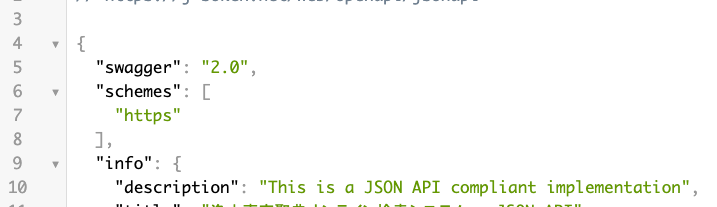
Overview I had the opportunity to enable OpenAPI in Drupal, so this is a memo. Note that the JSON:API module has already been enabled. Installing Modules Install the following two modules. https://www.drupal.org/project/openapi https://www.drupal.org/project/openapi_jsonapi As a result, JSON can be obtained from the following URL. /openapi/jsonapi Accessing the following displays “No UI …”. Next, let’s add a UI. /admin/config/services/openapi Adding a UI Install the following two modules. https://www.drupal.org/project/openapi_ui https://www.drupal.org/project/openapi_ui_redoc ...

June 14, 2023 · 1 min · Nakamura

Using OpenSeadragon and OpenSeadragon SVG Overlay with Nuxt3

Overview I created examples of using OpenSeadragon and OpenSeadragon SVG Overlay with Nuxt3. The image used is (Catfish with Ofuda on Kaname-ishi) “National Diet Library Collection”. OpenSeadragon https://nuxt3-demo-nine.vercel.app/osd OpenSeadragon SVG Overlay https://nuxt3-demo-nine.vercel.app/osd-svg Method A key point was preparing a plugin file as shown below. This resolved issues that occurred during SSR. https://github.com/nakamura196/nuxt3-demo/blob/main/plugins/osd.client.js For the SVG overlay implementation, I referenced the following. https://github.com/openseadragon/svg-overlay/blob/master/openseadragon-svg-overlay.js Summary There may be better ways to write this, but I hope it is helpful for using OpenSeadragon with Nuxt3. ...

June 14, 2023 · 1 min · Nakamura