Trying the IIIF Content State API

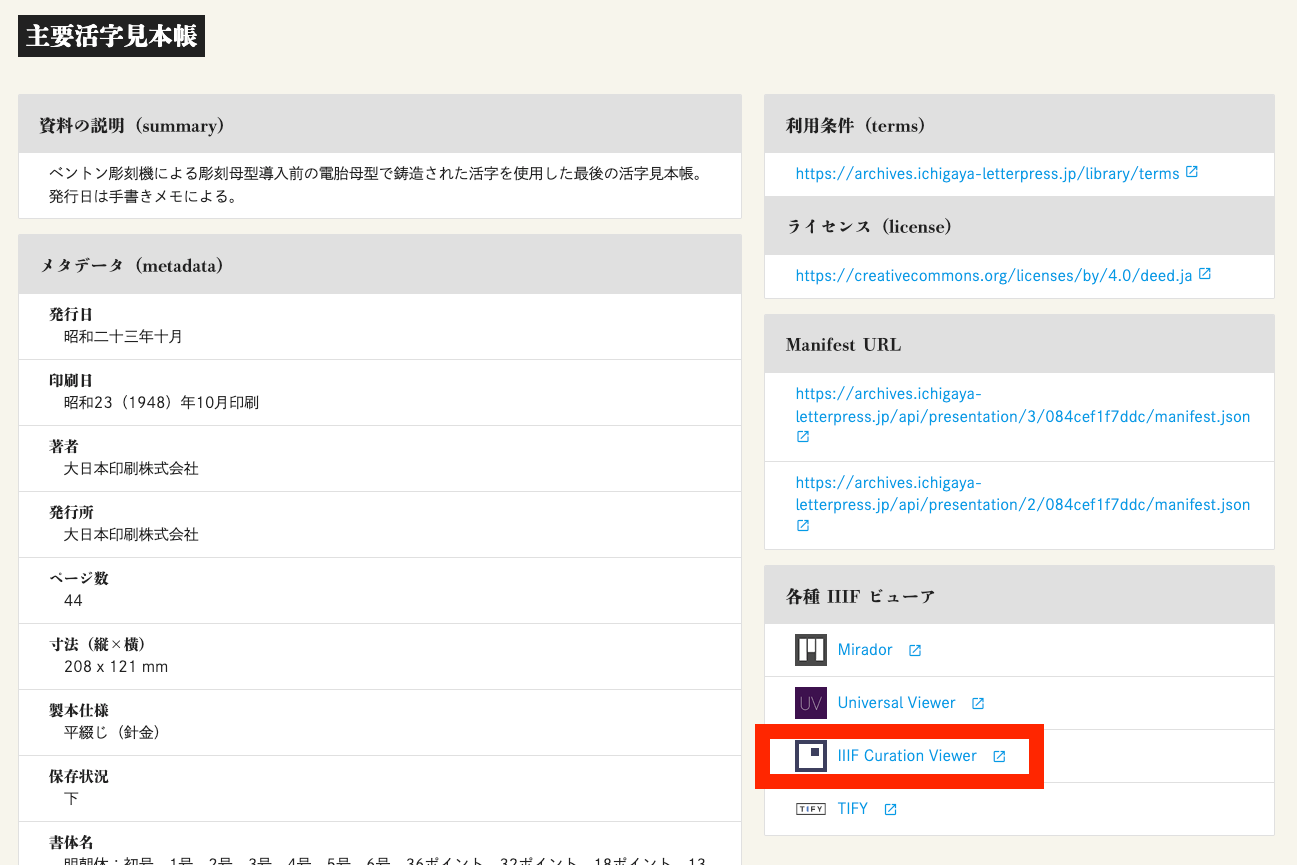
Overview I had the opportunity to try the IIIF Content State API, so this is a memo of the process. https://iiif.io/api/content-state/1.0/ The IIIF Content State API is described in Current Awareness-R as follows: “The IIIF Content State API” can generate links that specify in detail how an object should be displayed, including rotation angle and display position on the page image. https://current.ndl.go.jp/car/45832 Trying It Out The “Shueitai / Letterpress Printing Digital Library” provides the IIIF Content State API. ...

September 21, 2023 · 2 min · Nakamura

Trying Cantaloupe Access Control

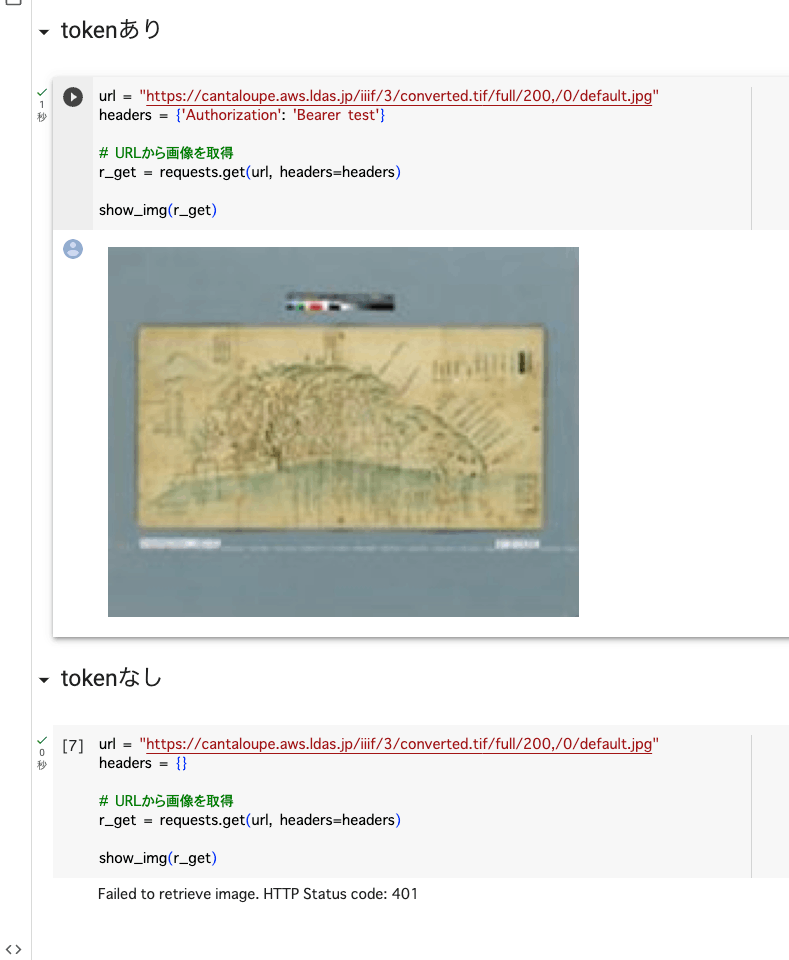
Overview This is a memo about trying Cantaloupe’s Access Control. https://cantaloupe-project.github.io/manual/5.0/access-control.html Bearer Authentication I referenced the following. https://cantaloupe-project.github.io/manual/5.0/access-control.html#Tiered Access All or Nothing Access This returns an error when the authentication information is incorrect. I configured it so that images are returned when the token is test, as shown below. def authorize(options = {}) header = context['request_headers'] .select{ |name, value| name.downcase == 'authorization' } .values.first if header&.start_with?('Bearer ') token = header[7..header.length - 1] if token == "test" return true end end return { 'status_code' => 401, 'challenge' => 'Bearer charset="UTF-8"' } end I created a Google Colab notebook to verify the above behavior. ...

September 21, 2023 · 2 min · Nakamura

Adding Values to info.json in Cantaloupe

Overview Referring to the following, I tried adding values to the info.json returned by Cantaloupe. https://cantaloupe-project.github.io/manual/5.0/endpoints.html Method Referring to the page above, I modified extra_iiif3_information_response_keys as follows. def extra_iiif3_information_response_keys(options = {}) { 'rights' => 'http://example.org/license.html', 'service' => [ { '@id': 'https://example.org/auth/login', '@type': 'AuthCookieService1', 'profile': 'http://iiif.io/api/auth/1/login', 'label': 'Log In' } ], 'exif' => context.dig('metadata', 'exif'), 'iptc' => context.dig('metadata', 'iptc'), 'xmp' => context.dig('metadata', 'xmp_string') } end As a result, I was able to obtain the following info.json. { "@context": "http://iiif.io/api/image/3/context.json", "id": "https://cantaloupe.aws.ldas.jp/iiif/3/converted.tif", ... "rights": "http://example.org/license.html", "service": [ { "@id": "https://example.org/auth/login", "@type": "AuthCookieService1", "profile": "http://iiif.io/api/auth/1/login", "label": "Log In" } ], "exif": { "tagSet": "Baseline TIFF", "fields": { "ImageWidth": 13300, "ImageLength": 10400, "BitsPerSample": 8, "Compression": 7, "PhotometricInterpretation": 6, ... This can likely be used in combination with license display and the IIIF Auth API. ...
September 20, 2023 · 1 min · Nakamura

Trying Cantaloupe Overlays

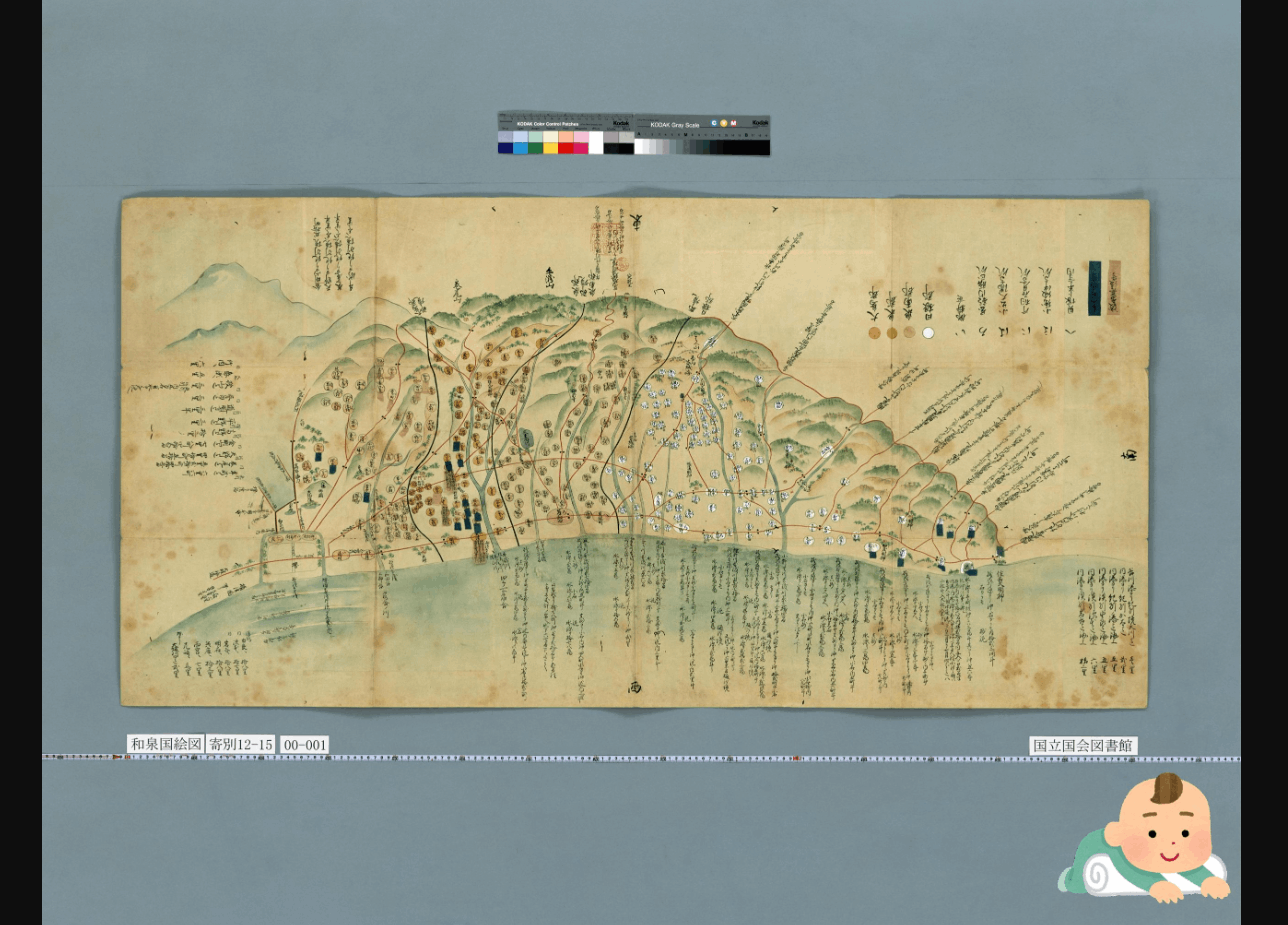
Overview Let’s try the overlay feature provided by Cantaloupe. https://cantaloupe-project.github.io/manual/5.0/overlays.html BasicStrategy With BasicStrategy, overlays are applied based on the settings in cantaloupe.properties. As shown below, you can overlay an image on another image. I used the following image from Irasutoya. https://www.irasutoya.com/2020/12/blog-post_279.html Since I set position to bottom right in the configuration file described below, the specified image appeared in the bottom right as shown below. I modified overlays.BasicStrategy.enabled and overlays.BasicStrategy.image in cantaloupe.properties. ...

September 20, 2023 · 2 min · Nakamura

Enabling the Cantaloupe Admin Panel

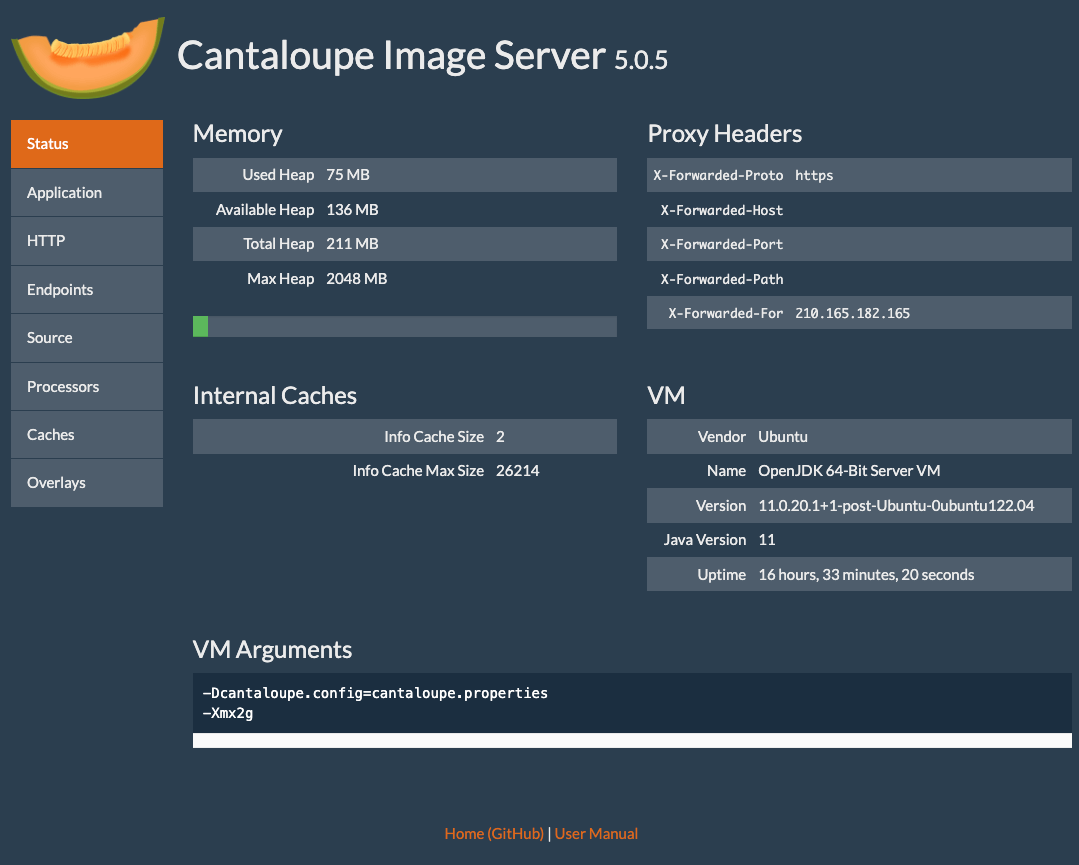
Overview Here is how to enable the admin panel for Cantaloupe. I was able to view server information as shown below. Configuration Edit the following section in cantaloupe.properties. # Enables the Control Panel, at /admin. endpoint.admin.enabled = true # false endpoint.admin.username = admin endpoint.admin.secret = <パスワード> As a result, if you access a URL like the following and the Basic authentication screen appears, the setup is complete. https://cantaloupe.aws.ldas.jp/admin Summary I hope this serves as a useful reference when using Cantaloupe. ...

September 20, 2023 · 1 min · Nakamura

Enabling HTTPS for Cantaloupe on EC2

Introduction In the following article, I described how to set up Cantaloupe on EC2. This time, I will configure a custom domain and enable HTTPS. Custom Domain Configuration This time, I will assign the domain cantaloupe.aws.ldas.jp to 54.172.71.20. When using Route 53, it can be configured as follows. Obtaining an SSL Certificate sudo su apt install certbot certbot certonly --standalone -d cantaloupe.aws.ldas.jp root@ip-172-31-62-61:/home/ubuntu# certbot certonly --standalone -d cantaloupe.aws.ldas.jp Saving debug log to /var/log/letsencrypt/letsencrypt.log Enter email address (used for urgent renewal and security notices) (Enter 'c' to cancel): xxx@gmail.com - - - - - - - - - - - - - - - - - - - - - - - - - - - - - - - - - - - - - - - - Please read the Terms of Service at https://letsencrypt.org/documents/LE-SA-v1.3-September-21-2022.pdf. You must agree in order to register with the ACME server. Do you agree? - - - - - - - - - - - - - - - - - - - - - - - - - - - - - - - - - - - - - - - - (Y)es/(N)o: Y - - - - - - - - - - - - - - - - - - - - - - - - - - - - - - - - - - - - - - - - Would you be willing, once your first certificate is successfully issued, to share your email address with the Electronic Frontier Foundation, a founding partner of the Let's Encrypt project and the non-profit organization that develops Certbot? We'd like to send you email about our work encrypting the web, EFF news, campaigns, and ways to support digital freedom. - - - - - - - - - - - - - - - - - - - - - - - - - - - - - - - - - - - - - - - - (Y)es/(N)o: Y Account registered. Requesting a certificate for cantaloupe.aws.ldas.jp Successfully received certificate. Certificate is saved at: /etc/letsencrypt/live/cantaloupe.aws.ldas.jp/fullchain.pem Key is saved at: /etc/letsencrypt/live/cantaloupe.aws.ldas.jp/privkey.pem This certificate expires on 2023-12-19. These files will be updated when the certificate renews. Certbot has set up a scheduled task to automatically renew this certificate in the background. - - - - - - - - - - - - - - - - - - - - - - - - - - - - - - - - - - - - - - - - If you like Certbot, please consider supporting our work by: * Donating to ISRG / Let's Encrypt: https://letsencrypt.org/donate * Donating to EFF: https://eff.org/donate-le - - - - - - - - - - - - - - - - - - - - - - - - - - - - - - - - - - - - - - - - Web Server Configuration: Installing Nginx apt install nginx vi /etc/nginx/sites-available/cantaloupe.aws.ldas.jp Configuration: ...

September 20, 2023 · 3 min · Nakamura

Created Notebooks Using NDLOCR and NDL Classical Japanese OCR ver.2

Notice 2026-02-24 ! The notebooks provided on this page will no longer be updated. For NDLOCR, “NDLOCR-Lite” has been released as a desktop application and command-line tool for easy use. Please use this going forward. https://github.com/ndl-lab/ndlocr-lite 2025-04-02 There is currently a bug. Please refrain from using it until the fix is complete. The bug has been fixed. 2025-03-21 For NDL Classical Japanese OCR, “NDL Classical Japanese OCR-Lite” has been released as a desktop application for easy use. Please use this going forward. ...

September 20, 2023 · 3 min · Nakamura

Handling "two factor auth enabled..." on PyPI

Overview Two-factor authentication is becoming mandatory on PyPI. https://blog.pypi.org/posts/2023-05-25-securing-pypi-with-2fa/ After setting up two-factor authentication and attempting to upload, the following error occurred. Uploading xxxx.whl 100% ━━━━━━━━━━━━━━━━━━━━━━━━━━━━━━━━━━━━━━━━ 22.2/22.2 kB • 00:00 • 65.2 MB/s WARNING Error during upload. Retry with the --verbose option for more details. ERROR HTTPError: 401 Unauthorized from https://upload.pypi.org/legacy/ User <アカウント名> has two factor auth enabled, an API Token or Trusted Publisher must be used to upload in place of password. Solution I had ~/.pypirc configured as follows. ...

September 20, 2023 · 1 min · Nakamura

Launching Cantaloupe, a IIIF Image Server, on EC2

Overview This is a reference guide on how to launch Cantaloupe, a IIIF image server, on EC2. https://cantaloupe-project.github.io/ Additionally, this article introduces an example of Delegate Methods for restricting image download sizes. Specifically, it addresses cases where an error occurs when attempting to retrieve a full-size image via /full/full/. https://cantaloupe-project.github.io/manual/5.0/access-control.html Setting Up Cantaloupe Creating an EC2 Instance I created an EC2 instance with the platform set to Ubuntu, instance type set to t2.medium, and storage set to 8 GB. ...

September 19, 2023 · 6 min · Nakamura

Displaying Images Referenced by URL in Drupal Views

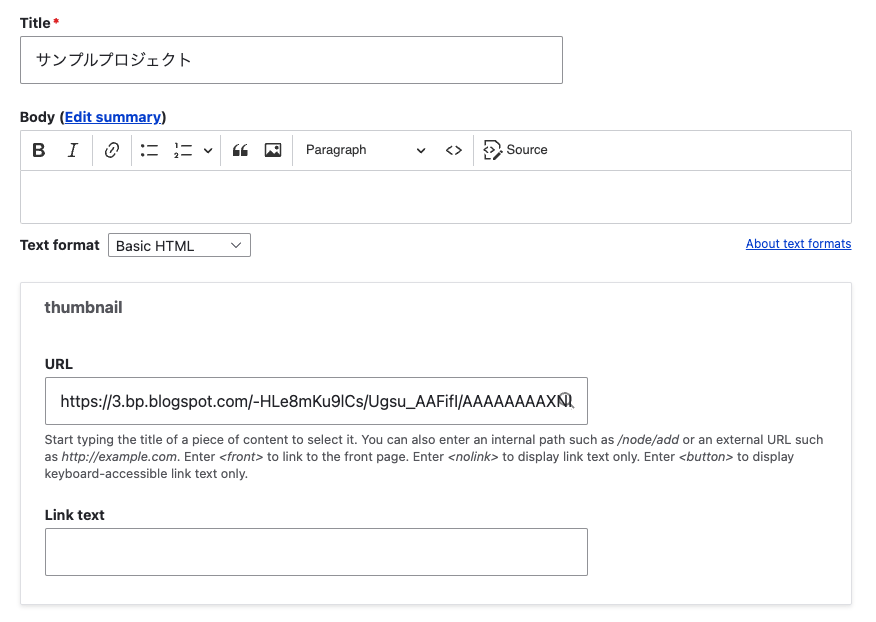
Background Consider the case where you enter an image URL in a field called thumbnail with the Field type set to Link, as shown below. This time, I’ll use the following image from Irasutoya. https://3.bp.blogspot.com/-HLe8mKu9lCs/Ugsu_AAFifI/AAAAAAAAXNI/-yW12EVgQ5s/s800/book_yoko.png Here are my notes on displaying such data in Views like the following. Views I configured the following in the Views Rewrite results settings. <img src="{{ field_thumbnail__uri }}" alt="Image" /> When the Field type is set to Link, the following Replacement patterns were needed. ...

September 5, 2023 · 1 min · Nakamura

Running NDL Classical Japanese OCR on mdx

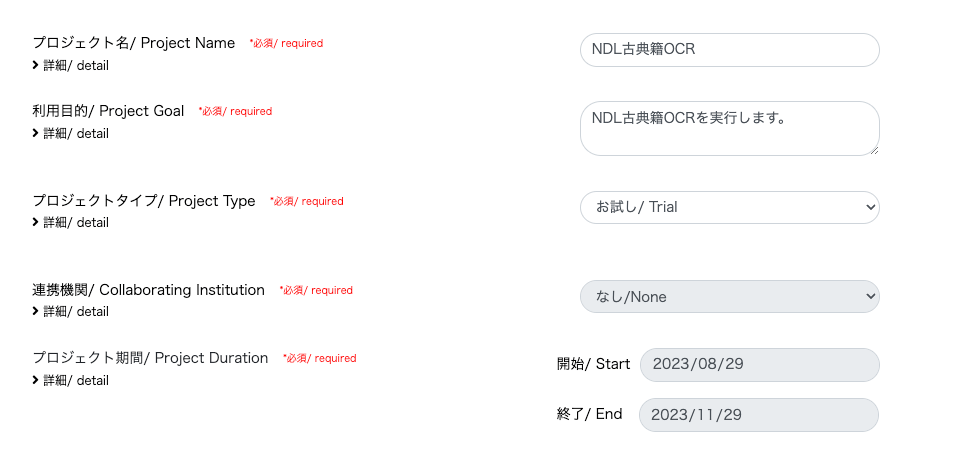
Update History 2024-05-22 Added the section “Adding the Docker Command User to the docker Group”. Overview mdx is a data platform for industry-academia-government collaboration co-created by universities and research institutions. https://mdx.jp/ In this article, we will run NDL Classical Japanese OCR using an mdx virtual machine. https://github.com/ndl-lab/ndlkotenocr_cli Project Application For the project type, we selected “Trial”. With the “Trial” type, one GPU pack was allocated. Creating a Virtual Machine Deployment We selected “01_Ubuntu-2204-server-gpu (Recommended)”. ...

August 29, 2023 · 4 min · Nakamura

Trying Mirador 2's Physical Document Ruler

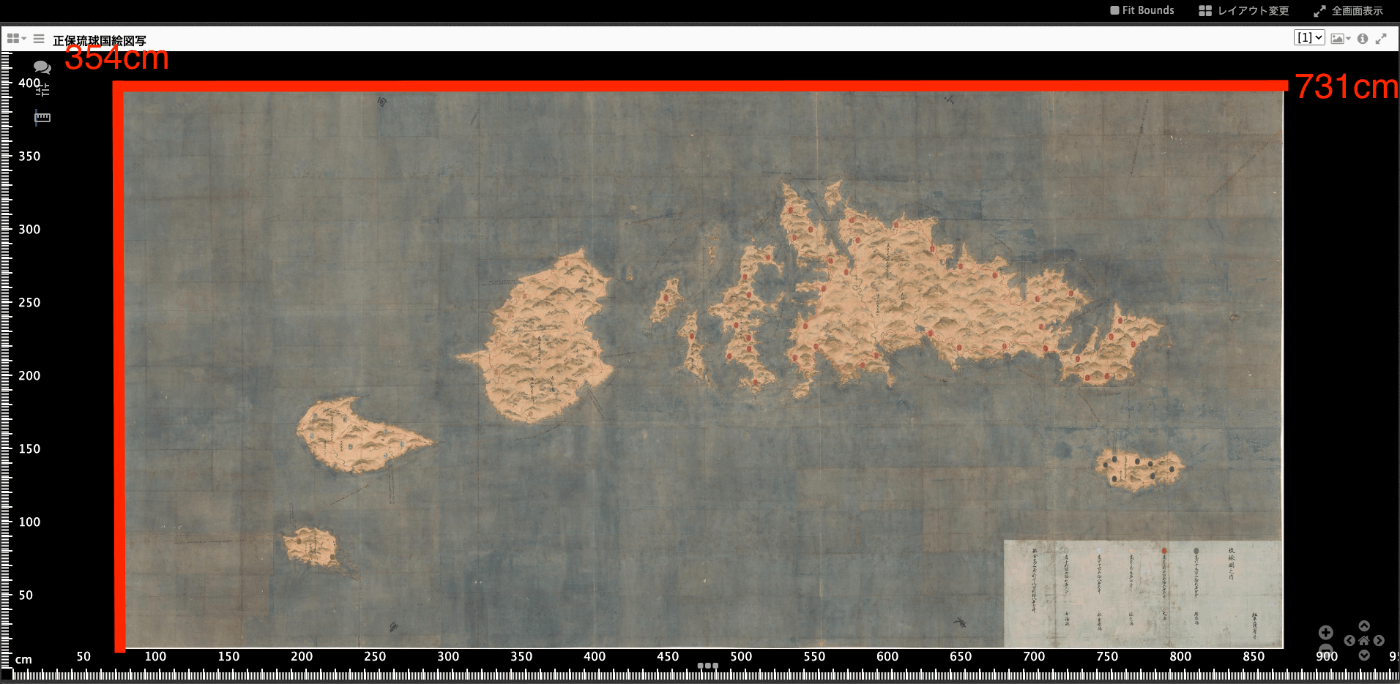
Overview IIIF’s Linking to External Services includes Physical Dimensions. https://iiif.io/api/annex/services/#physical-dimensions It is described as follows. For digitized objects, it is often useful to know the physical dimensions of the object. When available, they allow a client to present a ruler, or other rendition of physical scale, to the user. For Mirador ver.2 and ver.3, the following plugins exist respectively. ver.2 https://github.com/dbmdz/mirador-plugins#physical-document-ruler ver.3 https://github.com/ubleipzig/mirador-ruler-plugin Unfortunately, I was unable to successfully introduce the ver.3 plugin. Therefore, I will explain how to use the Physical Document Ruler with Mirador 2. ...

August 29, 2023 · 2 min · Nakamura

Mirador 3 Plugin Development: Adding Vertical Text Support to the Text Overlay Plugin

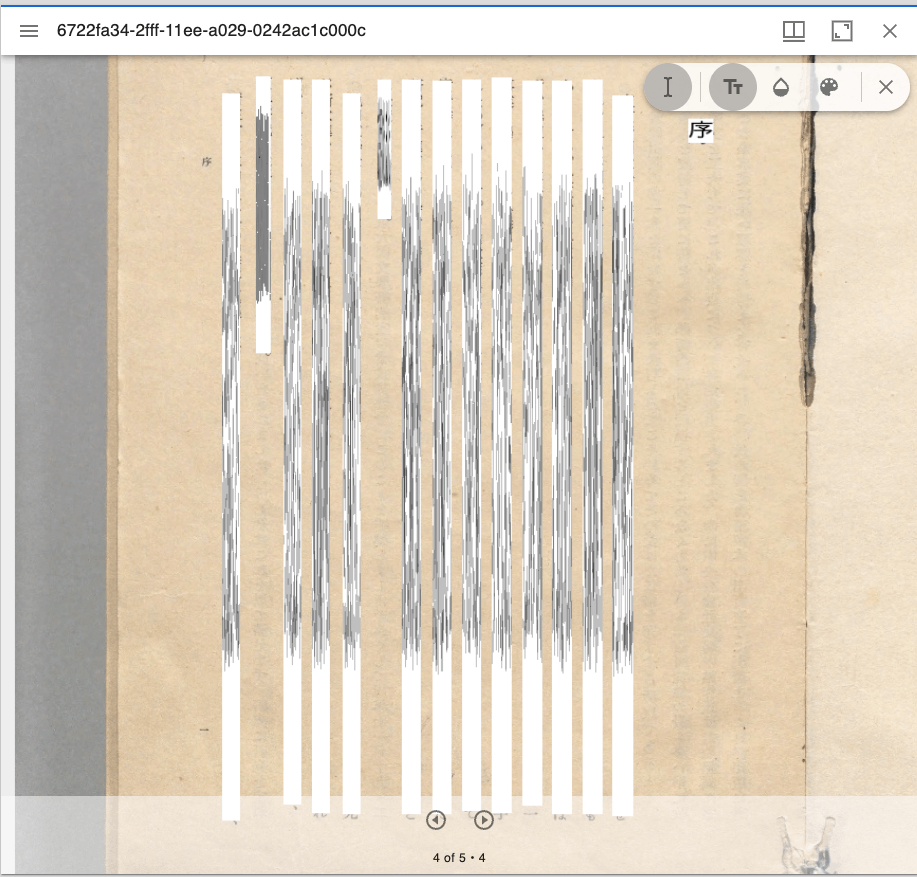
Overview Text Overlay plugin for Mirador 3 is a Mirador 3 plugin that displays selectable text overlays based on OCR or transcription. https://github.com/dbmdz/mirador-textoverlay A demo page is available at the following link. https://mirador-textoverlay.netlify.app/ However, when trying to display vertical text such as Japanese, it didn’t display correctly, as shown below. So I forked the above repository and made it possible to display vertical text as well. The source code is published in the following repository. (I hope to consider a pull request in the future.) ...

August 22, 2023 · 2 min · Nakamura

Notes on Extracting Latitude and Longitude from Google Maps Short URLs

Overview I had an opportunity to extract latitude and longitude from a Google Maps short URL like the following. https://goo.gl/maps/aPxUgDJ9KP2FLFkN7 https://goo.gl/maps/aPxUgDJ9KP2FLFkN7 At that time, two sets of latitude and longitude could be obtained, so this is a personal note on the matter. Extraction Method I received the following answer from GPT-4. -– Answer below — It is not possible to directly extract latitude and longitude from a Google Maps short URL (goo.gl/maps/...). However, by expanding this short URL to obtain the original URL, you can extract the latitude and longitude from that URL. ...

August 22, 2023 · 2 min · Nakamura

Trying the mirador-annotations Plugin and SimpleAnnotationServer with Mirador 3

Overview mirador-annotations is a Mirador 3 plugin that adds annotation creation tools. https://github.com/ProjectMirador/mirador-annotations This time, I tried combining it with the following SimpleAnnotationServer, and this is a memorandum of the process. https://github.com/glenrobson/SimpleAnnotationServer Preparing SimpleAnnotationServer Follow the Getting Started guide below. https://github.com/glenrobson/SimpleAnnotationServer#getting-started When you access http://localhost:8888/index.html, the following screen is displayed. The endpoint appears to be http://localhost:8888/annotation/, which displays a list of registered annotations (initially empty). This endpoint will be used from Mirador 3. ...

August 18, 2023 · 3 min · Nakamura

[Omeka S Module Introduction] Advanced Search Adapter for Solr

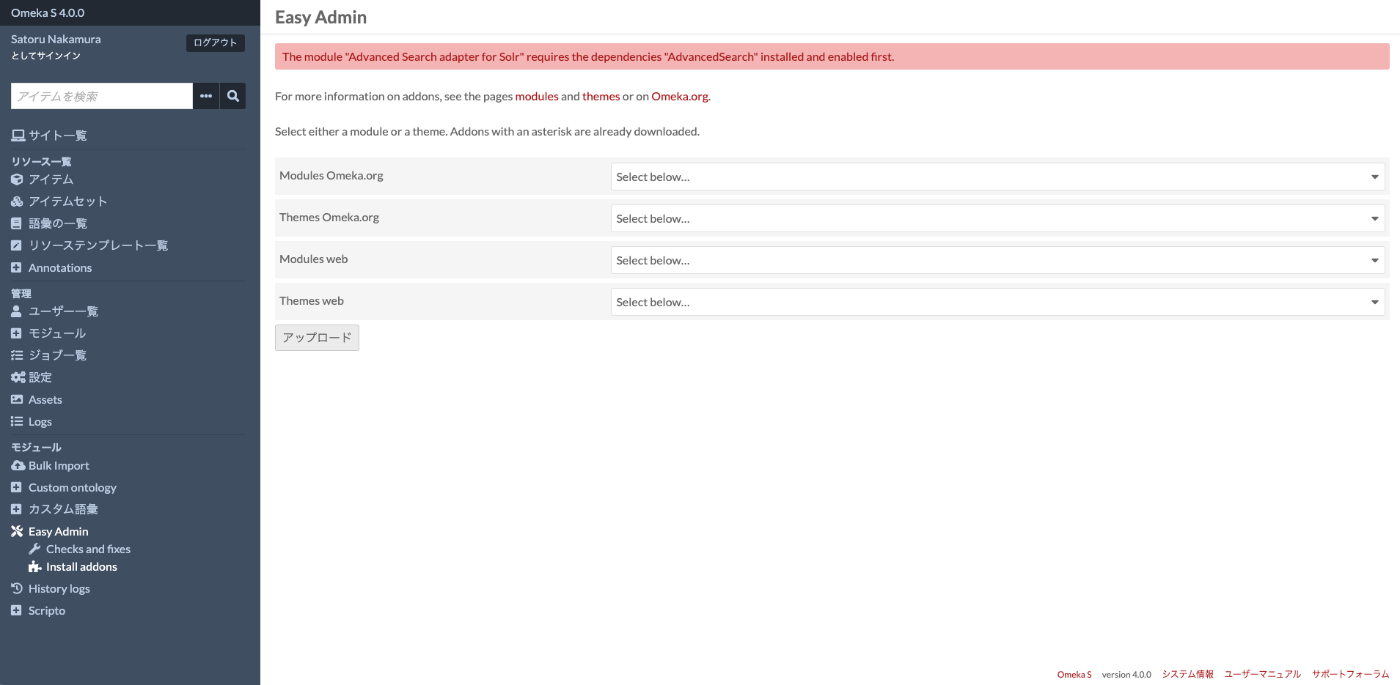
Overview “Advanced Search adapter for Solr” is an Omeka S module that provides an advanced search adapter for Apache Solr. This enables you to leverage the full power of a search engine within Omeka. It provides features such as relevance-based (score) search, instant search, facets, autocomplete, and suggestions for both general users and administrators. https://github.com/Daniel-KM/Omeka-S-module-SearchSolr Setting Up Apache Solr ! Apache Solr can be installed on a server different from the one where Omeka S is installed. ...

August 17, 2023 · 7 min · Nakamura

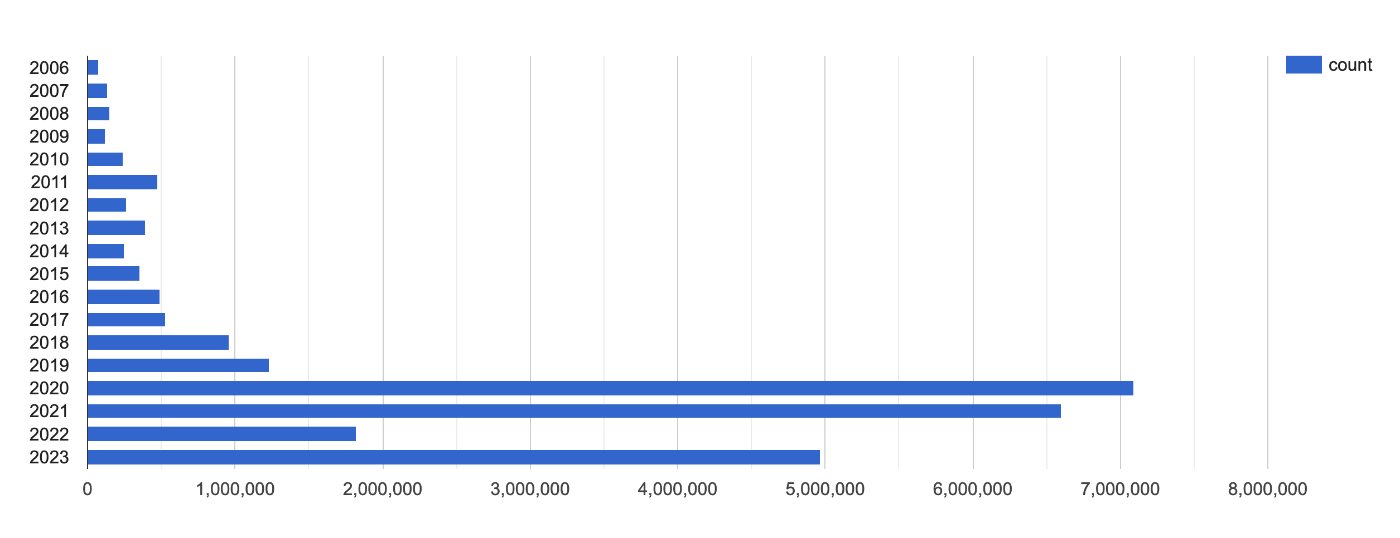
Visualizing Item Counts by Latest Update Year for the Japan Search Utilization Schema

This is a memo about visualizing item counts by latest update year for the Japan Search utilization schema. https://api.triplydb.com/s/bfcE2qF65 It is based on the following query. https://zenn.dev/nakamura196/books/a4534e306de7e7/viewer/e38587 We hope this is helpful.

August 16, 2023 · 1 min · Nakamura

Accessing a Specific AWS S3 Bucket Using Cyberduck for macOS

I tried to access a specific AWS S3 bucket using Cyberduck, referencing the following article. https://dev.classmethod.jp/articles/specify_s3_folder_iam_cyberduck/ However, when I opened the macOS version of Cyberduck and pressed the “New Connection” button at the top of the screen, the form for entering bucket information and other details was not displayed. After investigating, I found the following issue. https://github.com/iterate-ch/cyberduck/issues/11154 It indicated that you should open a bookmark instead, as follows: Please refer to Access third party buckets. To set a default path, create a new bookmark instead of choosing Open Connectoin. ...

August 16, 2023 · 1 min · Nakamura

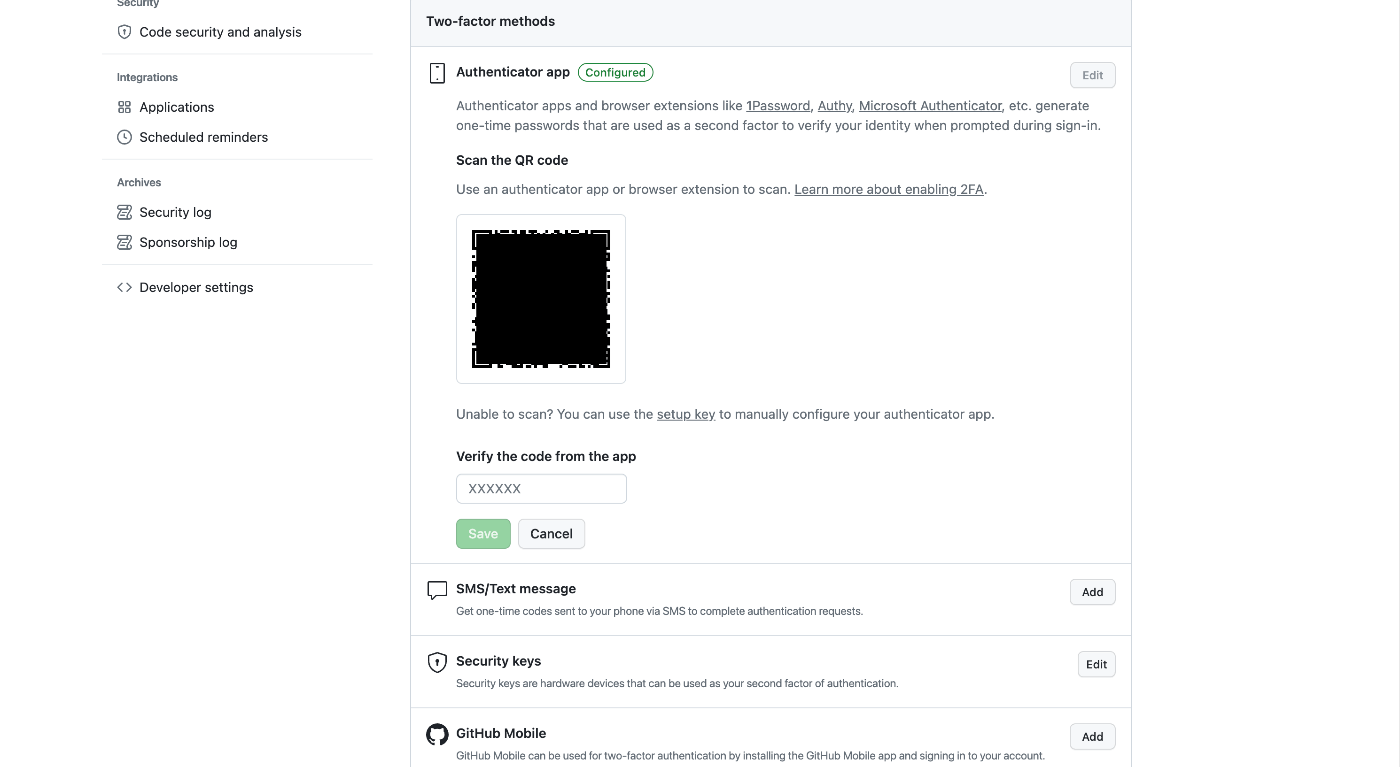
Setting Up GitHub 2FA Using a Browser Extension

Overview This is a memo on using the browser extension “Authenticator” to set up two-factor authentication (2FA) for GitHub. https://authenticator.cc/ Preparing the QR Code First, prepare the QR code on the GitHub side. I’ll skip the detailed steps, but the QR code will be displayed on a screen like the following. Adding the Browser Extension Access the following URL from Chrome, Firefox, or Edge. The example below uses Chrome. ...

August 15, 2023 · 2 min · Nakamura

Error When Running npx nuxi typecheck

When running npx nuxi typecheck in Nuxt3, the following error occurred. nuxt.config.ts:16:3 - error TS2345: Argument of type '{ app: { baseURL: string; }; runtimeConfig: { public: { token: string; }; }; typescript: { strict: boolean; }; }' is not assignable to parameter of type 'InputConfig<NuxtConfig, ConfigLayerMeta>'. Object literal may only specify known properties, and '"app"' does not exist in type 'InputConfig<NuxtConfig, ConfigLayerMeta>'. As a solution, as described in the following documentation, it was necessary to install two libraries. ...

August 9, 2023 · 1 min · Nakamura