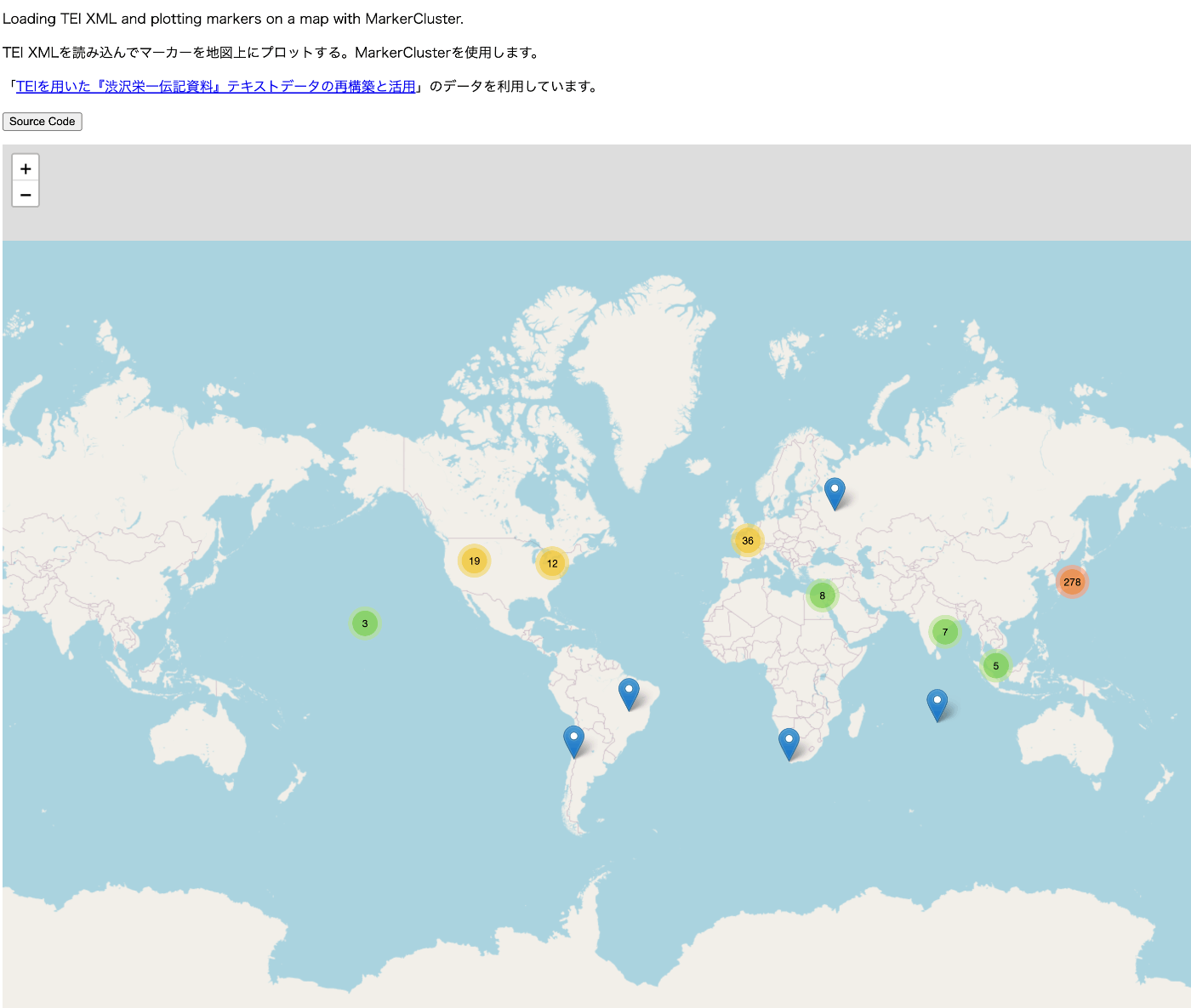
TEI/XML Visualization Example: Map Display Using Leaflet

Overview For visualizing TEI/XML files, I created a repository that publishes visualization examples and source code. https://github.com/nakamura196/tei_visualize_demo You can see the visualization examples on the following page. https://nakamura196.github.io/tei_visualize_demo/ This time, I added an example of marker display using MarkerCluster, which I’ll introduce here. Prerequisites This assumes that you can already display markers using Leaflet (without using MarkerCluster). If you haven’t done so yet, please refer to the following visualization example and source code. ...

April 12, 2024 · 2 min · Nakamura

Converting Japanese Calendar Dates to Western Calendar Using HuTime Calendar Conversion Service

Overview I had the opportunity to convert Japanese calendar dates (wareki) to Western calendar dates using the calendar conversion service of HuTime, a temporal information analysis software, so here are my notes. https://www.hutime.jp/ Conversion Example Enter a Japanese calendar date in the {Japanese calendar date} field of the following URL: https://ap.hutime.org/cal/?method=conv&ical=1001.1&itype=date&ival={Japanese calendar date}&ocal=101.1&oform=yyyy-MM-dd&out=json For example, for “Keio 4, September 8” (the date the Meiji era began): https://ap.hutime.org/cal/?method=conv&ical=1001.1&itype=date&ival=慶応4年9月8日&ocal=101.1&oform=yyyy-MM-dd&out=json Other Usage Detailed instructions are available at the following page. Please refer to it for parameter specifications and other details. ...

April 12, 2024 · 1 min · Nakamura

Troubleshooting the CleanUrl Module Installation in Omeka S

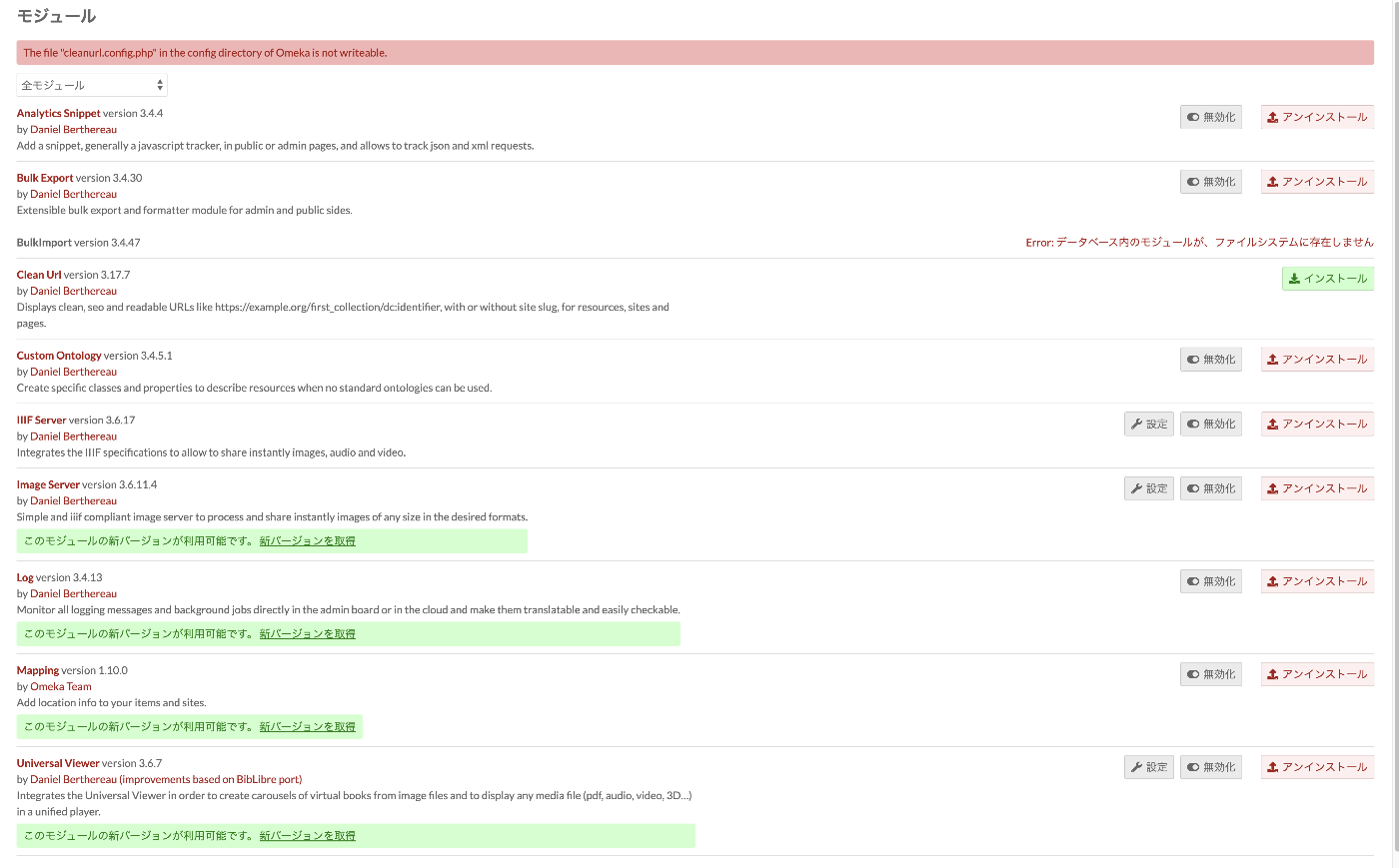
Overview When attempting to install the Clean Url module on Omeka S built with the following environment: PHP Version: 8.3.2 Omeka S Version: 4.0.4 Clean Url Version: 3.17.7 The following message was displayed: Deprecated: Creation of dynamic property CleanUrl\Router\Http\CleanRoute::$priority is deprecated in /var/www/html/vendor/laminas/laminas-router/src/SimpleRouteStack.php on line 285 To address this issue, the above message could be hidden by partially modifying the /modules/CleanUrl/src/Router/Http/CleanRoute.php file as described below. https://github.com/Daniel-KM/Omeka-S-module-CleanUrl/issues/19 If the SetEnv APPLICATION_ENV "production" line in the .htaccess file has not been changed to SetEnv APPLICATION_ENV "development", this message may not appear at all, but I hope this serves as a helpful reference. ...

March 19, 2024 · 1 min · Nakamura

File Sideload: Batch Uploading Images to Omeka S

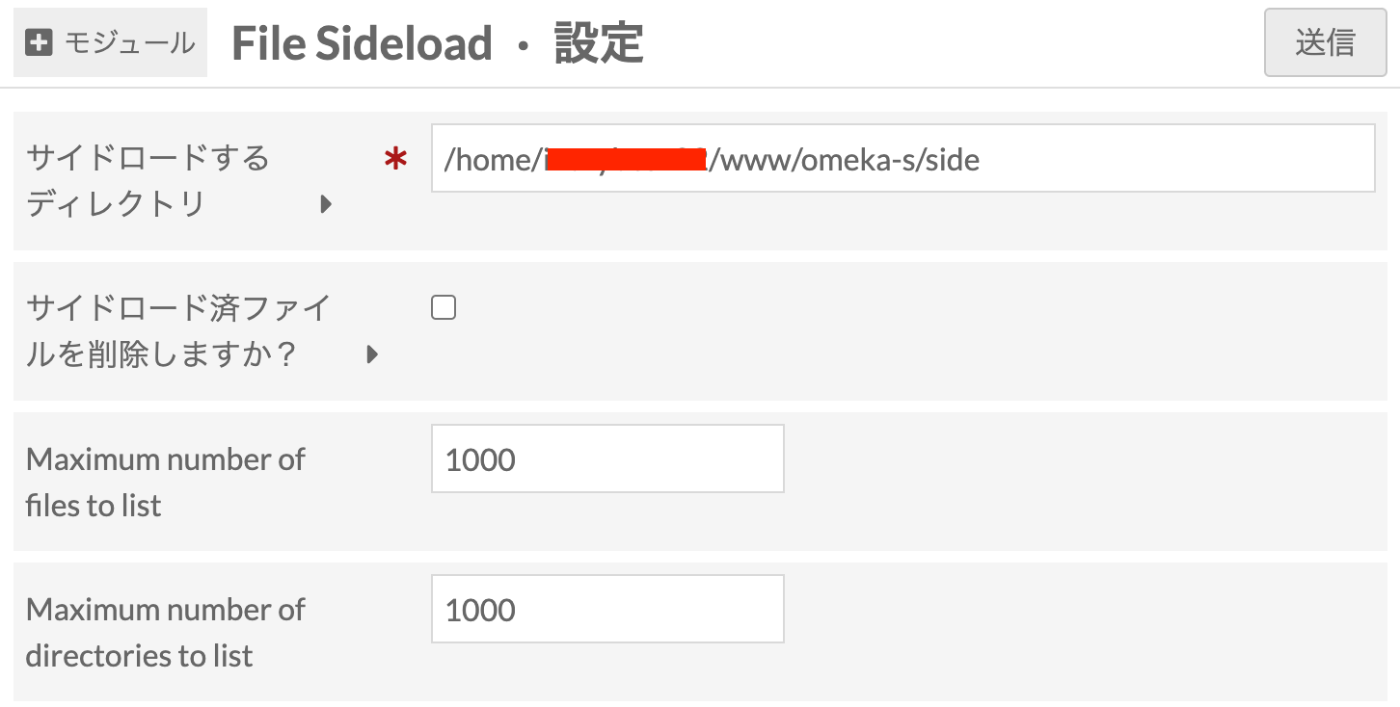
Overview This article explains the “File Sideload” module for batch uploading images to Omeka S. https://omeka.org/s/modules/FileSideload/ The official manual is available at the following URL: https://omeka.org/s/docs/user-manual/modules/filesideload/ Module Installation It can be installed using the standard method. https://omeka.org/s/docs/user-manual/modules/#installing-modules Module Configuration After installation, you will be navigated to the following configuration screen. Here, specify the path to the folder for uploading images for batch registration. Depending on permissions, you should be able to specify any arbitrary path. ...

March 14, 2024 · 1 min · Nakamura

Creating a Sitemap in Nuxt 3

Overview There are several ways to create a sitemap in Nuxt 3, so here are my notes. [1] @nuxtjs/sitemap Documentation https://sitemap.nuxtjs.org/ Reference Article https://zenn.dev/kumao/articles/3fe10078a7e9d2 Installation npm install -D @nuxtjs/sitemap Repository https://github.com/nuxt-community/sitemap-module [2] sitemap Reference Article https://zenn.dev/kakkokari_gtyih/articles/db1aed4fed6054 Installation npm install -D sitemap Repository https://github.com/ekalinin/sitemap.js [3] nuxt-simple-sitemap This package has the following note, so using @nuxtjs/sitemap from [1] seems to be the better choice: Package has been migrated to @nuxtjs/sitemap. https://www.npmjs.com/package/nuxt-simple-sitemap ...

March 8, 2024 · 1 min · Nakamura

Verifying OAuth Authentication Using Drupal's Simple OAuth and Postman

Overview This article verifies OAuth authentication using Drupal’s Simple OAuth and Postman. I previously wrote the following article, but this time I will go into more detail. Setting Up Simple OAuth in Drupal Please refer to the following: https://nakamura196.pages.dev/en/posts/e4ce978db12227/#Creating an OAuth Client Postman When the grant type is password Send a POST request to /oauth/token with the following specified in Body > x-www-form-urlencoded: Key Value grant_type password client_id {your CLIENT_ID, e.g.: gt8UKlKltI4qs1XP5KLucIXiYw9ulGb0xS4RyO437dc} client_secret {your CLIENT_SECRET, e.g.: test} username {username, e.g.: yamato} password {password, e.g.: yamato} The following JSON was returned: ...

March 2, 2024 · 5 min · Nakamura

Trying Out METSFlask

Overview I will try out the following METSFlask. https://github.com/tw4l/METSFlask It is described as follows: A web application for human-friendly exploration of Archivematica METS files Usage You can try it on the following site. http://bitarchivist.pythonanywhere.com/ Here is the result of uploading a METS file. In this case, since only one Word file was stored, information about one original file is displayed. Clicking the View button navigates to the detail screen. ...

February 27, 2024 · 4 min · Nakamura

Trying the Access to Memory RESTful API

Overview Let’s try some examples of the Access to Memory RESTful API. The official documentation is available here: https://www.accesstomemory.org/en/docs/2.8/dev-manual/api/api-intro/ Browse taxonomy terms https://demo.accesstomemory.org/api/taxonomies/34 [ { "name": "Collection" }, { "name": "File" }, { "name": "Fonds" }, { "name": "Item" }, { "name": "Part" }, { "name": "Record group" }, { "name": "Series" }, { "name": "Sous-fonds" }, { "name": "Subseries" } ] Browse information objects endpoint https://demo.accesstomemory.org/api/informationobjects { "total": 460, "results": [ { "reference_code": "CA ON00012 SC105", "slug": "kathleen-munn-fonds", "title": "Kathleen Munn fonds", "repository": "Art Gallery of Ontario", "level_of_description": "Fonds", "creators": [ "Munn, Kathleen Jean, 1887-1974" ], "creation_dates": [ "1912-[193-]" ] }, { "reference_code": "CA ON00012 SC069", "slug": "gallery-44-centre-for-contemporary-photography-fonds", "title": "Gallery 44 Centre for Contemporary Photography fonds", "repository": "Art Gallery of Ontario", "level_of_description": "Fonds", "creators": [ "Gallery 44 Centre for Contemporary Photography" ], "creation_dates": [ "[ca. 1979] - 2000" ], "place_access_points": [ "Toronto", "York, Regional Municipality of", "Ontario", "Canada" ] }, { "slug": "bitter-paradise-sell-out-of-east-timor-fonds", "title": "*Bitter Paradise: The Sell-Out of East Timor* fonds", "repository": "University of British Columbia Archives", "level_of_description": "Fonds", "creators": [ "Briere, Elaine" ], "creation_dates": [ "1985 - 1997" ] }, ... Read information object endpoint Let’s retrieve the record that was obtained via OAI in the following article through the API. ...

February 26, 2024 · 2 min · Nakamura

Trying the ArchivesSpace RESTful API

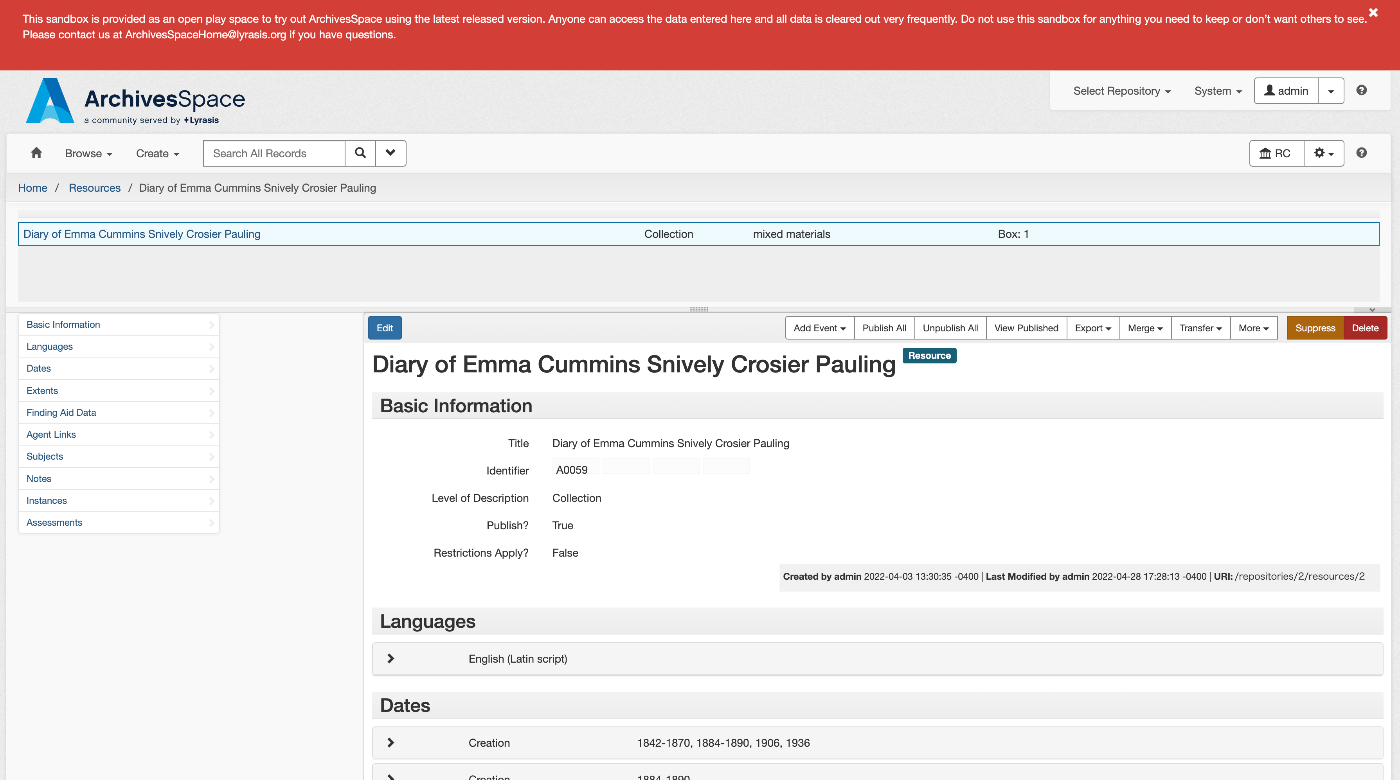
Overview Let’s try an example of the ArchivesSpace RESTful API. The official documentation is available here: https://archivesspace.github.io/archivesspace/api/#introduction List all corporate entity agents Documentation is available here: https://archivesspace.github.io/archivesspace/api/#list-all-corporate-entity-agents When using the demo site, you can access it at the following URL: https://sandbox.archivesspace.org/staff/api/agents/corporate_entities?page=1 The result is as follows: { "first_page": 1, "last_page": 3, "this_page": 1, "total": 27, "results": [ { "lock_version": 5, "publish": false, "created_by": "admin", "last_modified_by": "admin", "create_time": "2022-03-23T13:44:30Z", "system_mtime": "2024-02-25T06:02:12Z", "user_mtime": "2022-05-17T20:46:06Z", "is_slug_auto": false, "jsonmodel_type": "agent_corporate_entity", "agent_contacts": [ { "lock_version": 0, "name": "Manuscripts Repository", "created_by": "admin", "last_modified_by": "admin", "create_time": "2022-05-17T20:46:06Z", "system_mtime": "2022-05-17T20:46:06Z", "user_mtime": "2022-05-17T20:46:06Z", "is_representative": true, "jsonmodel_type": "agent_contact", "telephones": [ ], "notes": [ ] } ], "agent_record_controls": [ ], "agent_alternate_sets": [ ], "agent_conventions_declarations": [ ], "agent_other_agency_codes": [ ], "agent_maintenance_histories": [ ], "agent_record_identifiers": [ ], "agent_identifiers": [ ], "agent_sources": [ ], "agent_places": [ ], "agent_occupations": [ ], "agent_functions": [ ], "agent_topics": [ ], "agent_resources": [ ], "linked_agent_roles": [ ], "external_documents": [ ], "notes": [ ], "used_within_repositories": [ ], "used_within_published_repositories": [ ], "dates_of_existence": [ ], "used_languages": [ ], "metadata_rights_declarations": [ ], "names": [ { "lock_version": 0, "primary_name": "Allen Doe Research Center", "sort_name": "Allen Doe Research Center", "sort_name_auto_generate": true, "created_by": "admin", "last_modified_by": "admin", "create_time": "2022-05-17T20:46:06Z", "system_mtime": "2022-05-17T20:46:06Z", "user_mtime": "2022-05-17T20:46:06Z", "authorized": true, "is_display_name": true, "jurisdiction": false, "conference_meeting": false, "source": "local", "jsonmodel_type": "name_corporate_entity", "use_dates": [ ], "parallel_names": [ ] } ], "related_agents": [ ], "uri": "/agents/corporate_entities/1", "agent_type": "agent_corporate_entity", "is_linked_to_published_record": false, "display_name": { "lock_version": 0, "primary_name": "Allen Doe Research Center", "sort_name": "Allen Doe Research Center", "sort_name_auto_generate": true, "created_by": "admin", "last_modified_by": "admin", "create_time": "2022-05-17T20:46:06Z", "system_mtime": "2022-05-17T20:46:06Z", "user_mtime": "2022-05-17T20:46:06Z", "authorized": true, "is_display_name": true, "jurisdiction": false, "conference_meeting": false, "source": "local", "jsonmodel_type": "name_corporate_entity", "use_dates": [ ], "parallel_names": [ ] }, "title": "Allen Doe Research Center", "is_repo_agent": "Allen Doe Research Center" }, { ... In the GUI, the corresponding page is: ...
February 26, 2024 · 3 min · Nakamura

Differences Between DACS and ISAD(G)

I am sharing a response from ChatGPT4 about the differences between DACS and ISAD(G). There may be some inaccuracies, but I hope it serves as a useful reference. DACS (Describing Archives: A Content Standard) and ISAD(G) (International Standard Archival Description, General) are standards used for describing archival materials in American and international contexts, respectively. These standards were developed to facilitate cataloging, access, and understanding of archival materials, but they differ in scope, structure, and specific focus areas. ...

February 26, 2024 · 2 min · Nakamura

Differences Between Omeka Classic and Omeka S

I am sharing a response from ChatGPT4 about the differences between Omeka Classic and Omeka S. I hope it serves as a useful reference. Omeka and Omeka S are open-source web publishing platforms for building digital collections and exhibitions. Both are widely used by academic institutions, libraries, museums, archives, educators, and cultural heritage organizations. However, Omeka and Omeka S differ in their design and intended use. Omeka (Classic) Target audience: Best suited for individuals and small-scale projects. Suitable for school projects, personal research, and small archival collections. Features: Easy to install and provides an intuitive admin interface. Focused on individual websites and projects, specializing in single site management and exhibition creation. Use cases: Best for exhibiting small digital collections and educational projects. Customization is possible through plugins and themes, but it is not suited for integrated management of multiple projects or collections. Omeka S Target audience: Best suited for organizations with multiple projects and collections, such as universities, libraries, and museums. Features: Omeka S is designed to enable the creation and management of multiple sites. With a single installation, it allows sharing, reusing, and linking resources across different projects and collections. Use cases: Best for large institutions that have multiple digital collections and exhibitions and want to manage them in an integrated manner. It provides more advanced features including API support, advanced search functionality, and Linked Open Data support. Key Differences Intended use: Omeka Classic is designed for small-scale projects and individual users, while Omeka S is designed for organizations and institutions with multiple projects and sites. Functionality: Omeka S provides more advanced features such as multi-site management, Linked Open Data support, and data access via API. Extensibility and interoperability: Omeka S aims for broader data integration and interoperability by sharing items across collections. The choice depends on the scale of the project, its purpose, and the type of data being managed. Omeka Classic is suitable for small-scale projects and personal use, while Omeka S is suitable for organizations handling multiple projects and large datasets. ...

February 26, 2024 · 2 min · Nakamura

Trying ArchivesSpace's OAI Repository

Overview ArchivesSpace is described as follows. https://github.com/archivesspace/archivesspace Built for archives by archivists, ArchivesSpace is the open source archives information management application for managing and providing web access to archives, manuscripts and digital objects. This article tries out the OAI Repository feature provided by ArchivesSpace. https://archivesspace.github.io/tech-docs/architecture/oai-pmh/ Configuration This time, we use the ArchivesSpace demo site. Access the following page and configure the necessary settings. https://sandbox.archivesspace.org/staff/oai_config/edit Retrieving the List of Metadata Formats The list of metadata formats was retrieved using the following. ...

February 26, 2024 · 2 min · Nakamura

Trying Access to Memory's OAI Repository

Overview Access to Memory is described as follows. https://github.com/artefactual/atom AtoM (short for Access to Memory) is a web-based, open source application for standards-based archival description and access. The application is multilingual and multi-repository. First commissioned by the International Council on Archives (ICA) to make it easier for archival institutions worldwide to put their holdings online using the ICA’s descriptive standards, the project has since grown into an internationally used community-driven project. ...

February 26, 2024 · 3 min · Nakamura

Trying Out AIPscan

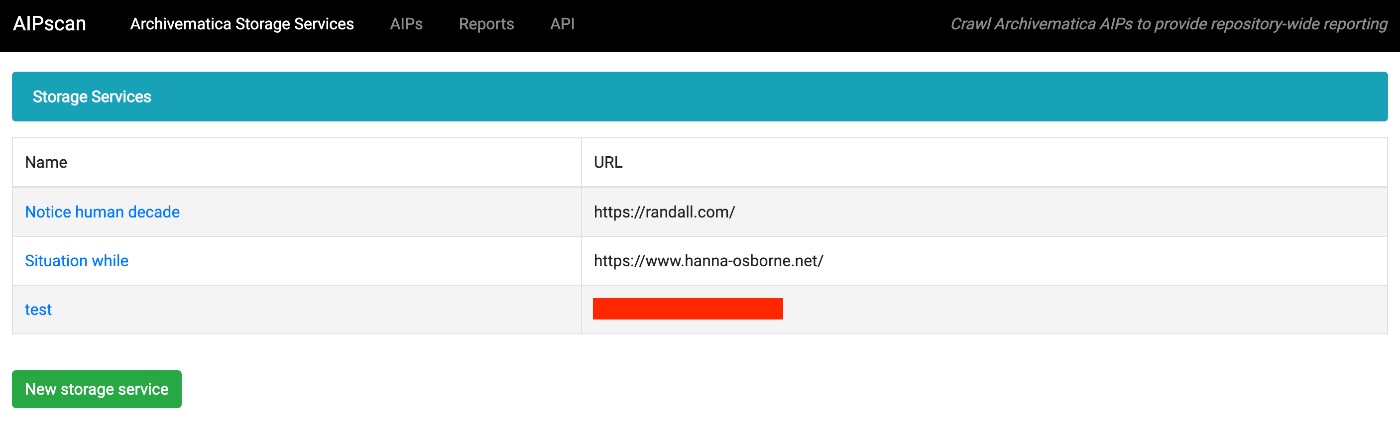
Overview In this article, I try out the following tool. https://github.com/artefactual-labs/AIPscan This tool is described as follows: AIPscan was developed to provide a more in-depth reporting solution for Archivematica users. It crawls METS files from AIPs in the Archivematica Storage Service to generate tabular and visual reports about repository holdings. It is designed to run as a stand-alone add-on to Archivematica. It only needs a valid Storage Service API key to fetch source data. ...

February 25, 2024 · 2 min · Nakamura

Using the Media Arts Database SPARQL Endpoint with Yasgui

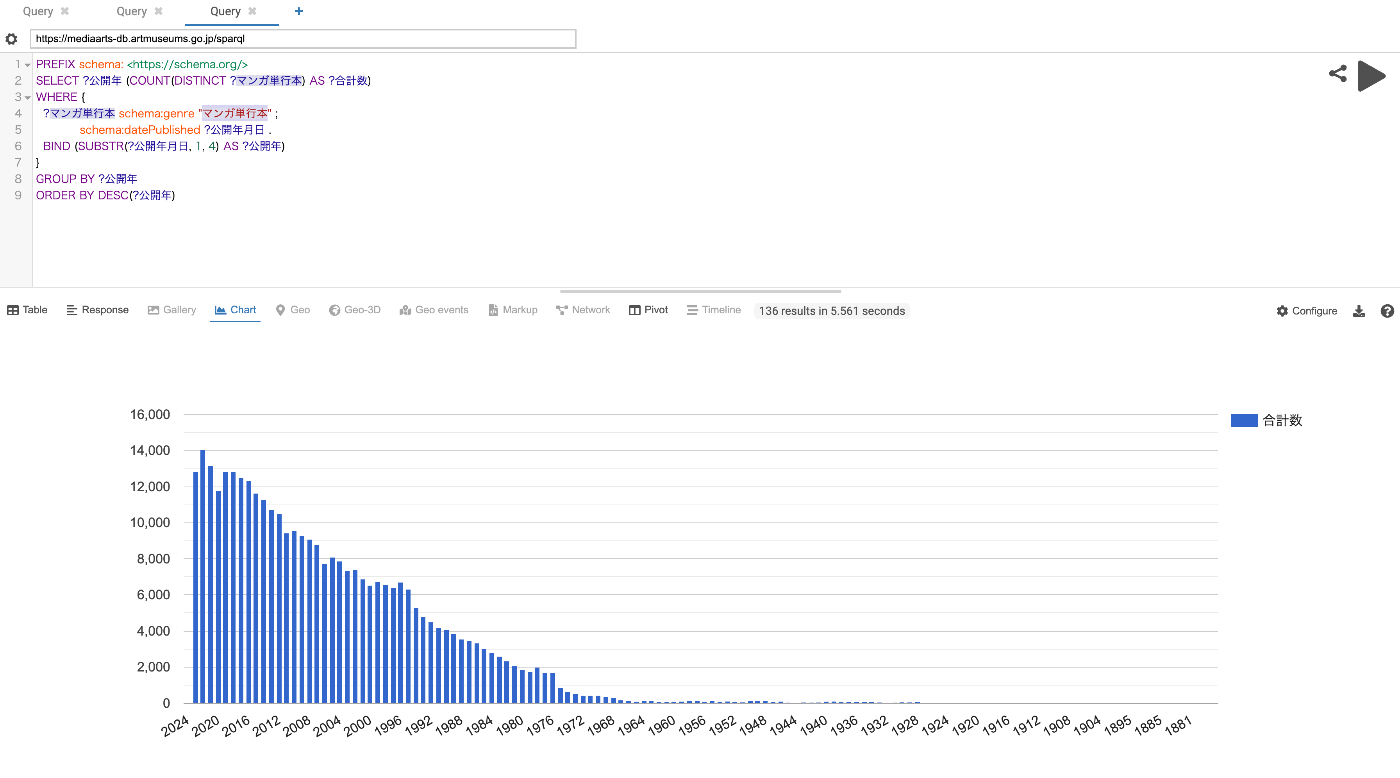
Overview The Media Arts Database was officially released on 2024/1/31. https://mediaarts-db.artmuseums.go.jp/ This article introduces usage examples of the Media Arts Database SPARQL endpoint with Yasgui. I hope the following article about Yasgui is also helpful. Usage Examples Time-series changes in the number of published manga tankoubon (collected volumes) https://api.triplydb.com/s/AqIH1InmC Time-series changes in the number of published game packages https://api.triplydb.com/s/L2REuOshZ Time-series changes in the number of published manga tankoubon containing “isekai” (another world) or “tensei” (reincarnation) https://api.triplydb.com/s/4ciTNJGb2 ...

February 17, 2024 · 1 min · Nakamura

Limiting Filter Properties in Omeka S Advanced Search

Overview On the advanced search screen for each site built with Omeka S, users can select a property and search for specific values. With the default settings, all properties registered in Omeka S are displayed, which can make it difficult to use. This article introduces how to limit the properties shown as selectable options, as shown below: This article targets Omeka S version 4.0.4. Documentation The relevant documentation can be found here: ...

February 17, 2024 · 1 min · Nakamura

Tips for Using sidebase/nuxt-auth in a Production Environment

Overview This is a memo about important considerations when using sidebase/nuxt-auth in a production environment. sidebase/nuxt-auth is an authentication module for Nuxt 3 applications. https://github.com/sidebase/nuxt-auth Problem When deploying to Vercel or AWS Amplify, a server error occurred with the following message. AUTH_NO_ORIGIN: No `origin` - this is an error in production, see https://sidebase.io/nuxt-auth/resources/errors. You can ignore this during development Solution The following was helpful. https://github.com/sidebase/nuxt-auth/issues/613 By providing baseURL as shown below, the above error was resolved. ...

February 12, 2024 · 1 min · Nakamura

Adding Japanese Translation to a Documentation Site Built with Sphinx

Overview I had the opportunity to add Japanese translation to a documentation site built with sphinx, so this is a note for reference. The target is the following. https://github.com/artefactual/archivematica-storage-service-docs Method First, fork the target repository. Next, clone it. git clone https://github.com/nakamura196/archivematica-storage-service-docs cd atom-docs Here, we create a Python virtual environment. python -m venv .venv source .venv/bin/activate pip install --upgrade pip pip install -r requirements.txt Adding Libraries Add sphinx-intl to requirements.txt and install it. ...

February 12, 2024 · 2 min · Nakamura

Copying Build Results to Sakura Rental Server Using GitHub Actions and SCP

Overview I had an opportunity to copy build results to a Sakura rental server using GitHub Actions and SCP, so this is a memorandum of the process. I used the following GitHub Action. https://github.com/appleboy/scp-action Issue Encountered When I tried using the following notation, it worked fine when using act in the local environment, but it did not work when running on GitHub Actions. name: scp files on: [push] jobs: build: name: Build runs-on: ubuntu-latest steps: - uses: actions/checkout@v4 - name: copy file via ssh password uses: appleboy/scp-action@master with: host: ${{ secrets.HOST }} username: ${{ secrets.USERNAME }} password: ${{ secrets.PASSWORD }} port: ${{ secrets.PORT }} source: "tests/a.txt,tests/b.txt" target: your_server_target_folder_path Specifically, the following error occurred: ...

February 8, 2024 · 2 min · Nakamura

Resolving mysqldump: not found in MariaDB

When using MariaDB, I tried to create a backup with the following command and encountered the error mysqldump: not found: mysqldump -uomeka -pomeka omeka > test.sql As a workaround, I referenced the following article and found that using mariadb-dump resolved the issue: https://mariadb.com/kb/en/mysqldump/ Specifically, the backup was successfully created using the following command: mariadb-dump -uomeka -pomeka omeka > test.sql I hope this serves as a useful reference for anyone experiencing the same issue. ...

February 7, 2024 · 1 min · Nakamura