Trying the ResourceSync Python Library

Overview This is a memo from trying out “py-resourcesync,” a Python library for ResourceSync. https://github.com/resourcesync/py-resourcesync Setup git clone https://github.com/resourcesync/py-resourcesync cd py-resourcesync python setup install Execution resourcelist First, create the output resource_dir directory. An ex_resource_dir folder will be created in the current directory. resource_dir = "ex_resource_dir" !mkdir -p $resource_dir Next, execute the following. You would modify the generator as needed, but here the sample EgGenerator is used. from resourcesync.resourcesync import ResourceSync # from my_generator import MyGenerator from resourcesync.generators.eg_generator import EgGenerator my_generator = EgGenerator() metadata_dir = "ex_metadata_dir" # Change as appropriate. rs = ResourceSync(strategy=0, resource_dir=resource_dir, metadata_dir=metadata_dir) rs.generator = my_generator rs.execute() As a result, .well_known, capabilitylist.xml, and resourcelist_0000.xml are created in ex_resource_dir/ex_metadata_dir. ...

November 21, 2022 · Updated: November 21, 2022 · 2 min · Nakamura

Trying the IIIF Auth API

Overview The following repository is provided as an environment for trying the IIIF Auth API. https://github.com/digirati-co-uk/iiif-auth-server In this article, we will use the above repository to try the IIIF Auth API. Starting Up Preparation git clone https://github.com/digirati-co-uk/iiif-auth-server cd iiif-auth-server python -m venv venv source venv/bin/activate pip install --upgrade pip pip install -r requirements.txt If version conflicts occur during pip install -r requirements.txt, try removing the version information and running again, as shown below: ...

November 18, 2022 · Updated: November 18, 2022 · 4 min · Nakamura

Introduction to "FairCopy": A TEI Text Creation Support Tool

Overview A research colleague introduced me to “FairCopy,” a TEI text creation support tool. This tool allows you to create TEI texts through a GUI, and I found it very useful. It is a paid tool, but you can try it for free for 2 weeks, so I am sharing my findings here. Installation By submitting your information through the Sign Up page below, a trial code and the application download link will be displayed. ...

November 11, 2022 · Updated: November 11, 2022 · 4 min · Nakamura

How to Use the Text Markup Tool "CATMA"

Overview This article introduces how to use “CATMA,” one of the text markup tools. https://catma.de/ Annotation results can be exported in TEI format, making it possible to create highly interoperable data that can be utilized in other systems. Additionally, though still experimental, a JSON API is also provided. By using this, one could annotate with CATMA and then use the results in other systems via the API. The above includes some untested content and somewhat advanced approaches, but this article will serve as notes on the basic usage of CATMA. ...

November 10, 2022 · Updated: November 10, 2022 · 3 min · Nakamura

Trying the MediaWiki TEI Extension (Result: Did Not Work)

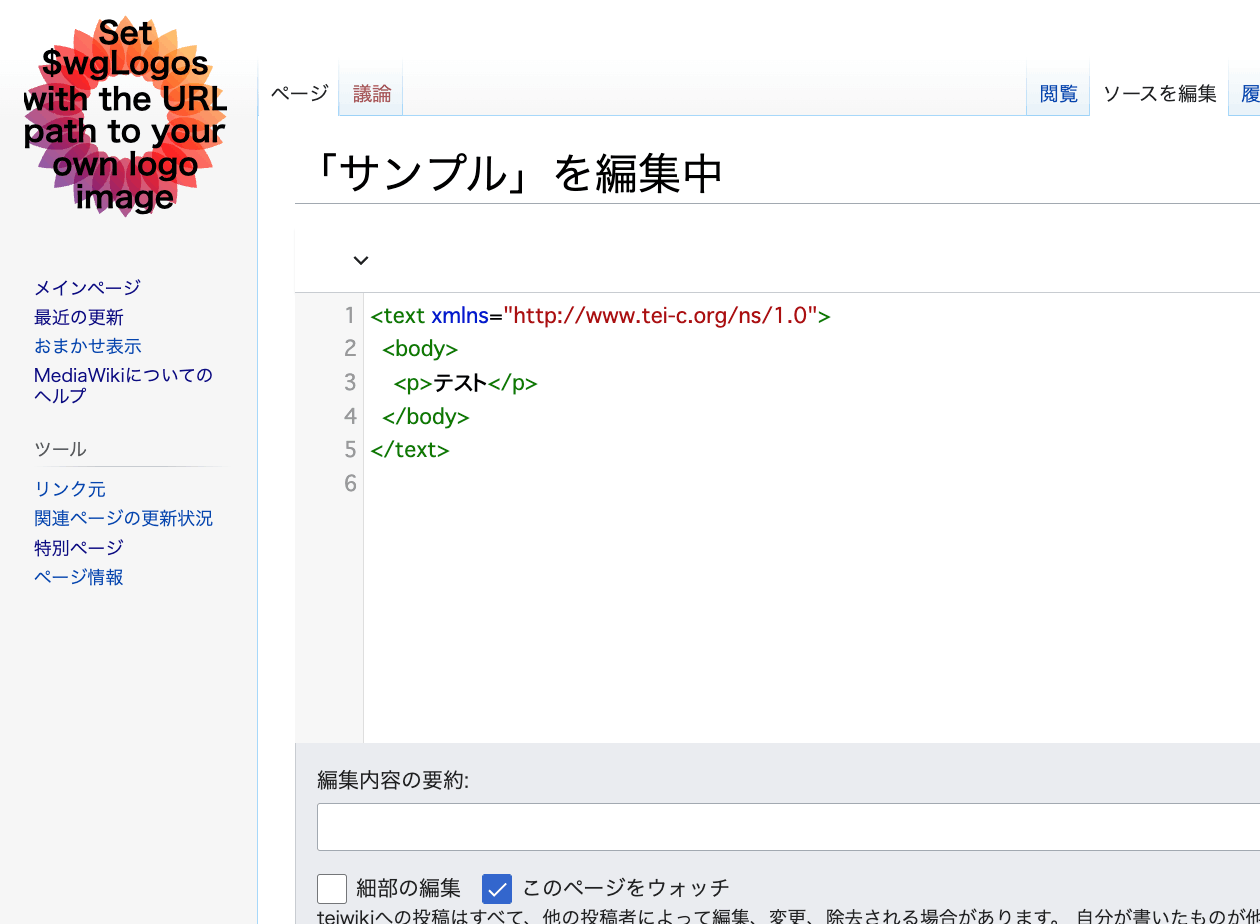
Overview An extension has been developed that enables TEI editing in MediaWiki. https://www.mediawiki.org/wiki/Extension:TEI An example of the editing screen is shown below. Scripto, a transcription support module for Omeka S, enables transcription of image data registered in Omeka S by linking Omeka S with MediaWiki. https://omeka.org/s/modules/Scripto/ I tried combining this environment with the TEI extension mentioned above to see if TEI-compliant transcription could be achieved. However, as a result, I was unable to get the TEI extension to work properly this time. ...

November 10, 2022 · Updated: November 10, 2022 · 3 min · Nakamura

[TEI x JavaScript] Removing Unintended Whitespace in Nuxt 3

Problem When loading TEI/XML files and visualizing them with JavaScript (Vue.js, etc.), there were cases where unintended whitespace was inserted. Specifically, when writing HTML like the following: <template> <div> お問い合わせは <a href="#">こちらから</a> お願いします </div> </template> It would render with unintended spaces: “お問い合わせは こちらから お願いします” as shown below. A solution for this issue was published in the following repository: https://github.com/aokiken/vue-remove-whitespace However, I was unable to get it working in Nuxt 3 in my environment, so I used the source code as a reference and adapted it for Nuxt 3. ...

October 25, 2022 · Updated: October 25, 2022 · 2 min · Nakamura

Dealing with AttributeError in ultralytics/yolov5

When using ultralytics/yolov5, the following error occurred. AttributeError: 'Detections' object has no attribute 'imgs' As mentioned in the following issue, this appears to be caused by an API change. https://github.com/robmarkcole/yolov5-flask/issues/23 As one example, the error was resolved by rewriting the program as follows. results = model(im) # inference # new def getImage(results): output_dir = "static" if os.path.exists(output_dir): shutil.rmtree(output_dir) results.save(save_dir=f"{output_dir}/") return Image.open(f"{output_dir}/image0.jpg") # old def oldGetImage(results): results.render() return Image.fromarray(results.imgs[0]) renderedImg = getImage(results) I hope this is helpful for those experiencing the same issue. ...

October 18, 2022 · Updated: October 18, 2022 · 1 min · Nakamura

An Example of Manipulating JSON Files with Nuxt 3's server/api

This is an example of how to manipulate (import and use) JSON files with Nuxt 3’s server/api. The following article was used as a reference. https://github.com/nuxt/framework/discussions/775#discussioncomment-1470136 While there is much room for improvement in areas such as type definitions, the following approach was confirmed to work. // async/await を使用しています。 export default defineEventHandler(async (event) => { const items_: any = await import('~/assets/index.json') // .defaultをつける点に注意 const items_total: any[] = items_.default // 以下の参考リンクを参照してください。 const query = getQuery(event) const page: number = Number(query.page) || 1; const size: number = Number(query.size) || 20; const items: any[] = items_total.slice((page - 1) * size, page * size); return { "hits": { "total": { "value": items_total.length, }, "hits": items } } }); With the above, by using a query like /api/items?page=2&size=40, it was possible to return a portion of the imported JSON file (~/assets/index.json). Paths other than assets seem to work as well, but this has not been thoroughly verified. ...

October 16, 2022 · Updated: October 16, 2022 · 1 min · Nakamura

An Example of Deploying Nuxt 3 to Netlify and AWS

Overview This is a personal note on an example of deploying Nuxt 3 to Netlify and AWS. Below are the deployment examples. Netlify app.vue https://nuxt3-nakamura196.netlify.app/ server/api/hello.ts https://nuxt3-nakamura196.netlify.app/api/hello AWS (Serverless) app.vue https://nuxt3.aws.ldas.jp/ server/api/hello.ts https://nuxt3.aws.ldas.jp/api/hello The source code is at the following URL. https://github.com/nakamura196/nuxt3 I will explain each of them below. Netlify By referring to the following article, I was able to deploy including BFF (Backend for Frontend). https://blog.cloud-acct.com/posts/nuxt3-netlify-deploy/ AWS (Serverless) The following article was helpful for the method using Lambda Functions URL. ...

October 11, 2022 · Updated: October 11, 2022 · 2 min · Nakamura

An Example Method for Converting TEI/XML Files to Vertical-Writing PDF

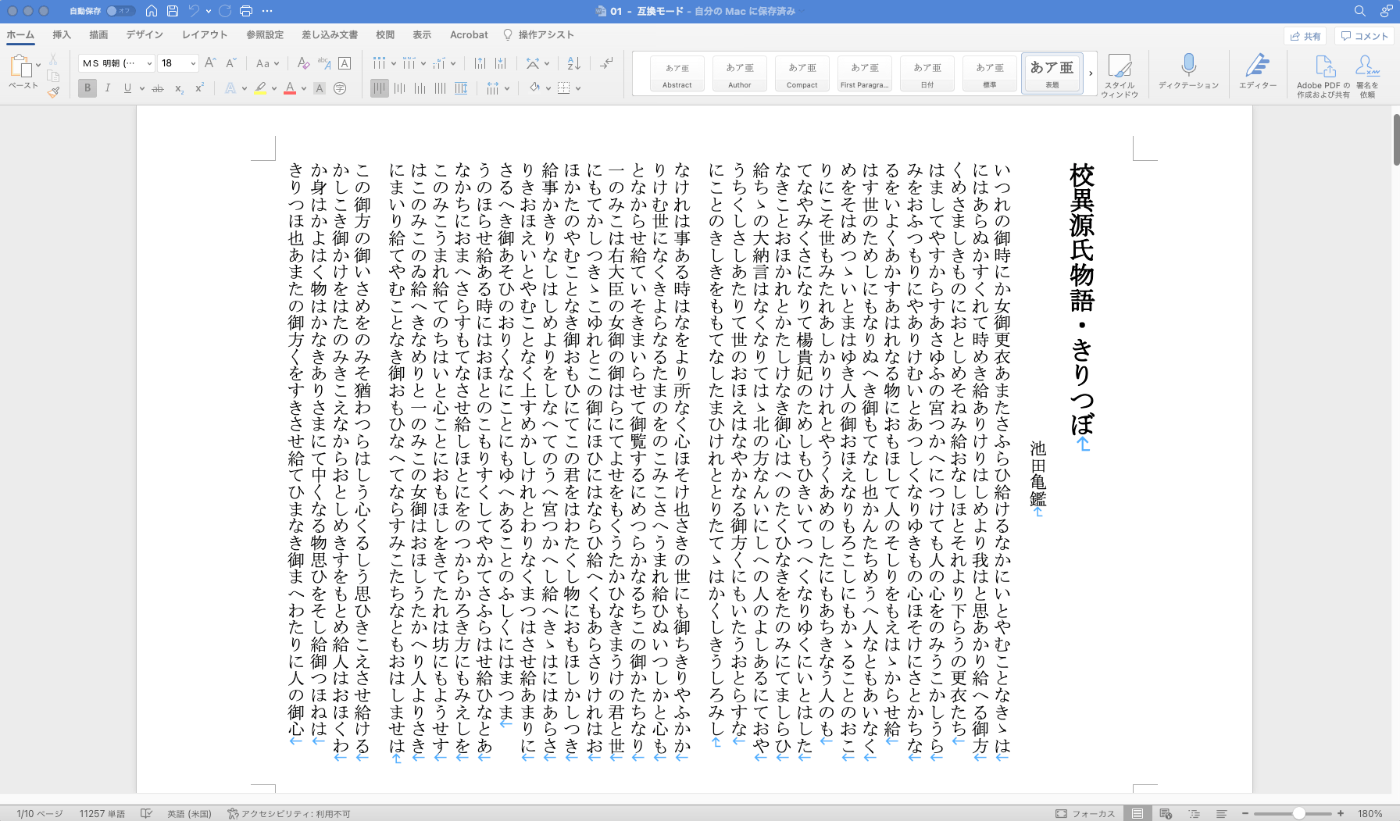
Overview This is a memo documenting one example method for converting TEI/XML files to vertical-writing (tategaki) PDF. You can try the program targeting “Koui Genji Monogatari” (Collated Tale of Genji) in the following notebook. https://colab.research.google.com/github/nakamura196/ndl_ocr/blob/main/TEI_XMLファイルを縦書きPDFに変換する.ipynb Conversion Workflow This time, I used Quarto. https://quarto.org/ Please refer to the following for installation instructions. https://quarto.org/docs/get-started/ TEI/XML -> qmd First, convert the contents of the TEI/XML file to a qmd file. Below is a sample conversion script. ...

October 3, 2022 · Updated: October 3, 2022 · 2 min · Nakamura

Prototype npm Package for Displaying Popups on Selected Text

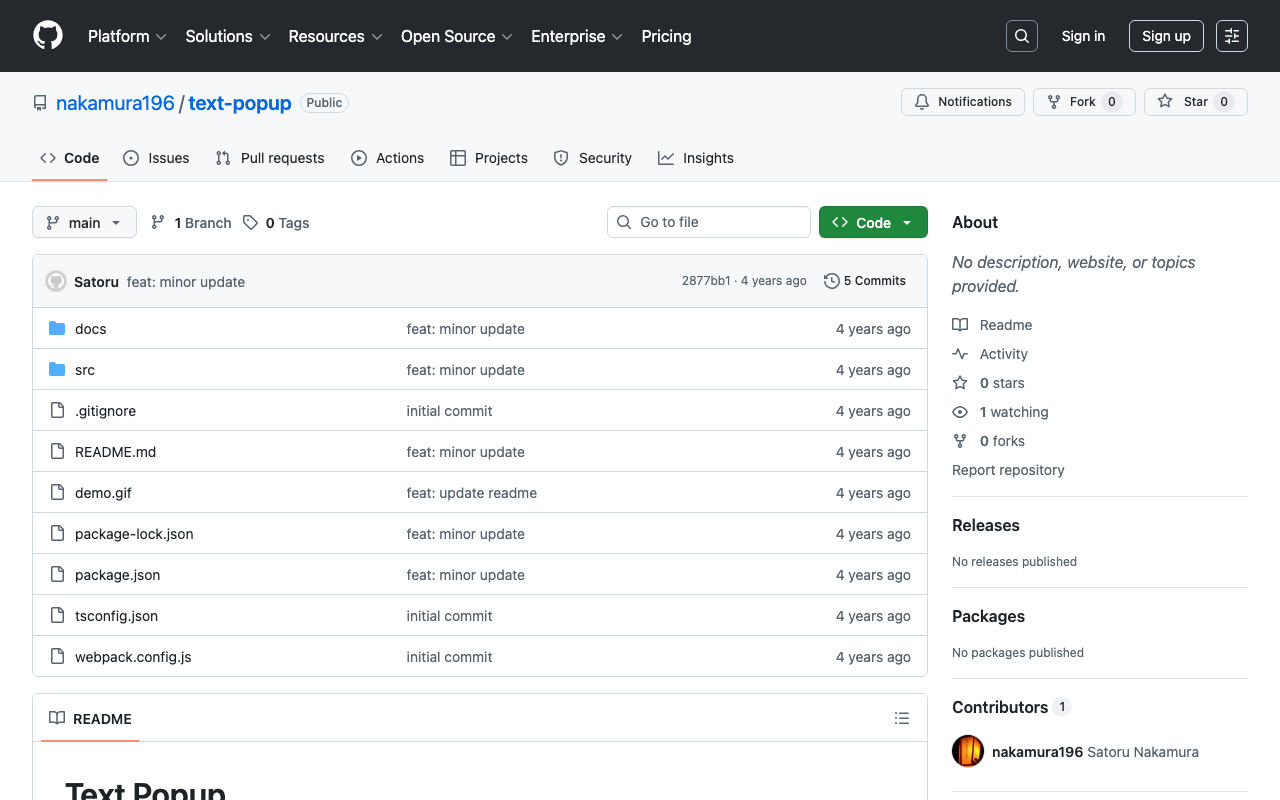
I created a prototype npm package that displays a popup for selected text on a website. npm https://www.npmjs.com/package/@nakamura196/text-popup Source code https://github.com/nakamura196/text-popup Demo page https://nakamura196.github.io/text-popup/ The following article was used as a reference for development. https://zenn.dev/nino_cast/articles/98a0a87f58026f You can try it by adding the following two lines to your website. <script src="https://cdn.jsdelivr.net/npm/@nakamura196/text-popup/dist/main.min.js"></script> <script>textPopup();</script> I hope this is helpful as a reference for developing and publishing npm libraries.

October 1, 2022 · Updated: October 1, 2022 · 1 min · Nakamura

Supporting Drag & Drop for IIIF Icons

Background IIIF (International Image Interoperability Framework) icons (specifically, IIIF manifest URLs) support loading via drag & drop in many IIIF-compatible viewers. However, I received feedback that the IIIF icons displayed by the following module did not support drag & drop. https://github.com/omeka-j/Omeka-S-module-IiifViewers I investigated the cause by referring to the following page, among others. https://zimeon.github.io/iiif-dragndrop/ As a result, I found that the following HTML markup is required. <a href="default_target?manifest=manifest_URI&canvas=canvas_URI"> <img src="iiif-dragndrop-100px.png" alt="IIIF Drag-n-drop"/> </a> Not conforming to the above pattern was the cause of the drag & drop issue in the aforementioned module. ...

September 22, 2022 · Updated: September 22, 2022 · 2 min · Nakamura

[Memo] MapTiler Light and Dark Themes

While searching for a simple map, I came across MapTiler. https://www.maptiler.com/ Specifically, the following Basic Light looked good, https://www.maptiler.com/maps/#784b0675-dce5-4a4f-b16c-0d8e06442314//vector/3/-122.45/37.79 as did the following Basic Dark. https://www.maptiler.com/maps/#74f0e2cf-0dc3-46ba-98ed-c2395d4c71e2//vector/3/-122.45/37.79 However, when I tried to use the above maps from the My Cloud page, I had difficulty finding them. In the end, I was able to reach them from the following URLs respectively. Theme URL Basic Light https://cloud.maptiler.com/maps/positron/ Basic Dark https://cloud.maptiler.com/maps/darkmatter/ I hope this serves as a useful reference for anyone encountering the same issue. ...

September 12, 2022 · Updated: September 12, 2022 · 1 min · Nakamura

Specifying the Initial Specification to Display in Swagger UI Demo via GET Parameter

The Swagger UI demo is available at the following link. https://petstore.swagger.io/ By appending ?url=(URL to a JSON or YAML file) to the above URL, you can specify the initial specification to display. Here, we will use the following publicly available examples. https://github.com/OAI/OpenAPI-Specification For example, you can specify it as follows. https://petstore.swagger.io/?url=https://raw.githubusercontent.com/OAI/OpenAPI-Specification/main/examples/v3.0/api-with-examples.yaml I hope this serves as a useful reference when sharing specifications with others.

September 9, 2022 · Updated: September 9, 2022 · 1 min · Nakamura

Output Content of IIIF Manifests (Version 2) from the Omeka S IIIF Server

Overview IIIF Server is a module for delivering IIIF manifests from Omeka S. https://github.com/Daniel-KM/Omeka-S-module-IiifServer In this article, we examine the output content of these IIIF manifests (specifically, IIIF Presentation API version 2). Example The following is an example of a IIIF manifest for an item with ID test-111 on an Omeka S instance published at https://shared.ldas.jp/omeka-s. { "@context": "http://iiif.io/api/presentation/2/context.json", "@id": "https://shared.ldas.jp/omeka-s/iiif/test-111/manifest", "@type": "sc:Manifest", "label": "Sample Item", "thumbnail": { "@id": "https://iiif.dl.itc.u-tokyo.ac.jp/iiif/kunshujou/A00_6010/001/001_0001.tif/full/!200,200/0/default.jpg", "@type": "dctypes:Image", "format": "image/jpeg", "width": 200, "height": 200 }, "license": "https://shared.ldas.jp/omeka-s/s/test/page/reuse", "attribution": "サンプル機関", "related": { "@id": "https://shared.ldas.jp/omeka-s", "format": "text/html" }, "seeAlso": { "@id": "https://shared.ldas.jp/omeka-s/api/items/1270", "format": "application/ld+json" }, "metadata": [ { "label": "Title", "value": "Sample Item" }, { "label": "Identifier", "value": "test-111" } ], "sequences": [ { "@id": "https://shared.ldas.jp/omeka-s/iiif/test-111/sequence/normal", "@type": "sc:Sequence", "label": "Current Page Order", "viewingDirection": "left-to-right", "canvases": [ { "@id": "https://shared.ldas.jp/omeka-s/iiif/test-111/canvas/p1", "@type": "sc:Canvas", "label": "1", "thumbnail": { "@id": "https://iiif.dl.itc.u-tokyo.ac.jp/iiif/kunshujou/A00_6010/001/001_0001.tif/full/!200,200/0/default.jpg", "@type": "dctypes:Image", "format": "image/jpeg", "width": 200, "height": 200 }, "width": 6401, "height": 4810, "images": [ { "@id": "https://shared.ldas.jp/omeka-s/iiif/test-111/annotation/p0001-image", "@type": "oa:Annotation", "motivation": "sc:painting", "resource": { "@id": "https://iiif.dl.itc.u-tokyo.ac.jp/iiif/kunshujou/A00_6010/001/001_0001.tif/full/full/0/default.jpg", "@type": "dctypes:Image", "format": "image/jpeg", "width": 6401, "height": 4810, "service": { "@context": "http://iiif.io/api/image/2/context.json", "@id": "https://iiif.dl.itc.u-tokyo.ac.jp/iiif/kunshujou/A00_6010/001/001_0001.tif", "profile": "http://iiif.io/api/image/2/level1.json" } }, "on": "https://shared.ldas.jp/omeka-s/iiif/test-111/canvas/p1" } ] }, { "@id": "https://shared.ldas.jp/omeka-s/iiif/test-111/canvas/p2", "@type": "sc:Canvas", "label": "2枚目", "thumbnail": { "@id": "https://iiif.dl.itc.u-tokyo.ac.jp/iiif/kunshujou/A00_6010/001/001_0002.tif/full/!200,200/0/default.jpg", "@type": "dctypes:Image", "format": "image/jpeg", "width": 200, "height": 200 }, "width": 6401, "height": 4810, "images": [ { "@id": "https://shared.ldas.jp/omeka-s/iiif/test-111/annotation/p0002-image", "@type": "oa:Annotation", "motivation": "sc:painting", "resource": { "@id": "https://iiif.dl.itc.u-tokyo.ac.jp/iiif/kunshujou/A00_6010/001/001_0002.tif/full/full/0/default.jpg", "@type": "dctypes:Image", "format": "image/jpeg", "width": 6401, "height": 4810, "service": { "@context": "http://iiif.io/api/image/2/context.json", "@id": "https://iiif.dl.itc.u-tokyo.ac.jp/iiif/kunshujou/A00_6010/001/001_0002.tif", "profile": "http://iiif.io/api/image/2/level1.json" } }, "on": "https://shared.ldas.jp/omeka-s/iiif/test-111/canvas/p2" } ], "metadata": [ { "label": "Title", "value": "2枚目" } ] } ] } ] } Below, I will explain each type. ...

September 1, 2022 · Updated: September 1, 2022 · 3 min · Nakamura

How to Set the xml:id Attribute with BeautifulSoup

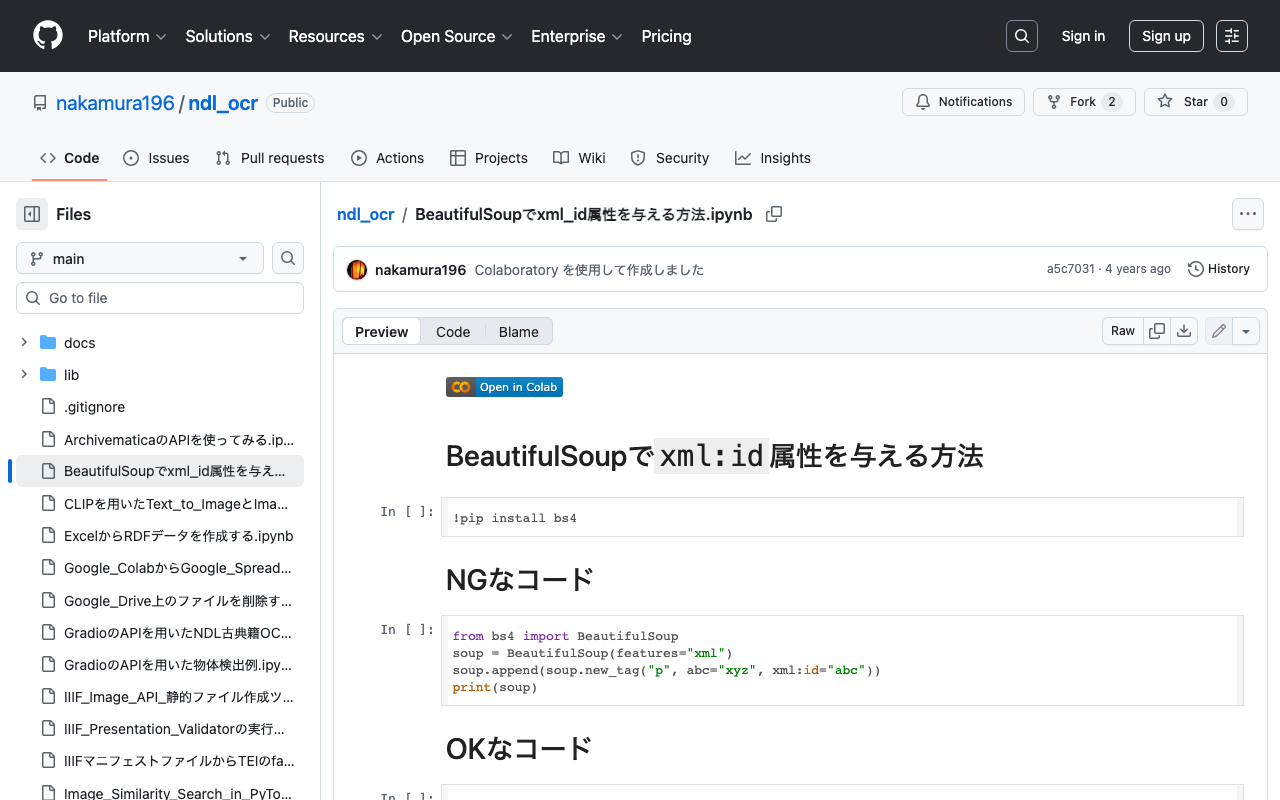
This is a memo on how to set the xml:id attribute with BeautifulSoup. The following method causes an error. from bs4 import BeautifulSoup soup = BeautifulSoup(features="xml") soup.append(soup.new_tag("p", abc="xyz", xml:id="abc")) print(soup) Writing it as follows works correctly. from bs4 import BeautifulSoup soup = BeautifulSoup(features="xml") soup.append(soup.new_tag("p", **{"abc": "xyz", "xml:id":"aiu"})) print(soup) An execution example on Google Colab is available below. https://github.com/nakamura196/ndl_ocr/blob/main/BeautifulSoupでxml_id属性を与える方法.ipynb We hope this is helpful.

August 30, 2022 · Updated: August 30, 2022 · 1 min · Nakamura

[Omeka S] Handling Bulk Import Bugs (Including Installation from Source Code)

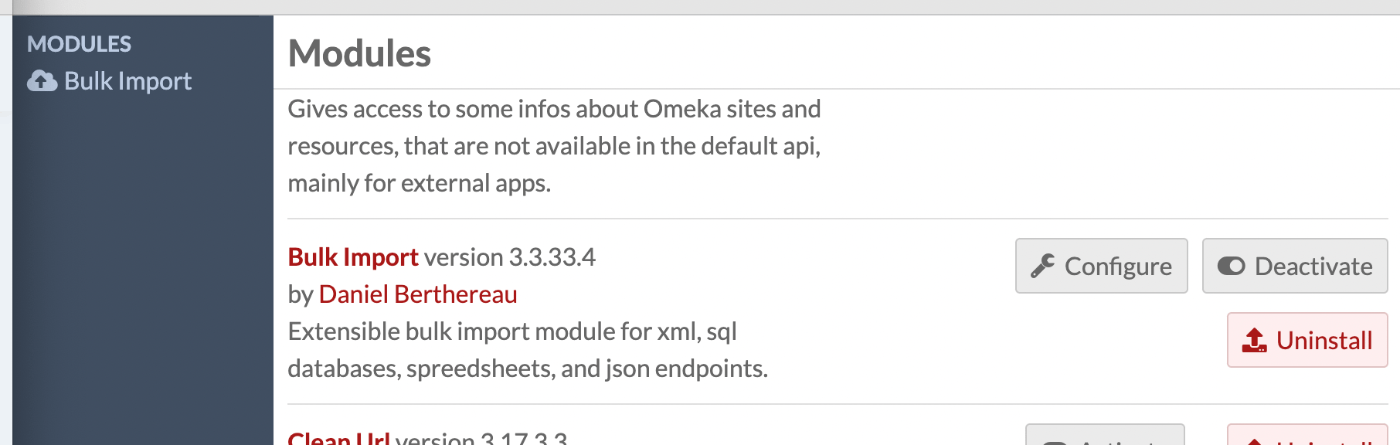
Overview Regarding Bulk Import, one of the modules for bulk data registration in Omeka S, the latest version as of August 21, 2022 (ver.3.3.33.4) appears to contain a bug. Specifically, the following issue describes a bug that occurs during bulk media registration. https://gitlab.com/Daniel-KM/Omeka-S-module-BulkImport/-/issues/11 This bug has already been addressed in the following commit. https://github.com/Daniel-KM/Omeka-S-module-BulkImport/commit/7d568a97f08459e22e7c5fbaa8163b17ab4ba805 However, as of today, a release version has not yet been published, so installation from source code is necessary. ...

August 21, 2022 · Updated: August 21, 2022 · 2 min · Nakamura

How to Manually Restart or Stop Virtuoso from the Command Line

Here is how to manually restart or stop Virtuoso from the command line. The following article was used as a reference. https://stackoverflow.com/questions/42575039/how-to-manually-restart-or-stop-virtuoso-from-commandline The following approach seems to work well. isql {host}:{port} {UID} {PWD} EXEC=shutdown A specific example is as follows. isql localhost:1111 dba dba EXEC=shutdown If isql is not found as shown below, change the path and execute. isql localhost:1111 dba dba EXEC=shutdown bash: isql: command not found find / -name isql /usr/local/bin/isql /root/virtuoso-opensource/binsrc/tests/isql /usr/local/bin/isql localhost:1111 dba dba EXEC=shutdown I hope this serves as a helpful reference. ...

August 19, 2022 · Updated: August 19, 2022 · 1 min · Nakamura

Similar Image Search Using VGG16

In relation to the following article, I created a notebook for performing similar image search using VGG16. The notebook is available here: https://colab.research.google.com/github/nakamura196/ndl_ocr/blob/main/[vgg16]_Image_Similarity_Search_in_PyTorch.ipynb You can verify the operation by selecting “Runtime” > “Run all.” We hope this serves as a useful reference.

August 19, 2022 · Updated: August 19, 2022 · 1 min · Nakamura

Similar Image Search Using an Autoencoder

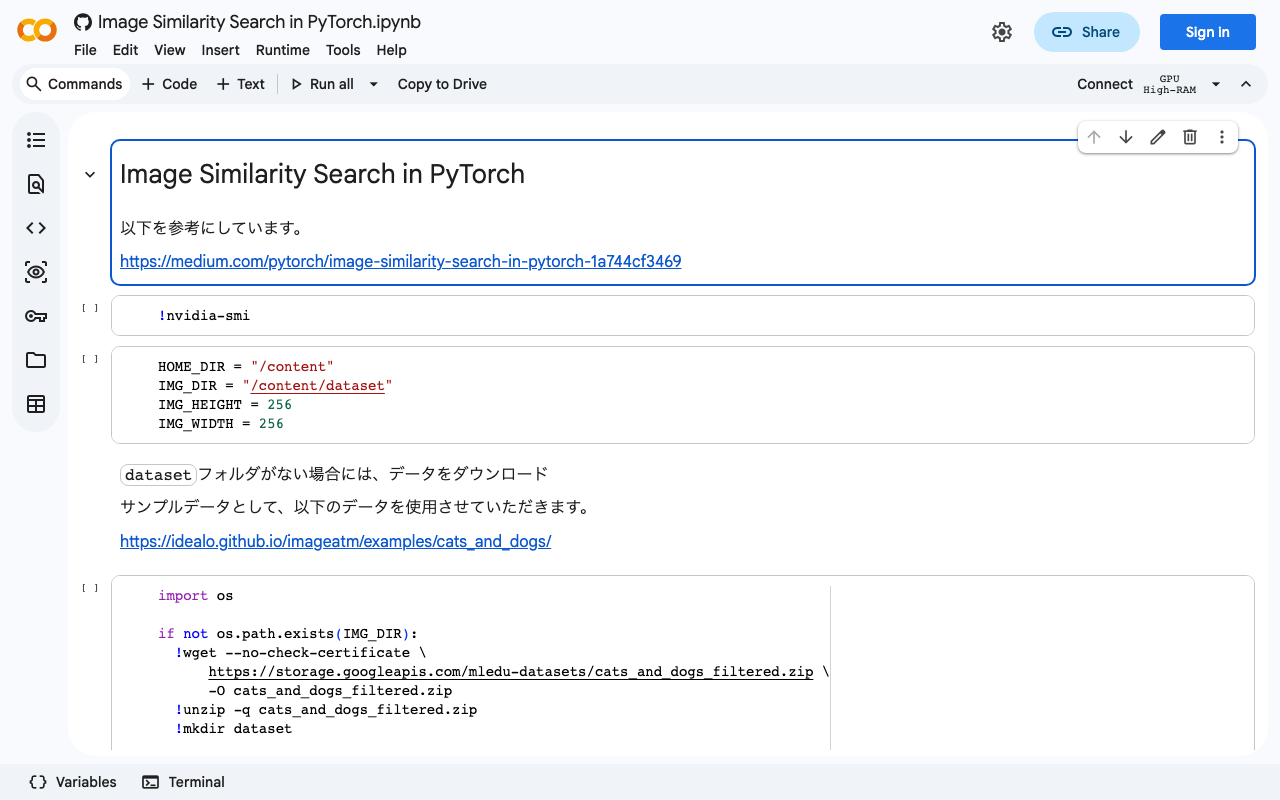
Based on the following article, I created a notebook for similar image search using an autoencoder. https://medium.com/pytorch/image-similarity-search-in-pytorch-1a744cf3469 The notebook is available below. https://colab.research.google.com/github/nakamura196/ndl_ocr/blob/main/Image_Similarity_Search_in_PyTorch.ipynb You can verify its operation by selecting “Runtime” > “Run all.” I hope this is helpful.

August 19, 2022 · Updated: August 19, 2022 · 1 min · Nakamura