Notes on Extracting Latitude and Longitude from Google Maps Short URLs

Overview I had an opportunity to extract latitude and longitude from a Google Maps short URL like the following. https://goo.gl/maps/aPxUgDJ9KP2FLFkN7 https://goo.gl/maps/aPxUgDJ9KP2FLFkN7 At that time, two sets of latitude and longitude could be obtained, so this is a personal note on the matter. Extraction Method I received the following answer from GPT-4. -– Answer below — It is not possible to directly extract latitude and longitude from a Google Maps short URL (goo.gl/maps/...). However, by expanding this short URL to obtain the original URL, you can extract the latitude and longitude from that URL. ...

August 22, 2023 · Updated: August 22, 2023 · 2 min · Nakamura

Trying the mirador-annotations Plugin and SimpleAnnotationServer with Mirador 3

Overview mirador-annotations is a Mirador 3 plugin that adds annotation creation tools. https://github.com/ProjectMirador/mirador-annotations This time, I tried combining it with the following SimpleAnnotationServer, and this is a memorandum of the process. https://github.com/glenrobson/SimpleAnnotationServer Preparing SimpleAnnotationServer Follow the Getting Started guide below. https://github.com/glenrobson/SimpleAnnotationServer#getting-started When you access http://localhost:8888/index.html, the following screen is displayed. The endpoint appears to be http://localhost:8888/annotation/, which displays a list of registered annotations (initially empty). This endpoint will be used from Mirador 3. ...

August 18, 2023 · Updated: August 18, 2023 · 3 min · Nakamura

[Omeka S Module Introduction] Advanced Search Adapter for Solr

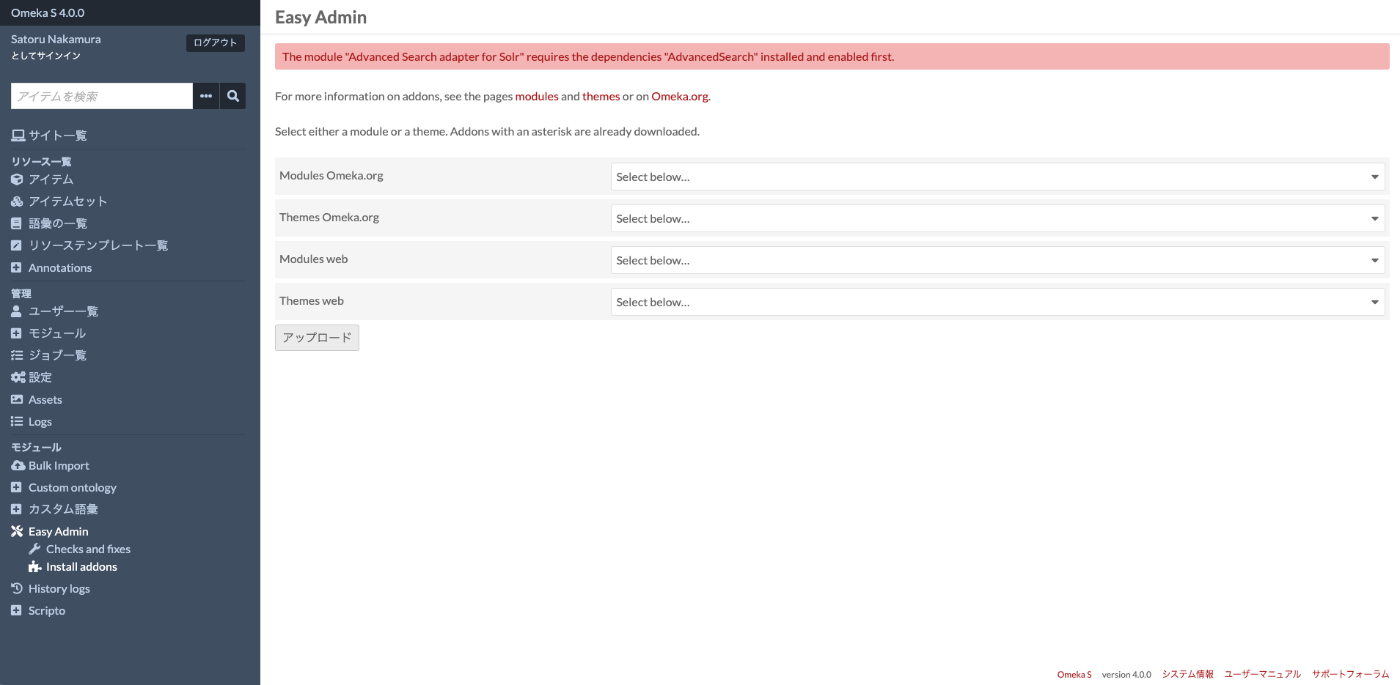
Overview “Advanced Search adapter for Solr” is an Omeka S module that provides an advanced search adapter for Apache Solr. This enables you to leverage the full power of a search engine within Omeka. It provides features such as relevance-based (score) search, instant search, facets, autocomplete, and suggestions for both general users and administrators. https://github.com/Daniel-KM/Omeka-S-module-SearchSolr Setting Up Apache Solr ! Apache Solr can be installed on a server different from the one where Omeka S is installed. ...

August 17, 2023 · Updated: August 17, 2023 · 7 min · Nakamura

Accessing a Specific AWS S3 Bucket Using Cyberduck for macOS

I tried to access a specific AWS S3 bucket using Cyberduck, referencing the following article. https://dev.classmethod.jp/articles/specify_s3_folder_iam_cyberduck/ However, when I opened the macOS version of Cyberduck and pressed the “New Connection” button at the top of the screen, the form for entering bucket information and other details was not displayed. After investigating, I found the following issue. https://github.com/iterate-ch/cyberduck/issues/11154 It indicated that you should open a bookmark instead, as follows: Please refer to Access third party buckets. To set a default path, create a new bookmark instead of choosing Open Connectoin. ...

August 16, 2023 · Updated: August 16, 2023 · 1 min · Nakamura

Setting Up GitHub 2FA Using a Browser Extension

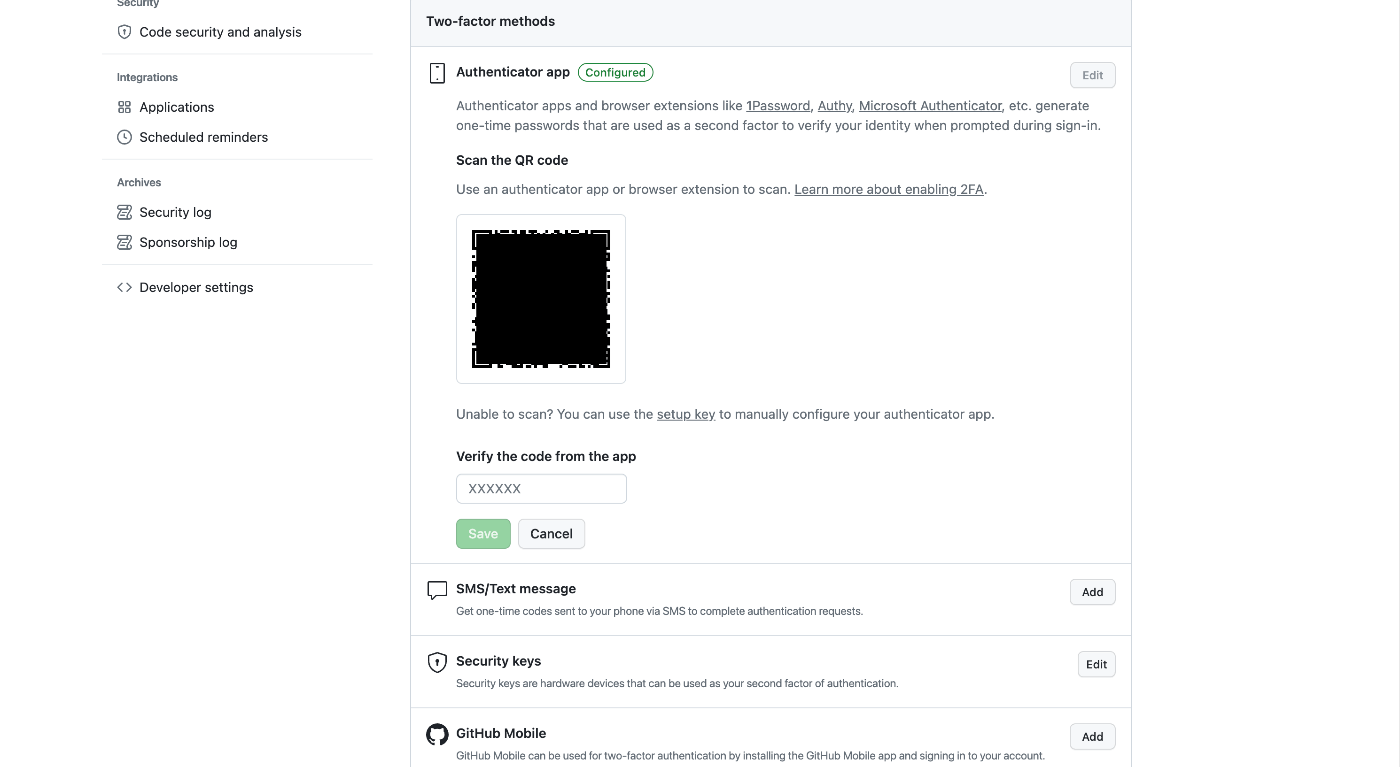
Overview This is a memo on using the browser extension “Authenticator” to set up two-factor authentication (2FA) for GitHub. https://authenticator.cc/ Preparing the QR Code First, prepare the QR code on the GitHub side. I’ll skip the detailed steps, but the QR code will be displayed on a screen like the following. Adding the Browser Extension Access the following URL from Chrome, Firefox, or Edge. The example below uses Chrome. ...

August 15, 2023 · Updated: August 15, 2023 · 2 min · Nakamura

Error When Running npx nuxi typecheck

When running npx nuxi typecheck in Nuxt3, the following error occurred. nuxt.config.ts:16:3 - error TS2345: Argument of type '{ app: { baseURL: string; }; runtimeConfig: { public: { token: string; }; }; typescript: { strict: boolean; }; }' is not assignable to parameter of type 'InputConfig<NuxtConfig, ConfigLayerMeta>'. Object literal may only specify known properties, and '"app"' does not exist in type 'InputConfig<NuxtConfig, ConfigLayerMeta>'. As a solution, as described in the following documentation, it was necessary to install two libraries. ...

August 9, 2023 · Updated: August 9, 2023 · 1 min · Nakamura

Commands for Restarting Virtuoso When It Stops

This is a personal note on the commands for restarting Virtuoso when it stops. There may be some errors, but I hope it serves as a useful reference. Checking virtuoso-t which virtuoso-t > /usr/local/bin/virtuoso-t Checking the Location of virtuoso.ini sudo find / -name virtuoso.ini > ... > /usr/local/var/lib/virtuoso/db/virtuoso.ini > ... Deleting the lck File and Starting sudo rm -rf /usr/local/var/lib/virtuoso/db/virtuoso.lck sudo /usr/local/bin/virtuoso-t +configfile /usr/local/var/lib/virtuoso/db/virtuoso.ini

August 7, 2023 · Updated: August 7, 2023 · 1 min · Nakamura

Utilizing Exhibition Information Stored in the Cultural Japan RDF Store

Overview The Cultural Japan RDF store contains information about exhibitions. A list can be retrieved using the following query, which specifies type:展覧会 (Exhibition) for rdf:type. PREFIX type: <https://jpsearch.go.jp/term/type/> PREFIX rdfs: <http://www.w3.org/2000/01/rdf-schema#> select distinct * where { ?s rdf:type type:展覧会; rdfs:label ?label . } https://ld.cultural.jp/snorql/?query=select+distinct+*+where+{ %3Fs+rdf%3Atype+type%3A展覧会%3B +++++++rdfs%3Alabel+%3Flabel+.+ } ++ This article introduces an example of how to utilize this exhibition information. List of Exhibitions Each exhibition has values such as jps:temporal and jps:spatial (which may have multiple values). https://ld.cultural.jp/data/apmoa-exhib-2021-soga The following query can be used to retrieve a list including exhibition metadata. ...

August 4, 2023 · Updated: August 4, 2023 · 2 min · Nakamura

Watching URL Query Changes with watch in Nuxt3

I wanted to watch URL query changes with watch in Nuxt3, so I wrote the following code, but the watch did not work when the URL query changed. <script lang="ts" setup> const route = useRoute() watch( route, () => { console.log(route['query']) } ) </script> So I referenced the following article. https://qiita.com/YumaInaura/items/9c86ed91d56402e816db By changing the code to the following, the watch worked in response to URL query changes. <script lang="ts" setup> const route = useRoute() watch( () => route.query, () => { console.log(route['query']) } ) </script> There are still many things I don’t fully understand, but I hope this is helpful to others. ...

July 29, 2023 · Updated: July 29, 2023 · 1 min · Nakamura

How to Check How Fields Are Indexed in Apache Solr

Here are my notes on how to check how fields are indexed in Apache Solr. Using the Schema API You can use Solr’s Schema API to check how a specific field is defined. Below is an example request for a specific field. http://localhost:8983/solr/{core_name}/schema/fields/{field_name} By accessing this URL from a browser or sending a GET request using curl or similar tools, information about the specific field is returned in JSON format. This includes information about how the field is indexed. ...

July 23, 2023 · Updated: July 23, 2023 · 1 min · Nakamura

Batch Registering Data to Omeka Classic IIIF Toolkit

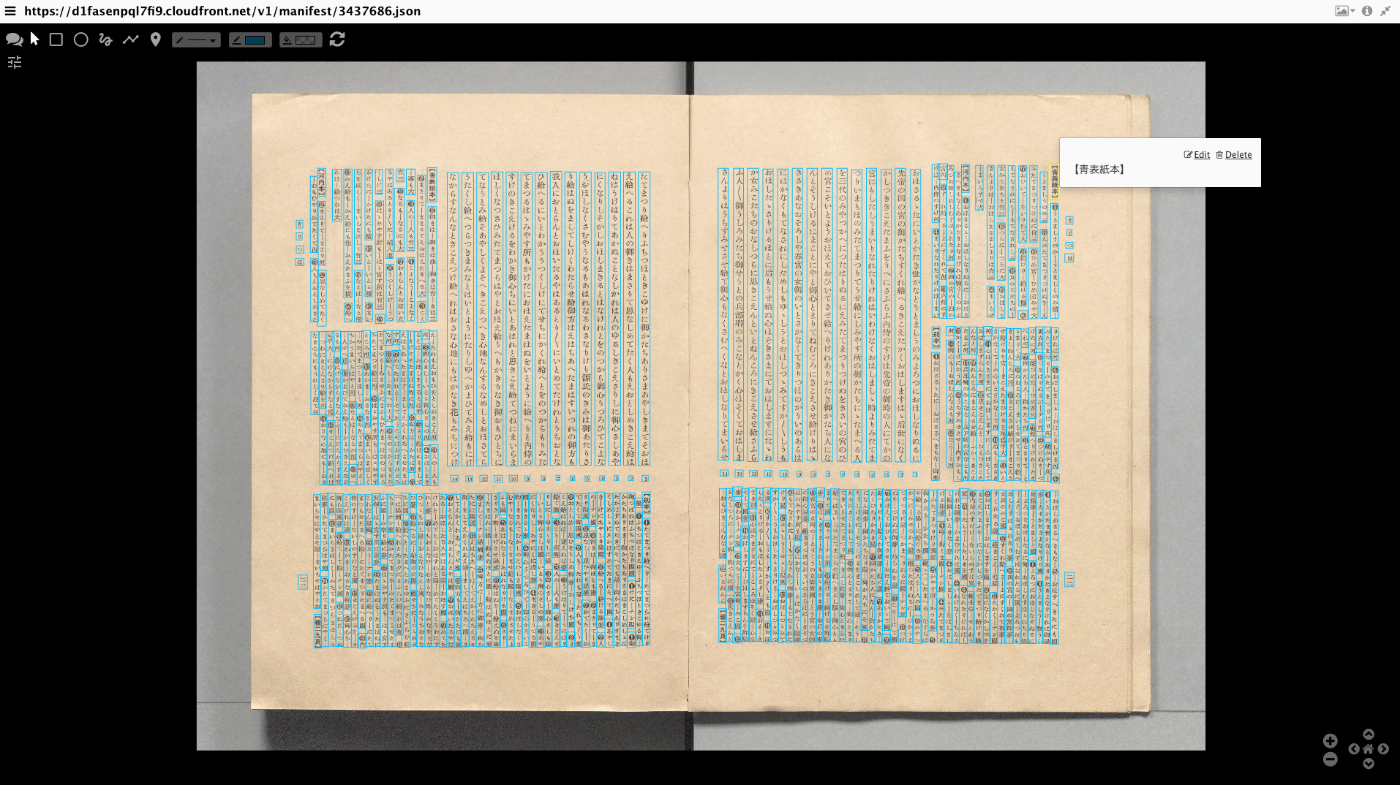
Overview This article explains how to batch register data to Omeka Classic IIIF Toolkit. For setting up Omeka Classic IIIF Toolkit, please refer to the following: This also builds on the content of the following article, making it easier to use by accepting Excel data as input. Preparing the Excel File Prepare an Excel file like the following: https://github.com/nakamura196/000_tools/blob/main/data/sample.xlsx Create three sheets: “collection,” “item,” and “annotation.” collection manifest_uri https://d1fasenpql7fi9.cloudfront.net/v1/manifest/3437686.json ...

July 20, 2023 · Updated: July 20, 2023 · 2 min · Nakamura

Mirador 3 Plugin Development: Copying a Window

Overview I created a plugin for Mirador 3 that copies a window. Note that this functionality is already provided by the following plugin. https://github.com/ProjectMirador/mirador-plugin-demos Therefore, this plugin was created to learn the plugin development process. I hope this plugin serves as a useful reference from that perspective. Here is a screenshot. The source code is available here. https://github.com/nakamura196/mirador-copy-window-plugin The demo site is available here. https://nakamura196.github.io/mirador-copy-window-plugin/ Development Notes For developing this plugin, I first cloned the following repository and made modifications to it. ...

July 19, 2023 · Updated: July 19, 2023 · 3 min · Nakamura

Trying QuickStatements on wikibase.cloud

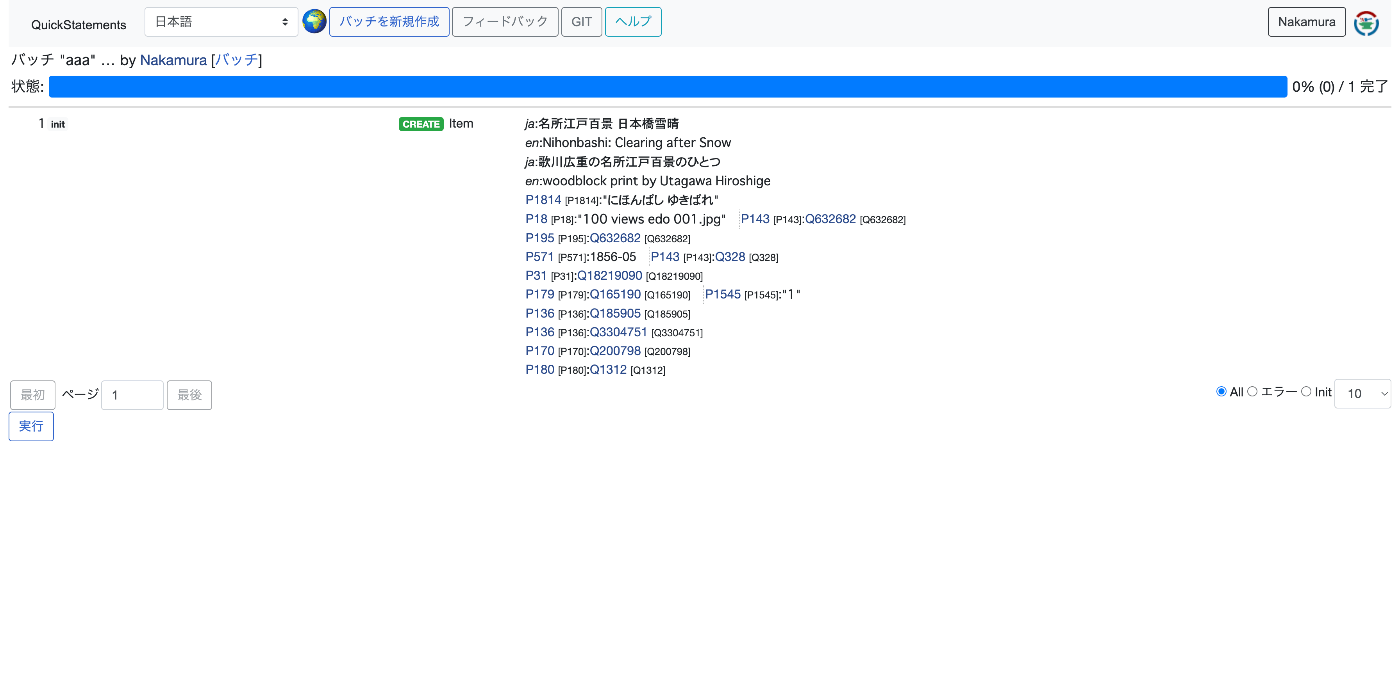
Overview I tried QuickStatements on wikibase.cloud, so here are my notes. I referred to the following article. https://qiita.com/higa4/items/10affb47215def42d8e0 Adding Data Following the article above, I imported a CSV file. However, the following error occurred. The cause was that the required properties were not registered on the independently set up wikibase instance. Property [[Property:P1814|P1814]] not found It turned out that properties (especially those with the same IDs as wikidata) need to be registered in advance using WikibaseSync or similar tools. ...

July 19, 2023 · Updated: July 19, 2023 · 1 min · Nakamura

Trying Out WikibaseSync

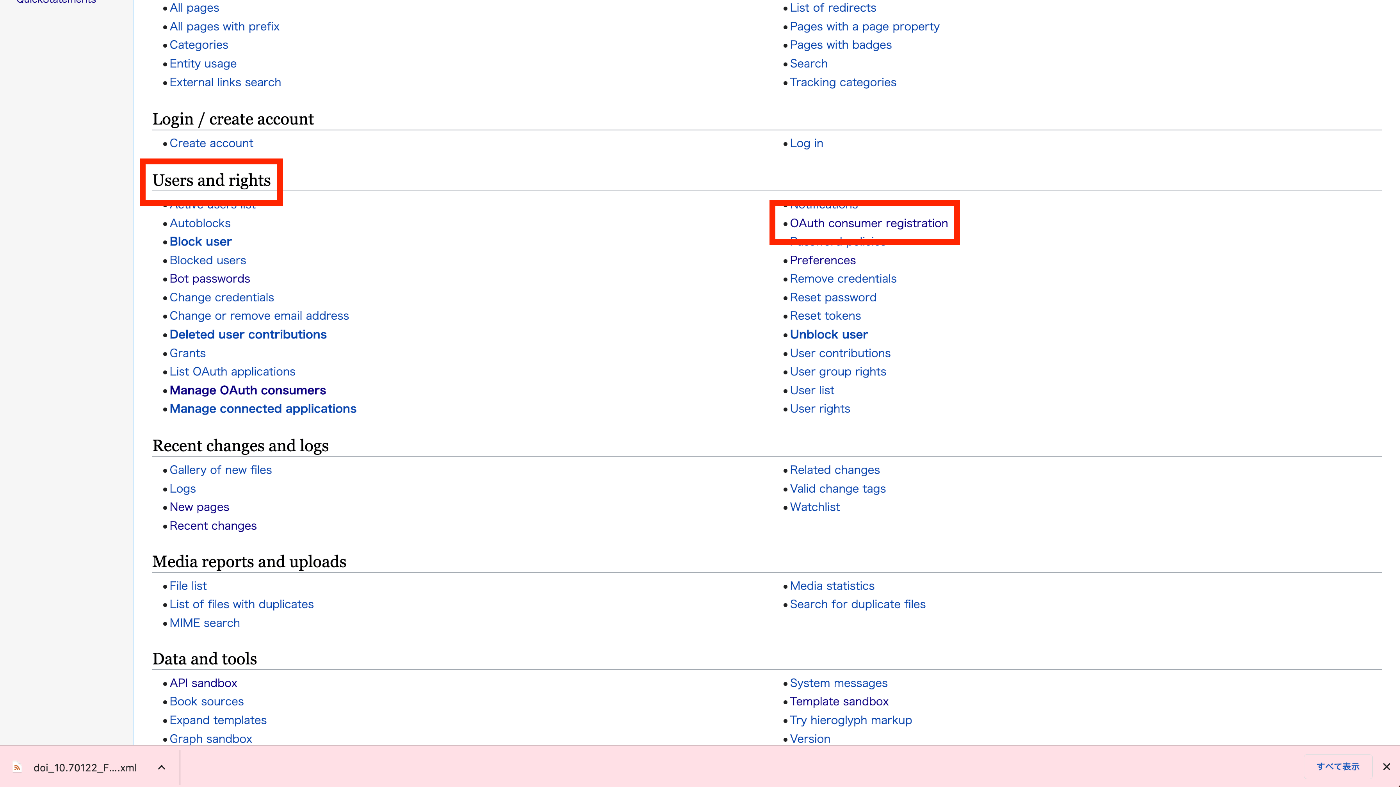
Overview I had the opportunity to try out the following WikibaseSync, so this is a personal note for future reference. https://github.com/the-qa-company/WikibaseSync I learned about this tool from the following paper. https://doi.org/10.11517/jsaisigtwo.2022.SWO-056_04 Installation Install the source code and related libraries. !get clone https://github.com/the-qa-company/WikibaseSync cd WikibaseSync !pip install -r requirements.txt Creating a Bot Account Access the Wikibase prepared in advance, and click “Bot passwords” from “Special pages”. On the following screen, enter the “Bot name”. ...

July 19, 2023 · Updated: July 19, 2023 · 2 min · Nakamura

Using the Wikibase API

Overview I had the opportunity to use the Wikibase API from a Python client, so this is a memo of the process. I used the following library. https://wikibase-api.readthedocs.io/en/latest/index.html Installation Install with the following: !pip install wikibase-api Read This time, we will work with the following Wikibase instance. https://nakamura196.wikibase.cloud/ from wikibase_api import Wikibase api_url = "https://nakamura196.wikibase.cloud/w/api.php" wb = Wikibase(api_url=api_url) r = wb.entity.get("Q1") print(r) With the above, we were able to retrieve information about Q1. Create Obtaining Authentication Credentials When creating items, authentication needed to be performed using one of the following methods: ...

July 19, 2023 · Updated: July 19, 2023 · 3 min · Nakamura

Trying Dataverse

Overview I had an opportunity to try Dataverse, so here are my notes. I used the following demo environment. https://demo.dataverse.org/ Creating an Account Create an account from Sign Up. Creating a Dataverse Let’s try creating a Dataverse. I created the following Dataverse. https://demo.dataverse.org/dataverse/nakamura196 Creating a Dataset Create a dataset from Add Data. The following is the registration screen. The following is the registration result screen. ...

July 19, 2023 · Updated: July 19, 2023 · 2 min · Nakamura

Trying wikibase.cloud

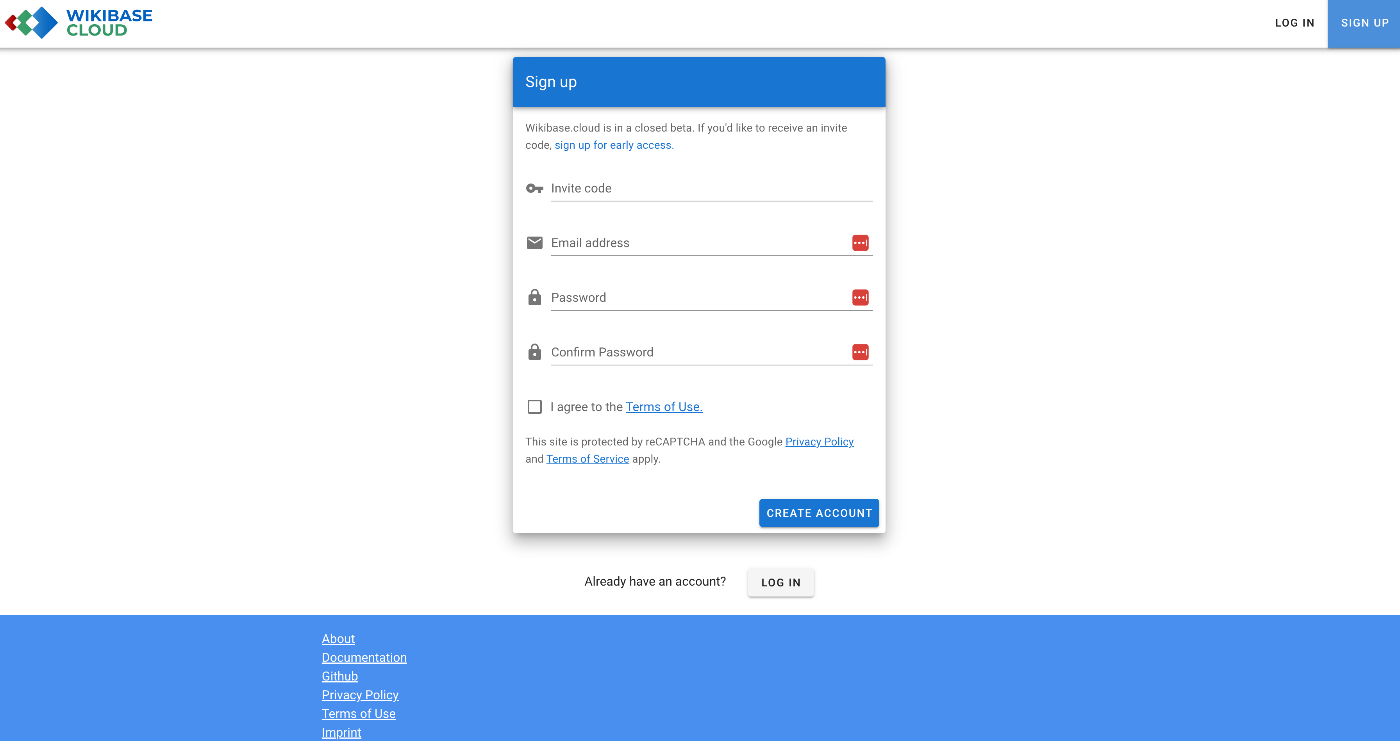
Overview I had an opportunity to try wikibase.cloud, so here are my notes. Documentation The manual was available at the following link. https://www.mediawiki.org/wiki/Wikibase/Wikibase.cloud Creating an Instance Initially, I tried setting up a custom domain, but it didn’t work. I’ll just leave the record below. From that point on, I gave up on the custom domain and used nakamura196.wikibase.cloud. Failure It appeared that a custom domain could be assigned, so I entered wikibase.aws.ldas.jp. ...

July 14, 2023 · Updated: July 14, 2023 · 2 min · Nakamura

Using the onClose Prop

When using onBackdropClick in MUI’s Dialog component, the following warning occurred. Warning: Failed prop type: The prop `onBackdropClick` of `ForwardRef(Dialog)` is deprecated. Use the onClose prop with the `reason` argument to handle the `backdropClick` events. The warning message is about the deprecated prop onBackdropClick of the Dialog component. This means that this prop is being used somewhere in your code but is no longer supported or recommended. The warning suggests using the onClose prop instead. ...

July 11, 2023 · Updated: July 11, 2023 · 1 min · Nakamura

Zooming to Meet Viewport Constraints in Mirador 3

Overview To zoom to a specific area in Mirador 3, you can use the method described below. https://github.com/ProjectMirador/mirador/wiki/M3---Mirador-3-Frequently-Asked-Questions#q-how-do-i-change-the-view-of-an-image-to-zoom-to-a-certain-area Specifically, it looks like this. // Box to zoom to const boxToZoom = { x: 1420, y: 1831, width: 800, height: 1195 }; const zoomCenter = { x: boxToZoom.x + boxToZoom.width / 2, y: boxToZoom.y + boxToZoom.height / 2 }; var action = Mirador.actions.updateViewport(windowId, { x: zoomCenter.x, y: zoomCenter.y, zoom: 1 / boxToZoom.width }); miradorInstance.store.dispatch(action); Internally, it appears that OpenSeadragon’s panTo and zoomTo are used. The issue here is that zoomTo ignores constraints when zooming, as described in the following article. ...

July 11, 2023 · Updated: July 11, 2023 · 2 min · Nakamura

Highlighting LaTeX in Monaco Editor

Overview I had the opportunity to highlight LaTeX in Monaco Editor, so here are my notes. This is a follow-up to the following article that targeted Ace Editor. I hope this serves as a useful reference. Screenshot Demo Site https://nakamura196.github.io/ace_latex/monaco/ Repository https://github.com/nakamura196/ace_latex/ Source Code <!DOCTYPE html> <html lang="en"> <head> <meta charset="UTF-8" /> <meta name="viewport" content="width=device-width, initial-scale=1.0" /> <title>Monaco Editor Demo</title> <link href="https://cdn.jsdelivr.net/npm/monaco-editor@0.40.0/min/vs/editor/editor.main.min.css" rel="stylesheet" /> </head> <body> <h2>Monaco Editor LaTeX</h2> <div id="container" style="width: 100%; height: 600px; border: 1px solid lightgray" ></div> <script src="https://cdn.jsdelivr.net/npm/monaco-editor@0.40.0/min/vs/loader.min.js"></script> <script> require.config({ paths: { vs: "https://cdn.jsdelivr.net/npm/monaco-editor@0.40.0/min/vs", }, }); require(["vs/editor/editor.main"], function () { // Register a new language monaco.languages.register({ id: "latex" }); // Register a tokens provider for the language monaco.languages.setMonarchTokensProvider("latex", { tokenizer: { root: [ [/(\\[a-zA-Z]+)/, "command"], // LaTeX commands [/(\\[\w\u3000-\u9FFF]+)/, "note"], // LaTeX commands [/(\{)/, "brace"], [/(\})/, "brace"], [/(\[)/, "bracket"], [/(\])/, "bracket"], [/(document|dvips)/, "keyword"], // LaTeX keywords [/(%.*)/, "comment"], // Comments ], }, }); // Define a new theme that contains only rules that match this language monaco.editor.defineTheme("myTheme", { base: "vs", inherit: true, rules: [ { token: "command", foreground: "#F44336" }, // LaTeX commands in red { token: "note", foreground: "#2196F3" }, // Notes in blue { token: "brace", foreground: "FF00FF" }, // Braces in magenta { token: "bracket", foreground: "00FFFF" }, // Brackets in cyan { token: "keyword", foreground: "#4CAF50" }, // Keywords in green { token: "comment", foreground: "#9E9E9E" }, // Comments in gray ], colors: {}, }); monaco.editor.create(document.getElementById("container"), { value: getCode(), language: "latex", theme: "myTheme", wordWrap: true, }); }); function getCode() { return `\\documentclass{tbook} \\usepackage{hiragino,cid} \\usepackage[dvips]{graphics} \\usepackage{font} % \\見開き \\begin{document} テキスト \\書名{(サンプル)}テキスト 長いテキスト長いテキスト長いテキスト長いテキスト長いテキスト長いテキスト長いテキスト長いテキスト長いテキスト長いテキスト長いテキスト長いテキスト長いテキスト長いテキスト長いテキスト\\右注{(あああ)}長いテキスト長いテキスト \\右注{(サンプル)}テキスト \\end{document}`; } </script> </body> </html> The following page was helpful for configuring custom languages. ...

July 10, 2023 · Updated: July 10, 2023 · 2 min · Nakamura