Resolving SAM Error: Running AWS SAM Projects Locally Requires Docker

Overview When trying sam local invoke with AWS SAM, the following message was displayed. Error: Running AWS SAM projects locally requires Docker. Have you got it installed and running? The environment was Mac, and Docker was running. Solution Running the following command resolved the issue. sudo ln -s ~/.docker/run/docker.sock /var/run/docker.sock I referenced the following. https://github.com/lando/lando/issues/3533 Summary I hope this is helpful for anyone facing the same issue.

November 24, 2023 · Updated: November 24, 2023 · 1 min · Nakamura

Trying Leaflet Marker Cluster with Nuxt 3 and Composition API

Overview In the following article, I introduced how to use Leaflet Marker Cluster with Nuxt 3. This time, I updated it to use the Composition API, so here are my notes. Installation Install the following: npm i leaflet leaflet.markercluster @vue-leaflet/vue-leaflet npm i -D @types/leaflet @types/leaflet.markercluster Source Code Please refer to the following: https://github.com/nakamura196/nuxt3-demo/blob/main/components/map/MarkerCluster.vue Summary There are some parts where TypeScript support is incomplete, but I hope this serves as a useful reference. ...

November 24, 2023 · Updated: November 24, 2023 · 1 min · Nakamura

Nuxt3 x Vuetify x Cytoscape

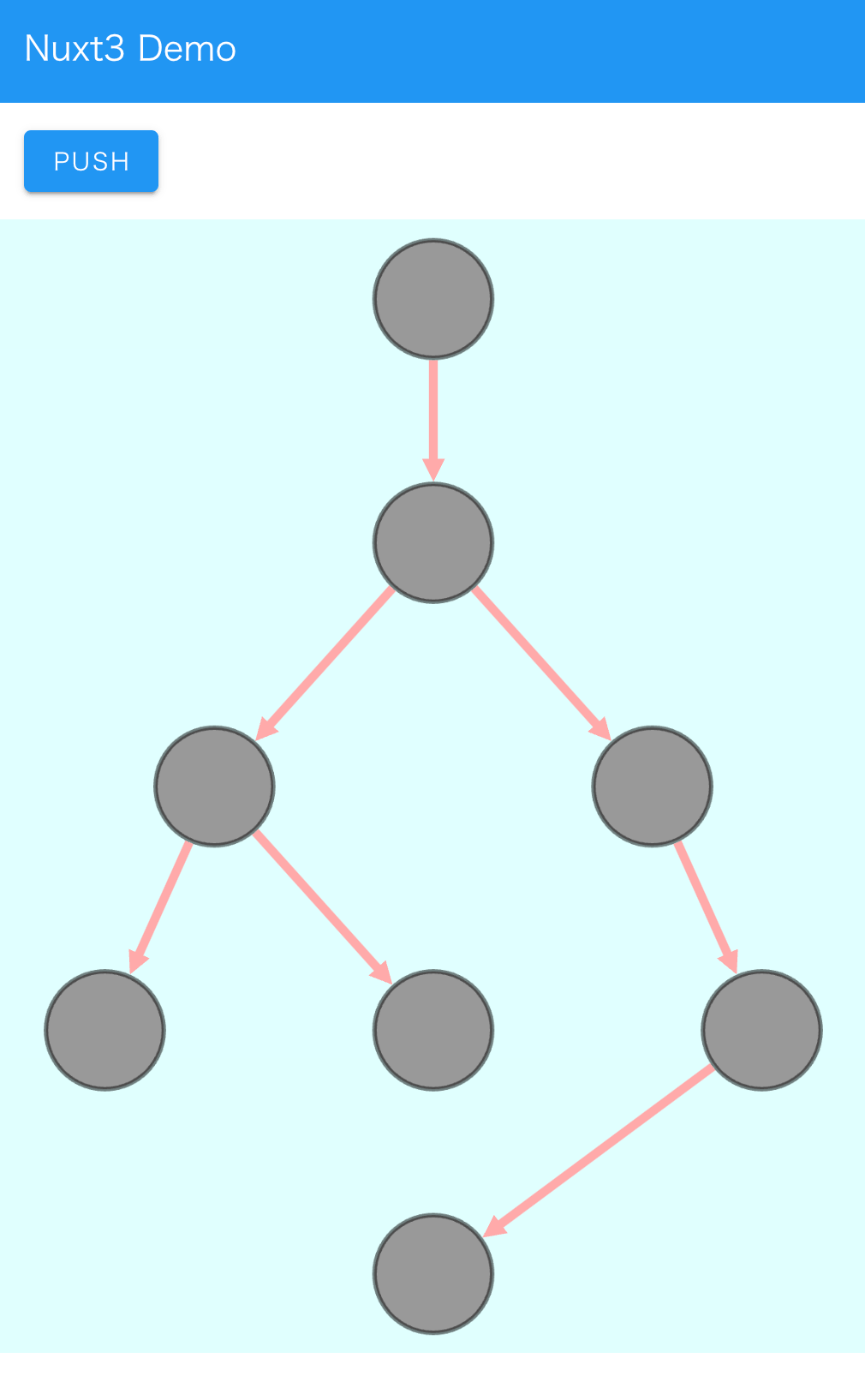
Overview I added a Cytoscape demo to a sample repository using Nuxt3 and Vuetify. https://github.com/nakamura196/nuxt3-demo You can check it working on the following page. https://nakamura196.github.io/nuxt3-demo/ Installation I ran the following. npm i cytoscape npm i @types/cytoscape Source Code <template> <div id="view"> <v-btn class="ma-4" color="primary" v-on:click="addNode">push</v-btn> <div id="cy"></div> </div> </template> <script setup lang="ts"> import cytoscape from "cytoscape"; let cy: any = null; // = ref(null); //reactive({}); //: any const count: number = 0; // = ref(0); //reactive(0); const addNode = () => { cy.add([ { group: "nodes", data: { id: "node" + count }, position: { x: 300, y: 200 }, }, { group: "edges", data: { id: "edge" + count, source: "node" + count, target: "cat" }, }, ]); }; onMounted(() => { cy = cytoscape({ container: document.getElementById("cy"), boxSelectionEnabled: false, autounselectify: true, style: cytoscape .stylesheet() .selector("node") .css({ height: 80, width: 80, "background-fit": "cover", "border-color": "#000", "border-width": 3, "border-opacity": 0.5, content: "data(name)", "text-valign": "center", }) .selector("edge") .css({ width: 6, "target-arrow-shape": "triangle", "line-color": "#ffaaaa", "target-arrow-color": "#ffaaaa", "curve-style": "bezier", }), elements: { nodes: [ { data: { id: "cat" } }, { data: { id: "bird" } }, { data: { id: "ladybug" } }, { data: { id: "aphid" } }, { data: { id: "rose" } }, { data: { id: "grasshopper" } }, { data: { id: "plant" } }, { data: { id: "wheat" } }, ], edges: [ { data: { source: "cat", target: "bird" } }, { data: { source: "bird", target: "ladybug" } }, { data: { source: "bird", target: "grasshopper" } }, { data: { source: "grasshopper", target: "plant" } }, { data: { source: "grasshopper", target: "wheat" } }, { data: { source: "ladybug", target: "aphid" } }, { data: { source: "aphid", target: "rose" } }, ], }, layout: { name: "breadthfirst", directed: true, padding: 10, }, }); }); </script> <style scoped> #cy { width: 100%; height: 80%; position: absolute; background-color: lightcyan; } </style> Summary I hope this is helpful. ...
November 18, 2023 · Updated: November 18, 2023 · 2 min · Nakamura

Cantaloupe: Running as a Service

Overview The Cantaloupe Image Server can be run with the following command. java -Dcantaloupe.config=cantaloupe.properties -Xmx2g -jar cantaloupe-5.0.5.jar However, with this method, the Cantaloupe server stops when the SSH connection is lost, for example. Here I introduce how to run it as a service. Method Create a service file: Create a service file (e.g., cantaloupe.service) in the /etc/systemd/system/ directory with sudo privileges. [Unit] Description=Cantaloupe Image Server [Service] User=ubuntu # Please modify the following paths as appropriate WorkingDirectory=/home/ubuntu/cantaloupe-5.0.5 ExecStart=/usr/bin/java -Dcantaloupe.config=cantaloupe.properties -Xmx2g -jar cantaloupe-5.0.5.jar SuccessExitStatus=143 [Install] WantedBy=multi-user.target In this file, the Java command to execute is specified in ExecStart. Also, User and WorkingDirectory need to be set appropriately. ...

November 16, 2023 · Updated: November 16, 2023 · 2 min · Nakamura

Cantaloupe: Serving Images Stored in Amazon S3

Overview This is a note on how to serve images stored in Amazon S3 using Cantaloupe Image Server, one of the IIIF image servers. As an alternative method for serving images stored in Amazon S3, I also introduced an approach in the following article. (The tools may have been updated since the article was written, so the instructions may not work exactly as described.) Configuration The official manual is available at the following link. ...

November 16, 2023 · Updated: November 16, 2023 · 2 min · Nakamura

TEI Publisher: Visualization Examples from the TEI Publisher Demo Collection (Part 1)

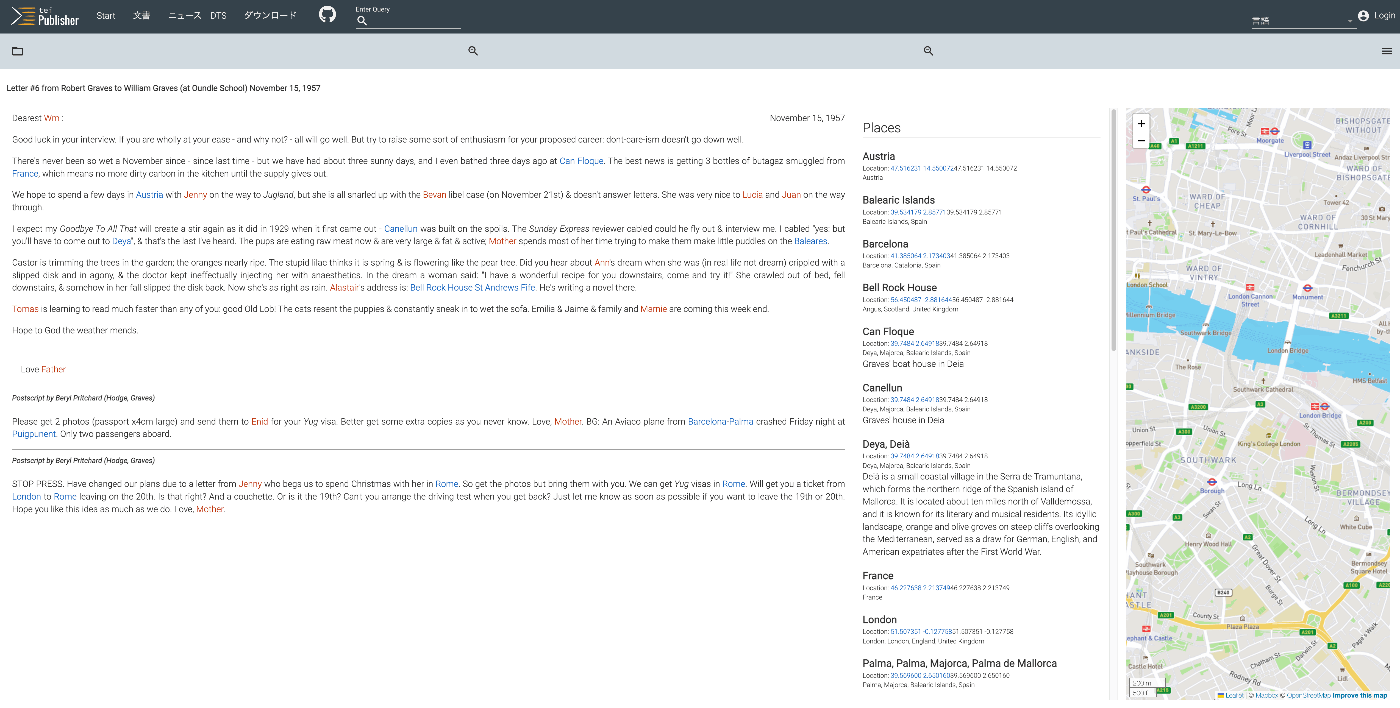
Overview The following page on TEI Publisher showcases various visualization examples. https://teipublisher.com/exist/apps/tei-publisher/index.html?query=&collection=test&sort=title&field=text&start=1 In this and subsequent articles, I will introduce the above visualization examples. Letter #6 from Robert Graves to William Graves (at Oundle School) November 15, 1957 Overview https://teipublisher.com/exist/apps/tei-publisher/test/graves6.xml As shown below, the text is displayed alongside a list of place names and person names, as well as a map. It is described as follows: A 20th century manuscript letter from Robert Graves where emphasis has been put on visualizing rich encoding of semantic information in the letter, in particular geographic and prosopographical data. The map is displayed with a pb-leaflet component. ...

November 12, 2023 · Updated: November 12, 2023 · 6 min · Nakamura

Vue.js: Handling Panes with iframes When Using Splitpanes

Splitpanes is a Vue.js library that enables pane splitting and resizing, as shown below. https://github.com/antoniandre/splitpanes When using this library, I encountered an issue where resizing did not work properly when a pane contained an iframe element. A solution was described in the following pull request. https://github.com/antoniandre/splitpanes/pull/162 As described there, adding the following CSS resolved the issue and allowed correct resize operations even with panes containing iframe elements. .splitpanes--dragging .splitpanes__pane { pointer-events: none; } I hope this helps anyone experiencing the same issue. ...

November 6, 2023 · Updated: November 6, 2023 · 1 min · Nakamura

Formatting and Syntax Highlighting XML in Nuxt3

Overview As shown in the following image, I had the opportunity to display XML text data using Nuxt3, so this is a memo. Installation I used the following two libraries. npm i xml-formatter npm i highlight.js Usage I created the following file as a Nuxt3 component. It formats XML strings with xml-formatter and then applies syntax highlighting with highlight.js. <script setup lang="ts"> import hljs from "highlight.js"; import "highlight.js/styles/xcode.css"; import formatter from "xml-formatter"; interface PropType { xml: string; } const props = withDefaults(defineProps<PropType>(), { xml: "", }); const formattedXML = ref<string>(""); onMounted(() => { // `highlightAuto` 関数が非同期でない場合は、 // `formattedXML` を直接アップデートできます。 // そうでない場合は、適切な非同期処理を行ってください。 formattedXML.value = hljs.highlightAuto(formatXML(props.xml)).value; }); const formatXML = (xmlstring: string) => { return formatter(xmlstring, { indentation: " ", filter: (node) => node.type !== "Comment", }); }; </script> <template> <pre class="pa-4" v-html="formattedXML"></pre> </template> <style> pre { /* 以下のスタイルは適切で、pre要素内のテキストの折り返しを制御しています。 */ white-space: pre-wrap; /* CSS 3 */ white-space: -moz-pre-wrap; /* Mozilla, 1999年から2002年までに対応 */ white-space: -pre-wrap; /* Opera 4-6 */ white-space: -o-pre-wrap; /* Opera 7 */ word-wrap: break-word; /* Internet Explorer 5.5+ */ } </style> Summary I hope this is helpful for visualizing TEI/XML data. ...

November 6, 2023 · Updated: November 6, 2023 · 1 min · Nakamura

Using Versioning Machine (VM5.0) with Visual Studio Code (VSCode)

Overview Versioning Machine (VM5.0) is an application for visualizing textual variant information. http://v-machine.org/ This article explains how to use Visual Studio Code (VSCode) to display your own TEI/XML files in this application. The target TEI/XML files contain variant information described using the <listWit> tag, as shown below: <TEI xmlns="http://www.tei-c.org/ns/1.0"> <teiHeader> <fileDesc> <titleStmt> ... </titleStmt> <publicationStmt> ... </publicationStmt> <sourceDesc> <listWit> <witness xml:id="WA"> <title xml:lang="ja">ヴァイマル版ゲーテ全集(略称WA)</title> <title xml:lang="de">Goethes Werke. herausgegeben im Auftrage der Großherzogin Sophie von Sachsen</title> </witness> <witness xml:id="UTL"> <title xml:lang="ja">東京大学総合図書館所蔵のゲーテ自署付書簡</title> <title xml:lang="de">Der Brief von Goethe an Ludwig Wilhelm Cramer vom 29. Dezember 1822 im Besitz der Universitätsbibliothek Tokio</title> </witness> </listWit> <msDesc sameAs="#UTL"> ... As described later, this article uses text data from a letter with Goethe’s autograph held in the University of Tokyo General Library, which is publicly available at the following link: ...

November 3, 2023 · Updated: November 3, 2023 · 3 min · Nakamura

[Omeka S Module Introduction] BulkExport: Adding Export Functionality to Item Detail Pages

Overview In the following article, I introduced how to bulk export data using the BulkExport module. This module also provides functionality to display an export button on item detail pages. I will introduce how to use this feature. Usage The installation method is the same as for general modules. It is also briefly explained in the article above. After activating the module, export links in various formats are displayed on item detail pages as shown below. ...

October 17, 2023 · Updated: October 17, 2023 · 2 min · Nakamura

Disabling Autotune in Amazon OpenSearch Service

When attempting to change the instance type from t3.small.search to t3.medium.search on a development domain in Amazon OpenSearch Service, the following message was displayed. Autotune is not supported in t2/t3 instance types. Disable autotune or change your instance type. I could not find the Autotune setting in the UI, but the following page described how to do it using the CLI. https://docs.aws.amazon.com/opensearch-service/latest/developerguide/auto-tune.html#auto-tune-enable So I ran the following command. aws opensearch update-domain-config \ --domain-name my-domain \ --auto-tune-options DesiredState=DISABLED After that, I was able to successfully change the instance type. ...

October 3, 2023 · Updated: October 3, 2023 · 1 min · Nakamura

Enabling HTTPS for Archivematica on EC2

Introduction In the following article, I described how to set up Archivematica on EC2. This time, we configure a custom domain and enable HTTPS. Custom Domain Configuration This time, we assign the domains matica.aws.ldas.jp and storage.aws.ldas.jp to the IP address. We use Route 53. Obtaining an SSL Certificate sudo su yum install epel-release yum install certbot ertbot certonly --webroot -w /usr/share/nginx/html -d matica.aws.ldas.jp -d storage.aws.ldas.jp Web Server Configuration: Nginx Installation vi /etc/nginx/conf.d/archivematica-and-storage.conf Configuration: ...

September 22, 2023 · Updated: September 22, 2023 · 1 min · Nakamura

Trying Cantaloupe Access Control

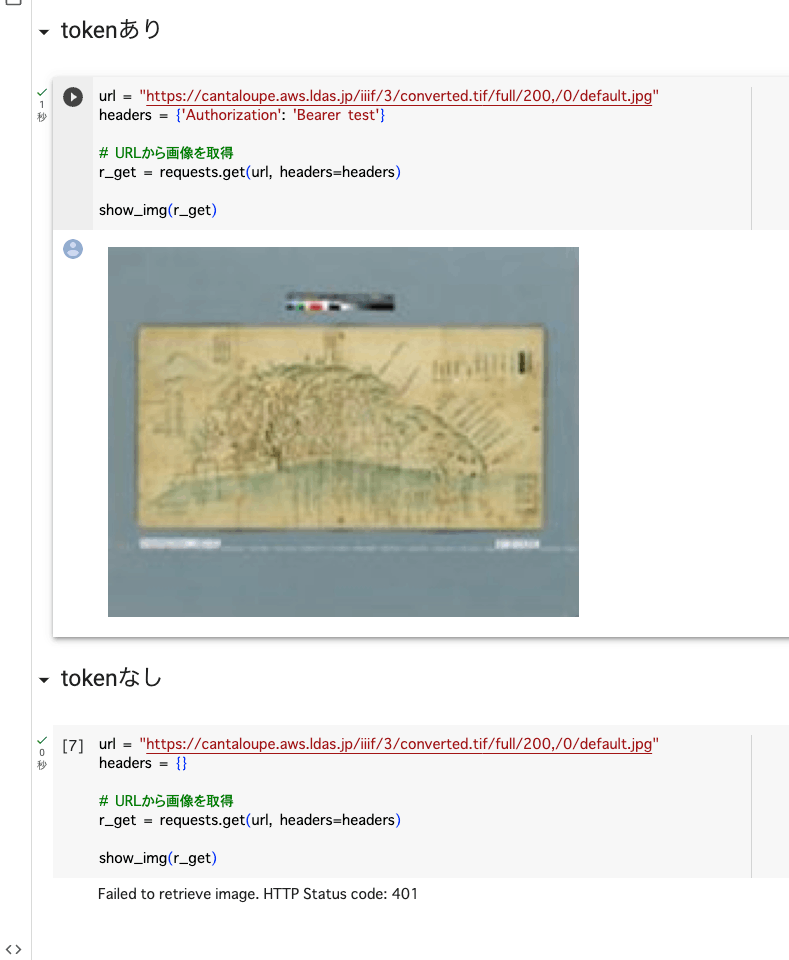
Overview This is a memo about trying Cantaloupe’s Access Control. https://cantaloupe-project.github.io/manual/5.0/access-control.html Bearer Authentication I referenced the following. https://cantaloupe-project.github.io/manual/5.0/access-control.html#Tiered Access All or Nothing Access This returns an error when the authentication information is incorrect. I configured it so that images are returned when the token is test, as shown below. def authorize(options = {}) header = context['request_headers'] .select{ |name, value| name.downcase == 'authorization' } .values.first if header&.start_with?('Bearer ') token = header[7..header.length - 1] if token == "test" return true end end return { 'status_code' => 401, 'challenge' => 'Bearer charset="UTF-8"' } end I created a Google Colab notebook to verify the above behavior. ...

September 21, 2023 · Updated: September 21, 2023 · 2 min · Nakamura

Adding Values to info.json in Cantaloupe

Overview Referring to the following, I tried adding values to the info.json returned by Cantaloupe. https://cantaloupe-project.github.io/manual/5.0/endpoints.html Method Referring to the page above, I modified extra_iiif3_information_response_keys as follows. def extra_iiif3_information_response_keys(options = {}) { 'rights' => 'http://example.org/license.html', 'service' => [ { '@id': 'https://example.org/auth/login', '@type': 'AuthCookieService1', 'profile': 'http://iiif.io/api/auth/1/login', 'label': 'Log In' } ], 'exif' => context.dig('metadata', 'exif'), 'iptc' => context.dig('metadata', 'iptc'), 'xmp' => context.dig('metadata', 'xmp_string') } end As a result, I was able to obtain the following info.json. { "@context": "http://iiif.io/api/image/3/context.json", "id": "https://cantaloupe.aws.ldas.jp/iiif/3/converted.tif", ... "rights": "http://example.org/license.html", "service": [ { "@id": "https://example.org/auth/login", "@type": "AuthCookieService1", "profile": "http://iiif.io/api/auth/1/login", "label": "Log In" } ], "exif": { "tagSet": "Baseline TIFF", "fields": { "ImageWidth": 13300, "ImageLength": 10400, "BitsPerSample": 8, "Compression": 7, "PhotometricInterpretation": 6, ... This can likely be used in combination with license display and the IIIF Auth API. ...

September 20, 2023 · Updated: September 20, 2023 · 1 min · Nakamura

Trying Cantaloupe Overlays

Overview Let’s try the overlay feature provided by Cantaloupe. https://cantaloupe-project.github.io/manual/5.0/overlays.html BasicStrategy With BasicStrategy, overlays are applied based on the settings in cantaloupe.properties. As shown below, you can overlay an image on another image. I used the following image from Irasutoya. https://www.irasutoya.com/2020/12/blog-post_279.html Since I set position to bottom right in the configuration file described below, the specified image appeared in the bottom right as shown below. I modified overlays.BasicStrategy.enabled and overlays.BasicStrategy.image in cantaloupe.properties. ...

September 20, 2023 · Updated: September 20, 2023 · 2 min · Nakamura

Enabling HTTPS for Cantaloupe on EC2

Introduction In the following article, I described how to set up Cantaloupe on EC2. This time, I will configure a custom domain and enable HTTPS. Custom Domain Configuration This time, I will assign the domain cantaloupe.aws.ldas.jp to 54.172.71.20. When using Route 53, it can be configured as follows. Obtaining an SSL Certificate sudo su apt install certbot certbot certonly --standalone -d cantaloupe.aws.ldas.jp root@ip-172-31-62-61:/home/ubuntu# certbot certonly --standalone -d cantaloupe.aws.ldas.jp Saving debug log to /var/log/letsencrypt/letsencrypt.log Enter email address (used for urgent renewal and security notices) (Enter 'c' to cancel): xxx@gmail.com - - - - - - - - - - - - - - - - - - - - - - - - - - - - - - - - - - - - - - - - Please read the Terms of Service at https://letsencrypt.org/documents/LE-SA-v1.3-September-21-2022.pdf. You must agree in order to register with the ACME server. Do you agree? - - - - - - - - - - - - - - - - - - - - - - - - - - - - - - - - - - - - - - - - (Y)es/(N)o: Y - - - - - - - - - - - - - - - - - - - - - - - - - - - - - - - - - - - - - - - - Would you be willing, once your first certificate is successfully issued, to share your email address with the Electronic Frontier Foundation, a founding partner of the Let's Encrypt project and the non-profit organization that develops Certbot? We'd like to send you email about our work encrypting the web, EFF news, campaigns, and ways to support digital freedom. - - - - - - - - - - - - - - - - - - - - - - - - - - - - - - - - - - - - - - - - (Y)es/(N)o: Y Account registered. Requesting a certificate for cantaloupe.aws.ldas.jp Successfully received certificate. Certificate is saved at: /etc/letsencrypt/live/cantaloupe.aws.ldas.jp/fullchain.pem Key is saved at: /etc/letsencrypt/live/cantaloupe.aws.ldas.jp/privkey.pem This certificate expires on 2023-12-19. These files will be updated when the certificate renews. Certbot has set up a scheduled task to automatically renew this certificate in the background. - - - - - - - - - - - - - - - - - - - - - - - - - - - - - - - - - - - - - - - - If you like Certbot, please consider supporting our work by: * Donating to ISRG / Let's Encrypt: https://letsencrypt.org/donate * Donating to EFF: https://eff.org/donate-le - - - - - - - - - - - - - - - - - - - - - - - - - - - - - - - - - - - - - - - - Web Server Configuration: Installing Nginx apt install nginx vi /etc/nginx/sites-available/cantaloupe.aws.ldas.jp Configuration: ...

September 20, 2023 · Updated: September 20, 2023 · 3 min · Nakamura

Handling "two factor auth enabled..." on PyPI

Overview Two-factor authentication is becoming mandatory on PyPI. https://blog.pypi.org/posts/2023-05-25-securing-pypi-with-2fa/ After setting up two-factor authentication and attempting to upload, the following error occurred. Uploading xxxx.whl 100% ━━━━━━━━━━━━━━━━━━━━━━━━━━━━━━━━━━━━━━━━ 22.2/22.2 kB • 00:00 • 65.2 MB/s WARNING Error during upload. Retry with the --verbose option for more details. ERROR HTTPError: 401 Unauthorized from https://upload.pypi.org/legacy/ User <アカウント名> has two factor auth enabled, an API Token or Trusted Publisher must be used to upload in place of password. Solution I had ~/.pypirc configured as follows. ...

September 20, 2023 · Updated: September 20, 2023 · 1 min · Nakamura

Launching Cantaloupe, a IIIF Image Server, on EC2

Overview This is a reference guide on how to launch Cantaloupe, a IIIF image server, on EC2. https://cantaloupe-project.github.io/ Additionally, this article introduces an example of Delegate Methods for restricting image download sizes. Specifically, it addresses cases where an error occurs when attempting to retrieve a full-size image via /full/full/. https://cantaloupe-project.github.io/manual/5.0/access-control.html Setting Up Cantaloupe Creating an EC2 Instance I created an EC2 instance with the platform set to Ubuntu, instance type set to t2.medium, and storage set to 8 GB. ...

September 19, 2023 · Updated: September 19, 2023 · 6 min · Nakamura

Running NDL Classical Japanese OCR on mdx

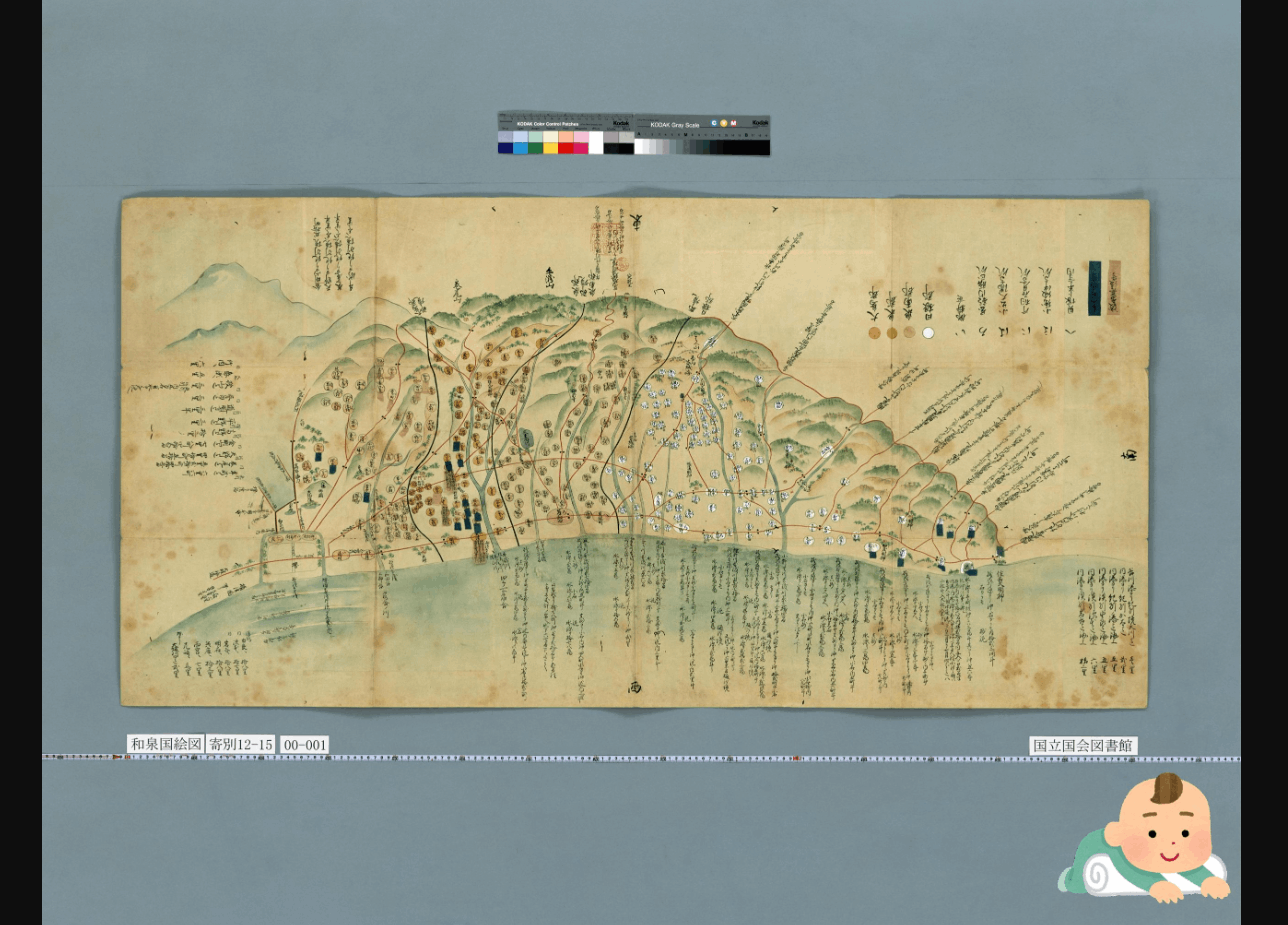
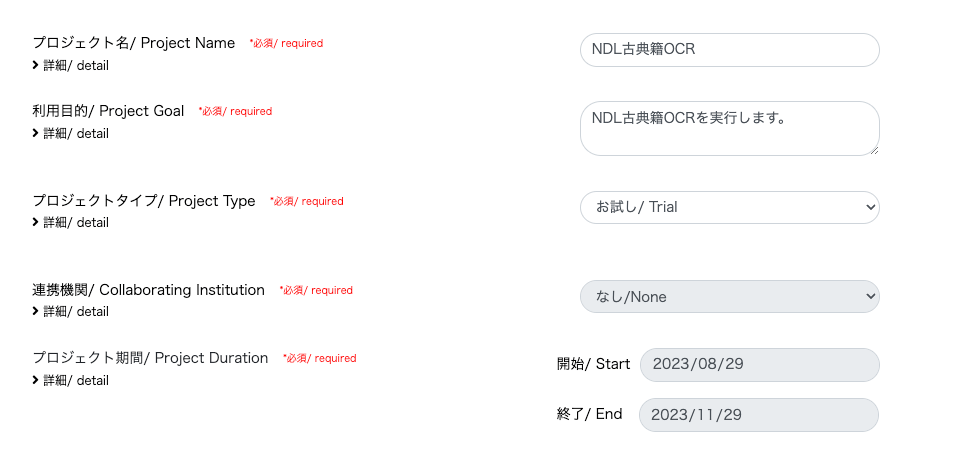
Update History 2024-05-22 Added the section “Adding the Docker Command User to the docker Group”. Overview mdx is a data platform for industry-academia-government collaboration co-created by universities and research institutions. https://mdx.jp/ In this article, we will run NDL Classical Japanese OCR using an mdx virtual machine. https://github.com/ndl-lab/ndlkotenocr_cli Project Application For the project type, we selected “Trial”. With the “Trial” type, one GPU pack was allocated. Creating a Virtual Machine Deployment We selected “01_Ubuntu-2204-server-gpu (Recommended)”. ...

August 29, 2023 · Updated: August 29, 2023 · 4 min · Nakamura

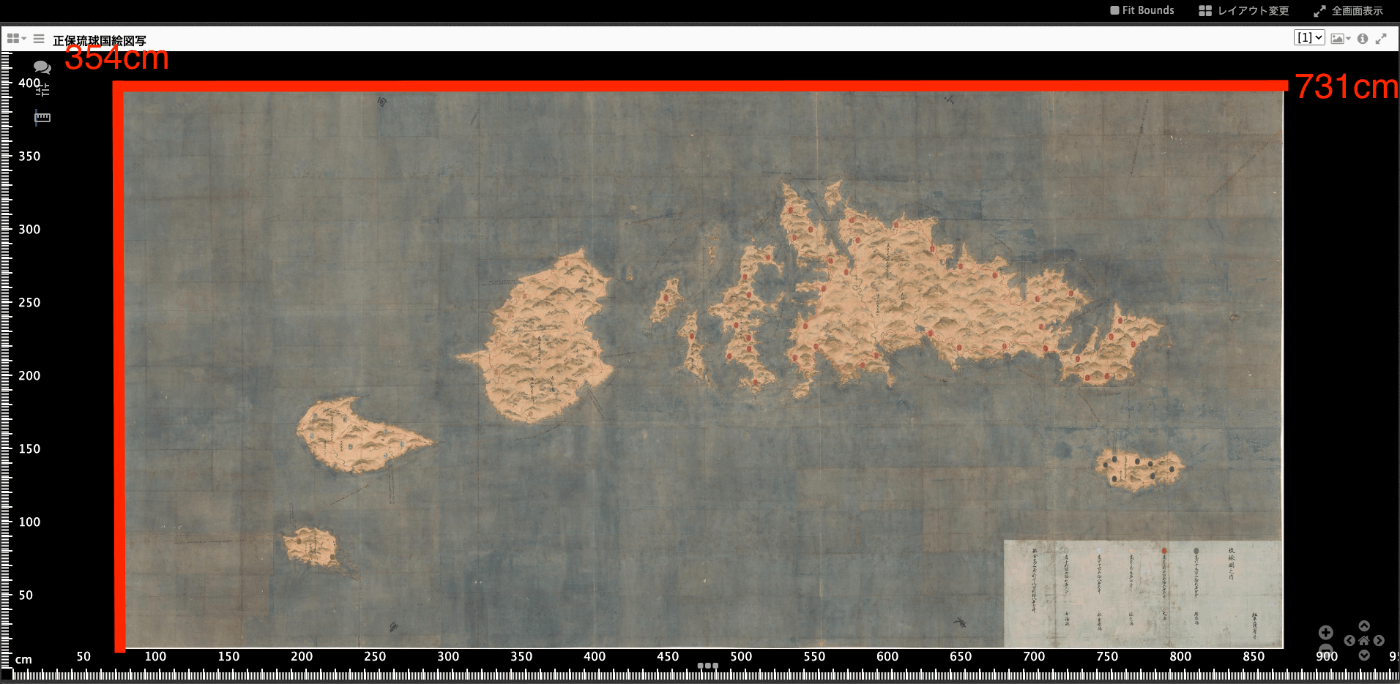
Trying Mirador 2's Physical Document Ruler

Overview IIIF’s Linking to External Services includes Physical Dimensions. https://iiif.io/api/annex/services/#physical-dimensions It is described as follows. For digitized objects, it is often useful to know the physical dimensions of the object. When available, they allow a client to present a ruler, or other rendition of physical scale, to the user. For Mirador ver.2 and ver.3, the following plugins exist respectively. ver.2 https://github.com/dbmdz/mirador-plugins#physical-document-ruler ver.3 https://github.com/ubleipzig/mirador-ruler-plugin Unfortunately, I was unable to successfully introduce the ver.3 plugin. Therefore, I will explain how to use the Physical Document Ruler with Mirador 2. ...

August 29, 2023 · Updated: August 29, 2023 · 2 min · Nakamura